Farm software has to reflect the records the operation and its bookkeeper actually use. A spreadsheet or general ledger may cover basic cash activity, while crop years, fields, livestock, inventory and accrual records can require specialized tools. Compare those scenarios alongside migration and ongoing cost rather than choosing by farm-specific branding alone.
What kind of farm accounting problem are you solving?
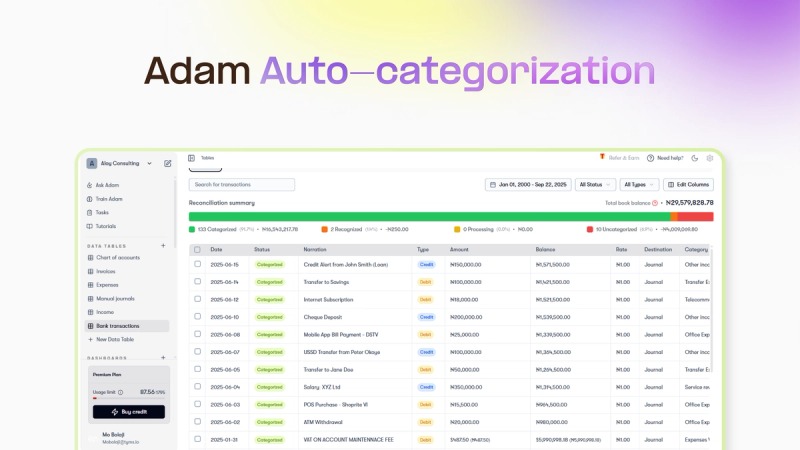
Organized receipts are not necessarily useful farm reports. Annual expenses, costs by field and statements prepared for a lender answer different questions; decide which one the operation needs before judging the software.
Start with the two or three reports someone on your farm will actually use. A small operation with one checking account needs dependable categories and reconciled balances. A grain grower comparing fertilizer costs across fields needs more detail, even if both farms have similar sales.
| Farm situation | Report you need | Reasonable starting point | Likely dealbreaker |
|---|---|---|---|
| Owner-operated farm with routine purchases | Categorized receipts, expenses, bank reconciliation | Structured spreadsheet or general accounting ledger | Missing entries or unusable totals |
| Mixed vegetable and livestock operation | Cash records plus separate enterprise costs | General ledger with an enterprise worksheet, or a farm-specific package | Expenses can’t be assigned where the farm needs them |
| Row-crop farm with multiple fields | Field and crop-year costs, inventory-related reports | Agricultural ledger, or integrated financial and enterprise records | No financial report at the field level you need |
| Livestock farm maintaining animal histories | Individual-animal or group-level records | Software that shows livestock detail | Only broad livestock expense categories |
| Farm needing lender or management statements | Income statement, balance sheet, any needed adjustments | Reporting-capable ledger with accountant support | Statements that won’t reconcile |
No acreage, revenue or headcount tells you when to change systems. What decides it is the reports you need and the work of keeping the records behind them.
A farmer who once used Quicken for contracting described the problem in an original r/farming post:
What is everyone using for accounting? Quicken was great when I was a self employed contractor, but it isn’t very agriculture friendly. I’ve been told that quicken offers a schedule F copy and paste, ambrook is all over Facebook, a neighbor has something that’s available through their chemical supplier but I’m not that big…. What’s better than the boot box of receipts?
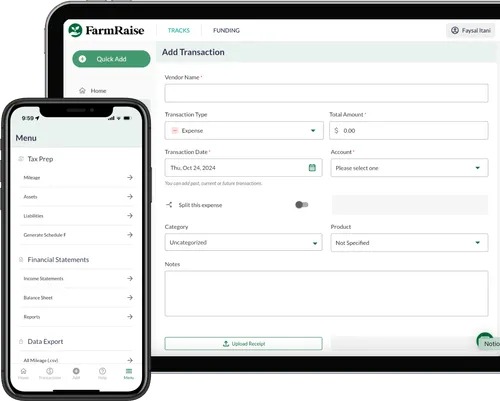
The receipt box is a record-capture problem. Picking a farm-focused package is a reporting decision. If farm and personal spending share an account, classify every entry so the farm totals stay traceable.
For US taxes, the return and accounting method depend on your farm’s business and tax situation. Schedule F covers qualifying farm activity, but not every agricultural entity files it.
What tax records and financial reports must the software produce?
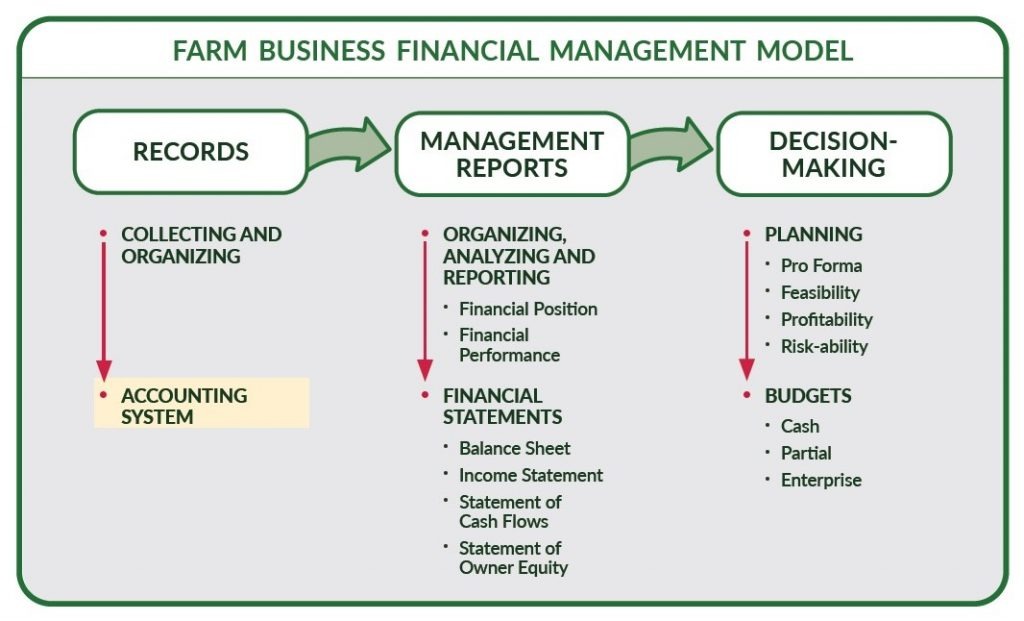
Tax categories, financial statements and enterprise profitability are three separate outputs. A ledger can organize Schedule F information and still not produce accrual-adjusted profitability or a field-level margin.
The IRS Farmer’s Tax Guide, Publication 225 explains farm recordkeeping and accounting methods. Under the cash method, you count income when you receive it and expenses when you pay them. An accrual income statement also adjusts for inventory and other changes between periods.
The University of Minnesota Extension’s farm income-statement guidance explains how beginning and ending inventories and related changes affect a farm’s reported financial performance.
| Output | Question it answers | What you need |
|---|---|---|
| Cash income and expense report | What came in and what was paid? | Consistent categories and reconciled transactions |
| Schedule F category summary, when applicable | How are farm tax items organized? | Fitting categories and supporting documents |
| General ledger or trial balance | Where are the transactions and account balances? | Account detail and adjustment history |
| Income statement | What result is reported for a period? | Revenue, expenses and adjustments recorded correctly |
| Balance sheet | What assets, liabilities and equity are recorded? | Complete balances and reconciliation |
| Accrual-adjusted farm income | How do inventory and other period changes alter the result? | Beginning and ending balances plus the needed adjustments |
| Enterprise margin | What did a field, crop or livestock activity contribute? | Revenue and costs assigned to that enterprise |
Cash vs accrual decides when income and expenses count. Single-entry vs double-entry describes how records are structured. Double-entry alone won’t produce the crop-year or inventory adjustments that management reports use.
Say you harvest grain in one period and sell it in another. Under the cash method, you record the sale proceeds when you actually or constructively receive them. To judge the economic result across periods, you also need inventory adjustments.
Lenders can ask for specific statements or schedules. Your lender sets what it requires, and the software has to produce those records or support your accountant’s adjustments.
Should you use a spreadsheet, general accounting software, or a farm-specific package?
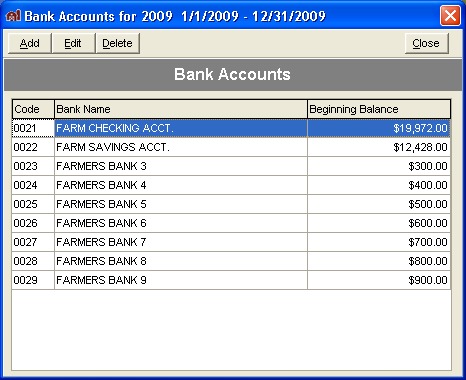
For straightforward records, a spreadsheet works if transactions are complete, formulas are maintained and balances reconcile. General accounting software adds a more structured ledger. Farm-specific packages can provide the field, crop-year, inventory and enterprise reporting you would otherwise build separately. Moving from another system? See how to map accounts and reconcile opening balances.
Spreadsheet or cash log. You control the categories and layout, and you’re responsible for accuracy, backups and year-end totals. It suits an operation whose reporting needs stay simple and consistent.
General accounting ledger. QuickBooks Online and similar programs can be configured for farming records. Nebraska Extension offers QuickBooks instruction for farmers.
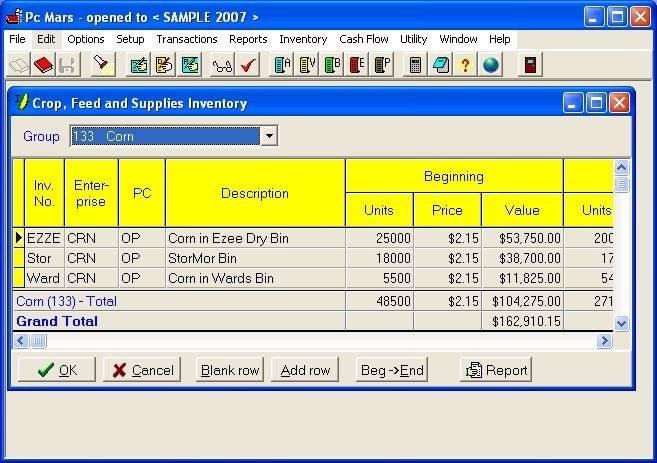
Agricultural accounting package. PcMars, CenterPoint and Traction Ag document farm-specific accounting functions, and the editions differ. The extra functions are worth it when your required report uses them.
Two-tool workflow. A general ledger can hold the official transactions while a spreadsheet allocates crop or livestock costs. The handoff between the two needs a clear reconciliation process, especially when the enterprise figures drive financial decisions. Before you commit, see how to test the bank feed and reconciliation workflow.
In AgTalk discussions, three contributors stressed different parts of software fit:
Centerpoint is great software, but it is not easy software.
…
After 10 months of using it, I’d recommend looking into Traction. It’s built by a team knowledgeable about farming and comes with excellent support.
…
Additionally, you can take it to any CPA in America and they will know how to effectively navigate the numbers.
These are three personal opinions, and the claim that any CPA can read the numbers is a broad one. A mixed vegetable and livestock farm could still run payments through a general ledger and track enterprise costs in a separate sheet. The cost of that setup is the weekly work of keeping both consistent.
How do actual farm accounting products and plans compare?
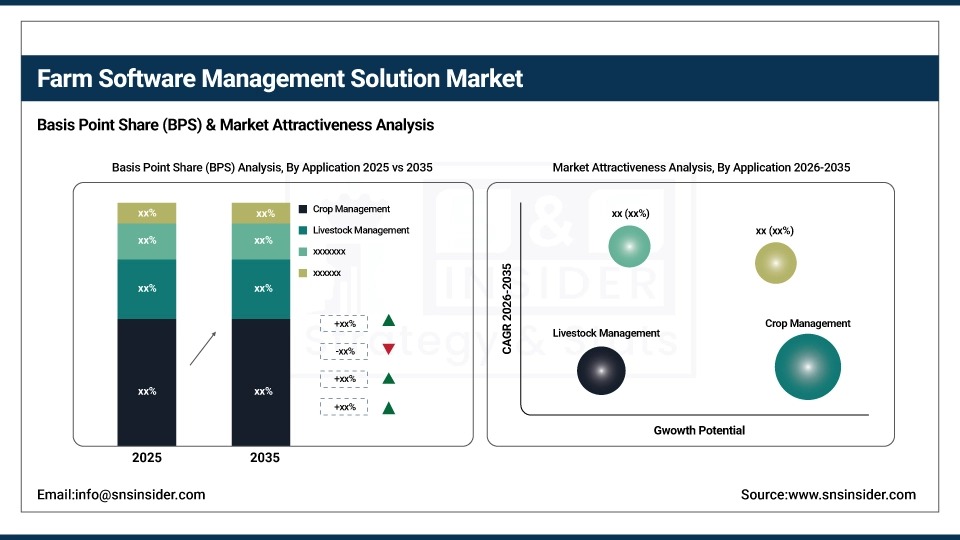
Compare editions, not brands. A base bookkeeping tier, an inventory module and a full accrual-reporting product can share a brand and do different accounting jobs.
Michigan State University Extension compared nine farm accounting options, including deployment and feature distinctions. Its pricing observations were from July 2025. The table below combines those findings with vendor-documented capabilities. It is not hands-on testing or a live price ranking.
| Product / edition | Best for | Watch out for |
|---|---|---|
| QuickBooks Online | General ledger and adaptable farm categories | Field or herd analysis depends on setup and any supplementary tools |
| Quicken | Simpler transaction and cash tracking | Enterprise inventory and full financial analysis can need other records |
| Wave | General cloud bookkeeping and invoicing | Check agricultural report depth and any paid extras |
| PcMars | Desktop farm books with cash/accrual configurations | Inventory, payroll, A/P and A/R can involve extra modules; no simultaneous multi-user support in the MSU comparison |
| Traction Ag Basic | Agricultural cash bookkeeping, Schedule F categories, 1099 functions | Field and crop/input inventory reporting sit in higher tiers |
| Traction Ag Plus | Field/acre/bushel analysis and crop/input inventory | Accrual financial reporting sits in Pro |
| Traction Ag Pro | Accrual reports, budgets, equipment and land-agreement analysis | Vendor says individual animals and livestock groups are not tracked |
| CenterPoint Accounting for Agriculture | Crop, field and herd financial reporting | Workflow, deployment and quote-based cost need a trial |
| FarmBooks | Installed farm accounting with A/P, A/R, inventory and payroll | Mac use requires Windows mode |
| EasyFarm | Single-user desktop farm cash accounting with inventory in the base product | Crop/field detail is optional; verify the licensed functions |
| FarmRaise | Farmer-oriented bookkeeping and tax-related records | MSU comparison describes no linked inventory functionality |
| Ambrook | Agricultural financial operations and enterprise analysis | Entity, user and billing conditions vary by tier |
| Xero | General cloud ledger and integrations | Fit for US agricultural reporting and tracking is unverified |
| FINPACK | Farm financial analysis, ratios and adjusted statements | An analytical adjunct; not shown to work as a full transaction ledger |
The Traction Ag plan comparison shows why a product family needs tier-level scrutiny. Its vendor documentation separates cash bookkeeping, farm-field inventory functions and accrual reporting.
Build a shortlist of up to three specific editions. A feature counts in the comparison only when it is documented for that edition, demonstrated with records, or marked unknown.
Can it track costs by field, crop year, crop, or livestock enterprise?
A field map and a farm-wide expense list don’t give you cost per field. If a fertilizer purchase serves two fields, a usable cost report has to allocate it to each field and the right crop year. For livestock, herd expense coding and individual-animal or group-level tracking do different jobs. Ask for one populated report at the exact field, crop-year, herd or animal level your farm needs, and rule out software that can’t produce it.
Will the software fit your workday and your accountant?
Accounting software only works if the people doing the weekly work can maintain its records. A system can offer sophisticated financial statements and still become a burden during planting, harvest or the regular office routine.
Paper first works too. Write purchases down in the field, then enter them in the office. Other operations prefer phone capture or imported bank transactions. Whichever you pick, every receipt should lead to a ledger entry you can trace.
During a trial, have the person who normally enters the books do these tasks:
- Routine entry: Record a purchase, find it again and correct a category error.
- Reconciliation: Match the farm’s recorded activity to the bank statement and investigate one difference.
- Permission check: Confirm what the owner, a worker and an outside bookkeeper can view or change.
- Accountant handoff: Send one usable ledger export and check whether the accountant can follow the account details and proposed adjustments.
Cloud, desktop and mobile setups each bring constraints around connectivity, bank feed eligibility, subscription tier and permissions. Cloud helps when several people work from different locations, while a locally managed installation suits a single office.
FarmBooks states in its installation FAQ that Mac users need Windows mode.
Total cost and access to your old records
Farm software quotes can be organized per book, farm, entity, user, module or billing term. The headline amount means little until you add the configuration and ongoing workload you need.
Calculate a 12-month and a 24-month estimate. Keep the license or subscription separate from required add-ons, setup, paid training, integrations, migration and the labor of maintaining the books, and separate one-time charges from recurring ones:
- Base fee: State the businesses or books covered, user count and billing term.
- Required functions: Add inventory, payroll, advanced reporting, support or integrations the farm will use.
- Setup: Include account mapping, old data, accountant help and staff training.
- Routine effort: Estimate ongoing entry, reconciliation and maintenance time.
- Exit rights: Find out which historic records, documents and account details stay exportable after cancellation.
Traction Ag’s published pages have included differing annual amounts and an expired promotional display, and Ambrook’s promotional and billing conditions also vary. Don’t treat past observations as a purchase quote. PcMars’ per-book model and Ambrook’s per-entity approach also count cost in different units.
Before you end an old subscription, export one earlier accounting period and reopen it. Look for transaction-level details, chart-of-accounts structure, field or crop-year tags where relevant, and linked source documents. Check the totals against the old records, because a CSV of balances can leave important detail behind.
Run a six-scenario trial before you switch
Test your shortlist on the farm activity that matters to your workflow. The six scenarios below are a screening exercise, and how you enter each one depends on your accounting method. If inventory or stock affects your choice, read what should be on your shortlist and full-cost comparison.
| Scenario | What to test | What a pass looks like |
|---|---|---|
| 1. Seed purchase | Enter a paid purchase; test an unpaid bill only if you need accounts payable | Correct account classification and, if required, an outstanding-bill record |
| 2. Fertilizer across fields | Assign a shared expense to two fields and the right crop year | Report shows the allocated costs |
| 3. Grain sale and inventory | Record the sale and any required inventory information | The ledger plus the income or inventory report that applies |
| 4. Livestock transaction | Record a purchase or sale at the enterprise or animal detail your farm needs | Financial record and the livestock report you asked for |
| 5. Loan payment | Identify principal and interest portions under your accounting setup | Reconciled financing activity |
| 6. Month-end and handoff | Reconcile the bank and produce the final accountant-facing report | Balanced records and an export the accountant can review |
On the cash method, an unpaid seed bill is treated differently from a paid expense. If you don’t need accounts-payable management, don’t fail a system on the unpaid-bill scenario. Inventory, purchased or raised livestock, prepayments and loan classification also depend on the underlying facts and your accounting method.
Keep a simple worksheet with the intended input, recorded category, related field or enterprise, resulting report and reviewer notes. Mark each scenario:
- Pass: You completed the task, got the required output and understood it.
- Conditional: A configuration, extra module or supplementary process makes the task workable at an acceptable cost.
- Fail: A mandatory output is missing, balances won’t reconcile or essential records can’t be used.
A missing must-have is reason enough to reject a candidate, however appealing its other features. Where classification affects your tax reporting, have your accountant review the entries and their treatment before you rely on them.
The six farm-accounting scenarios need to balance and receive the appropriate review before historical data moves. Treat missing classification and reporting capability as a substantive gap, not a training issue.
Speak Your Mind