Endpoint protection matters only if the business can see which devices are covered and who responds when an alert appears. Match cloud-managed antivirus to the fleet and its actual applications. A Microsoft 365 Business Premium customer should examine existing entitlements before buying a second product, then test coverage in a controlled pilot.
A security dashboard shows which computers have checked in, which policies apply, and which alerts need attention. Buying gets harder when a remote laptop stops reporting, a line-of-business application slows down, or nobody knows who handles an alert on Friday night.
An impressive protection score cannot compensate for devices that never check in or alerts nobody responds to. Device coverage and response ownership need to be visible before subscription cost becomes the deciding factor.
How cloud antivirus works on business devices
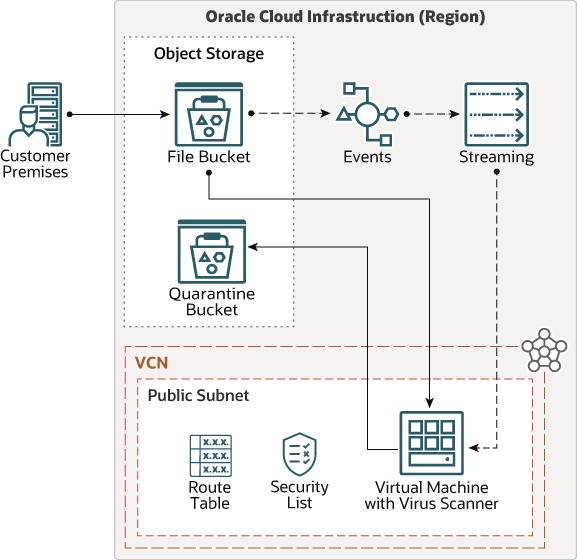
Cloud-managed business antivirus combines software on each protected endpoint with an online console for administration. Some products also use cloud-delivered threat intelligence to back up local detection.
Three components do the work:
- Endpoint agent: Runs on a workstation or server and handles the local security functions.
- Cloud intelligence: Supplies online reputation checks, analysis, or extra detection data when the device is online.
- Management console: Lets you assign policies, check enrollment and health, and review security events across devices.
Microsoft Defender Antivirus shows how this works: protection stays on the device, and cloud-delivered protection adds information that can improve detection. Other vendors split these functions differently.
If you have several remote laptops, the console shows which machines received a policy change and which stopped checking in. You can chase down a missing laptop while the employee works away from the office.
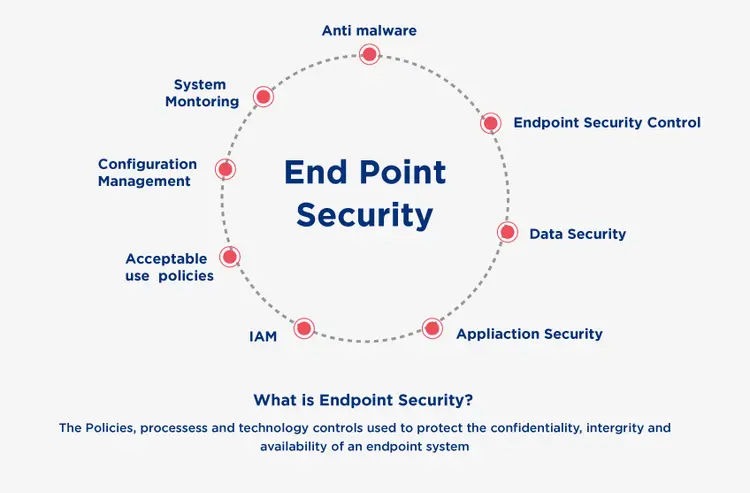
Cloud antivirus is a different purchase from malware scanning of files stored in OneDrive or another cloud storage service. Protecting containers, hosted cloud workloads, or a complete security operations center takes additional products and responsibilities.
Before you compare feature lists, find each product’s local agent, central console, and online detection dependencies. They decide what you can see and enforce across the fleet.
Antivirus, EPP, EDR, and MDR: who responds?
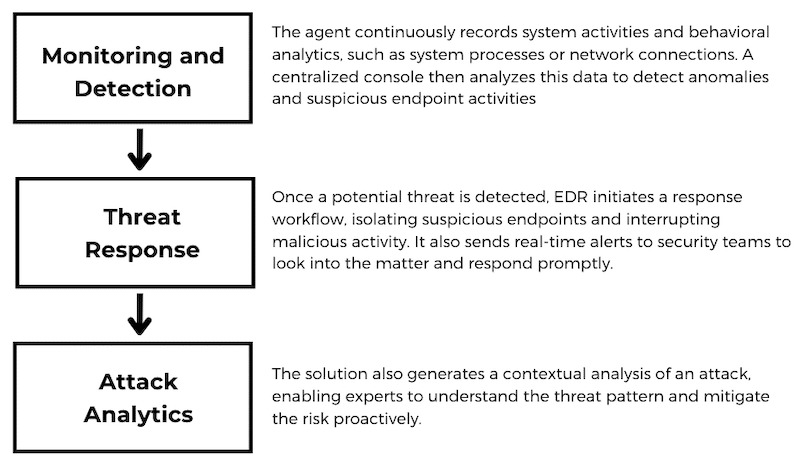
Antivirus, endpoint protection platforms, endpoint detection and response, and managed detection and response cover different parts of endpoint security. Commercial bundles blur the features, so the edition you buy and the service agreement decide your actual coverage.
| Security function | What it contributes | Buyer decision |
|---|---|---|
| Antivirus / EPP | Malware prevention and other preventive endpoint controls | Which devices, threats, and preventive behaviors are covered? |
| EDR | Endpoint telemetry, investigation tools, and supported containment or response actions | Who will investigate detections and carry out responses? |
| MDR | A contracted monitoring and response service | What hours, escalation rights, and response actions are included? |
A company with an internal security administrator can run its own detection and response tools. Another business may need an MSP or a contracted service to handle investigations. What separates the options is who takes on the operational work.
One MSP described what happened after an employee hit a fake CAPTCHA that induced a malicious PowerShell command:
We had an incident recently that has given me some concern. It was a Fake Captcha/ClickFix scam that tricked the user into running a malicious powershell command. Huntress caught it very quickly and isolated the endpoint. We re-imaged the machine.
However, it has me wondering if we can harden our endpoints further. EDR is by design a "reactive" tool. I’m not sure if there’s something out there that can catch this stuff in the moment.
The tool detected and contained the activity, and the provider reimaged the computer. The contributor wanted stronger controls that would stop an employee from running the harmful command in the first place.
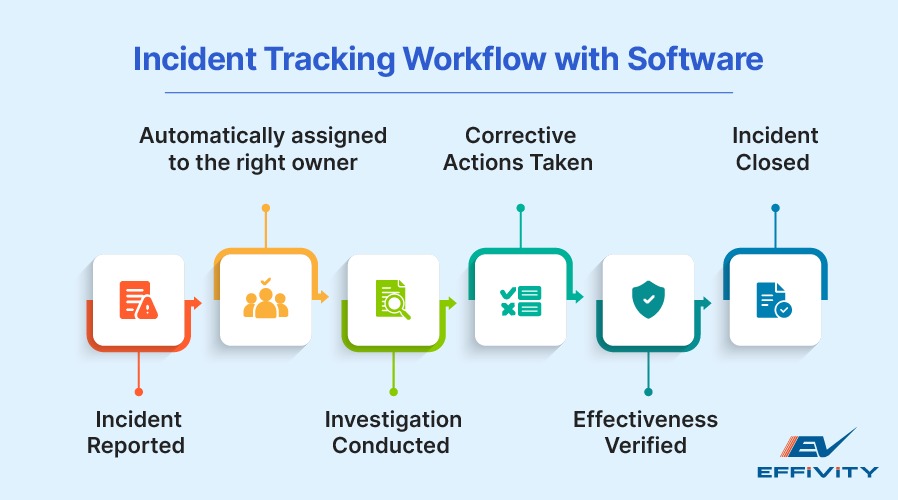
When you assess an EDR or MDR offer, read the included response actions and service hours. Any vendor can generate an alert. Staffing and authority to act come from the contract and your own organization.
Check device coverage and US eligibility first
Rule out products you can’t legally buy for US use or license for your essential devices. Do this before any feature-by-feature comparison.
Take an example company with 12 employees, 22 computers, and one accounting server. Its licensing needs depend on the vendor’s billing unit, operating-system support, and server terms. Headcount alone won’t tell you.
Build an inventory of:
- Client computers: Windows and macOS versions, who owns each device, and whether the business manages it.
- Remote laptops: Devices that regularly work outside the office network.
- Servers: Operating systems, workloads, and separate endpoint protection entitlements.
- Critical functions: Any agent capability, policy, or security service the business can’t run without.
Microsoft Defender for Business is designed for organizations with up to 300 users. Microsoft documents licensing for up to five client devices per licensed user, with additional licensing for Windows or Linux servers. Your tenant and subscription still decide what you can deploy.

A US-specific legal restriction matters when you read international antivirus rankings. The Bureau of Industry and Security restricted covered Kaspersky products and transactions: new covered agreements were prohibited beginning July 20, 2024, and specified software updates, services, and resale activities became restricted beginning September 29, 2024. The agency’s Kaspersky restrictions explain the scope and exclusions.
The restrictions cover defined products and commercial activities. They don’t ban every educational or information-only activity involving Kaspersky.
A product can score well in an international lab and still fail the US purchasing test. Drop it from your commercial shortlist when your intended transaction falls under the restriction.
If personal devices are part of your fleet, read what can IT see or remove on a personal device, which also covers enrollment, Windows, and macOS.
Read independent antivirus tests correctly
Independent tests let you compare protection, performance, and false alarms when products face the same documented conditions. Read the operating system, product edition, test period, and measured outcome together.
| Evaluation | Documented test environment | What it measures |
|---|---|---|
| AV-TEST, August 2026 | Windows 11 business clients; 16 tested products | Protection, performance, usability |
| AV-Comparatives, March to June 2026 | Windows 11 64-bit business products with online access and updates permitted | Real-world protection, malware protection, performance, false alarms |
| AV-Comparatives, August to September 2026 factsheet | Separate business evaluation period | 200 real-world cases and a distinct 1,000-sample malware component |
The AV-Comparatives March to June 2026 business report includes 400 attack cases in its real-world protection test.
The tested Bitdefender GravityZone Business Security Premium configuration blocked 399 of those cases, or 99.8%. It recorded four false alarms in the real-world test’s benign URL and file exercise.
The tested Microsoft Defender Antivirus with MEM configuration blocked 395 of 400 cases, or 98.8%, with zero false alarms in that same exercise.
A separate assessment covers false alarms involving common business software. All tested products recorded zero there, so the real-world false alarms above come from a different test.
These results apply to the tested Windows 11 configurations and report period. They say nothing about macOS, Windows Server, console usability, or the staffing of an MDR service.
The later 200-case factsheet covers a different test period, so don’t add its results to the earlier 400 cases.
For each product, keep one evidence row: laboratory, report period, tested OS, exact edition, version, protection outcome, false alarms, and performance findings. If the tested configuration doesn’t match the product you would license, say so in that row.
Confirm every endpoint is protected
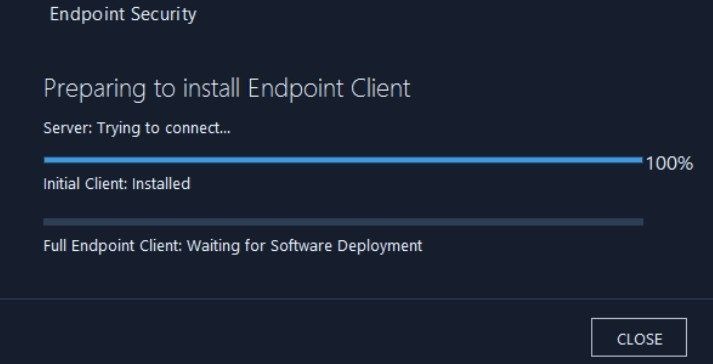
A deployment succeeds when the protection is installed, active, registered to the correct organization, and applying the expected policy. A finished installer doesn’t tell you that.
Choose typical trial devices: an office computer, a remote laptop, and another OS or critical device role where relevant. Record each device’s state:
| Trial device | Agent installed and active | Tenant and policy | Last check-in and restart |
|---|---|---|---|
| Office Windows workstation | |||
| Remote business laptop | |||
| Additional OS or critical machine |
The local service, console registration, security policy, update state, and check-in time must all agree. A machine can use up a license and still be missing from the managed fleet.
A r/sysadmin contributor described an 80-endpoint AVG Business deployment in which two laptops appeared to install successfully but stayed unprotected from the administrator’s view:
We currently have AVG Business antivirus paid using what they call cloud console to manage it.
80 endpoints
My main complaint is its a fight to get it working every single time we get a new device. Currently have two laptops sitting on my desk that are totally refusing me. "Install successful" yet nothing is installed.
Those two machines make a ready-made fail case for a pilot: the installer reports success and the administrator can’t verify the agent.
CIS Controls v8.1 covers malware defenses in Safeguards 10.1, 10.2, 10.6, and 10.7: deployment, updating, central management, and behavior-based detection. The CIS Controls Navigator has the control descriptions.
If a critical machine stays unenrolled or lacks its policy, mark that requirement as failed. Before you extend deployment to the rest of the fleet, check installer logs, device permissions, OS compatibility, and vendor support guidance.
Test important business applications
Security software has to coexist with the applications your employees use to earn revenue, process payments, and keep operations running. A lab performance score can’t reproduce every specialized office or server workload.
Time a normal task before and after you deploy the agent, on typical hardware. On an accounting workstation, that could be opening a large company file, generating a report, and processing documents. A service business may rely on scheduling and quoting software instead.
A January 2020 MSP post describes an installation that reportedly slowed specialist dental software:
Also our very first "Intercept X Advanced" deployment was a nightmare. (small dentist office and had some software that basically Sophos would bring to a crawl). I basically went through troubleshooting and disabled everything but still issues. Only fix was to just uninstall Sophos from the server. Zero issues with Webroot.
Called support and they basically said they would create a case and send me some troubleshooting documents (which i had already been through) then they hung up on me. Haven’t heard anything since.
That is one contributor’s experience with an older deployment, not an established present-day Sophos defect. The takeaway is to test specialized software on the server and workstation configuration you plan to use.
Record the operating system, application version, baseline completion time, observed change, errors, and support outcome. Include startup, file operations, scans, and the everyday task that matters to that employee.
If you suspect a conflict, investigate the detection or policy first, then apply a narrow exception the vendor supports.
The pass condition: the protected computer completes its critical work acceptably under the proposed security policy.
What continues working offline?
A cloud console can lose contact with a remote device while the locally installed antivirus keeps working. Microsoft documents local protection alongside cloud-delivered intelligence; what works offline depends on the product, configuration, and update state. On a pilot laptop, cut connectivity under controlled conditions and watch its local protection status. When the connection returns, confirm that the device resumes communicating with the console and reports the expected information.
Handle false positives and quarantine safely
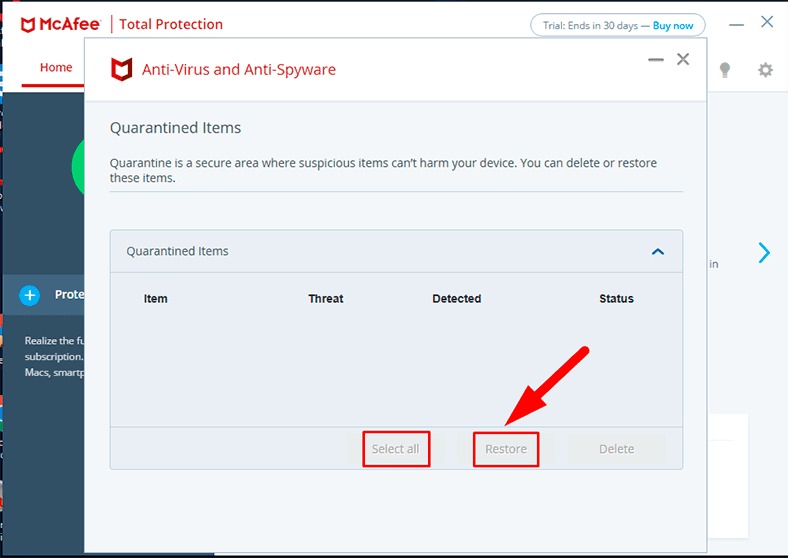
When antivirus blocks a business file or process, investigate the detection before you restore the item or allow an exception. Restoring an unknown file because an employee assumes it’s fine can cause a bigger incident.
Bitdefender community discussions include a report of an application DLL removed during a suspected false positive. Whether that file was harmless would take a separate investigation.
Use this recovery workflow:
- Preserve evidence: Record the alert, file path, process, timestamp, detection name, policy, and available event details.
- Investigate identity: Check the publisher, file identity, reputation, and business application context with approved tools.
- Assign authority: Have the designated administrator or security provider approve any restoration or policy change.
- Rehearse recovery: Use a benign, pre-approved test to learn the console’s quarantine, restoration, and rollback controls.
- Document the outcome: Record the investigation and the scope and review conditions of any approved exception.
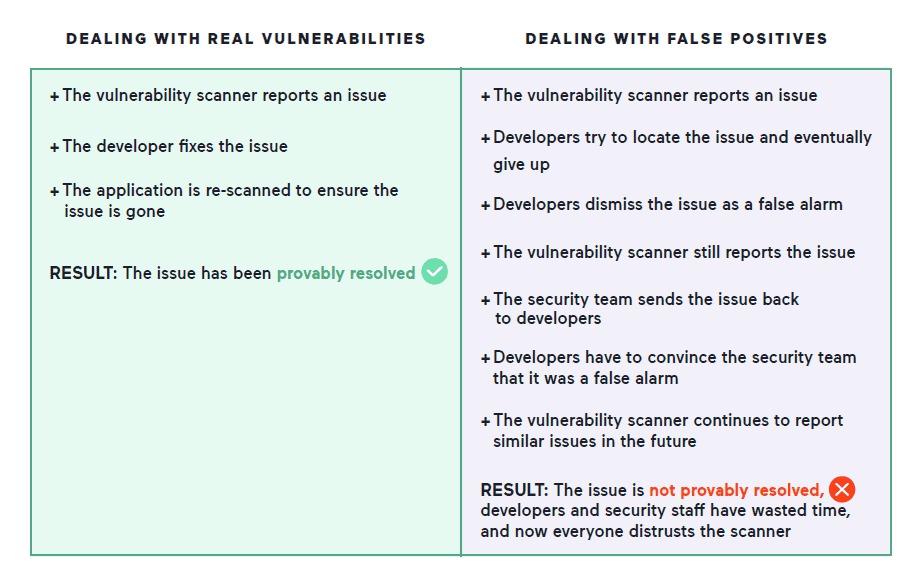
A legitimate-looking software update can get blocked on an ordinary workday. If the investigation confirms it should run, a targeted rule restores the workflow and keeps protection in place elsewhere.
Don’t broadly allowlist an unknown file, an entire business application directory, or an endpoint just to clear an alert.
Assign alert ownership and prevent tool conflicts
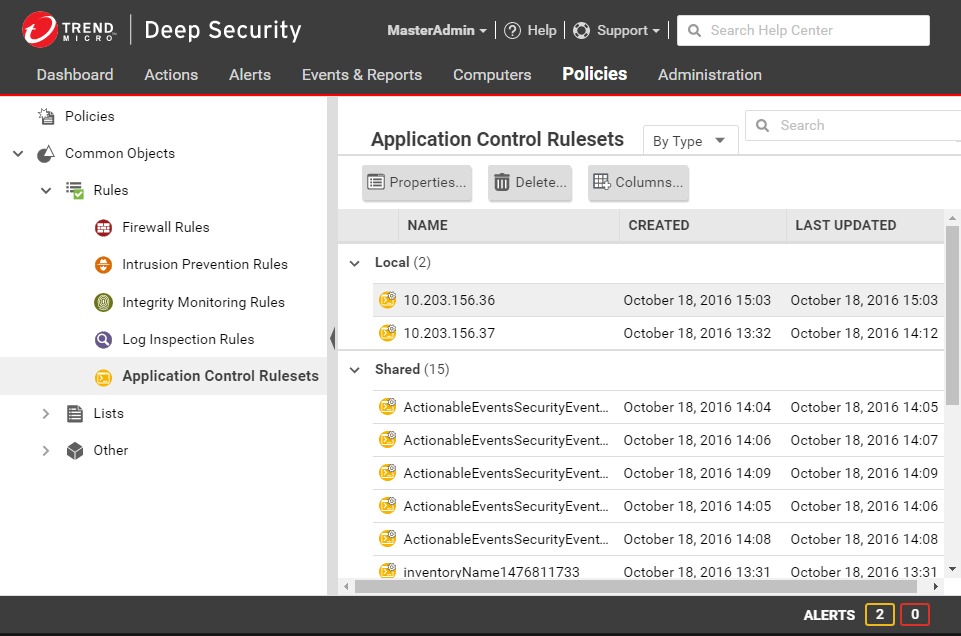
Someone must own each serious alert from detection to resolution. That could be an employee, an MSP, or a contracted managed response team, depending on your service arrangement.
Overlapping endpoint tools blur that ownership. Microsoft documents active and passive Defender Antivirus configurations when supported third-party antivirus is present. Passive mode has prerequisites: a supported OS, another primary antivirus, and the relevant Defender for Endpoint onboarding. Servers have additional distinctions.
An MSP described the burden of a security stack that had grown to several products:
First, please don’t judge. Our security stack has grown to enormous proportions and while our endpoints are beyond secure, we’re unsurprrisingly having some latentency.
Some years ago, we were using CW Automate, with ESET, Huntress, and Defender in passive mode but integratied with Huntress. Earlier this year we decided to move to Kaseya and as such have been in the process of moving to BitDefender, Datto EDR / RocketCyber, while retaining Huntress and ThreatLocker.
We have now fully divested of ESET and are now using BitDefender. However, we do have Defender in passive mode and integrated with Huntress, Datto EDR / RocketCyber, and ThreatLocker. Understandably, we are getting an echo chamber when Defender informs one (or likely all) of the other security products.
Several tools are alerting on the same event. Different products can still have legitimate roles, but spell out each one’s configuration and response duties.
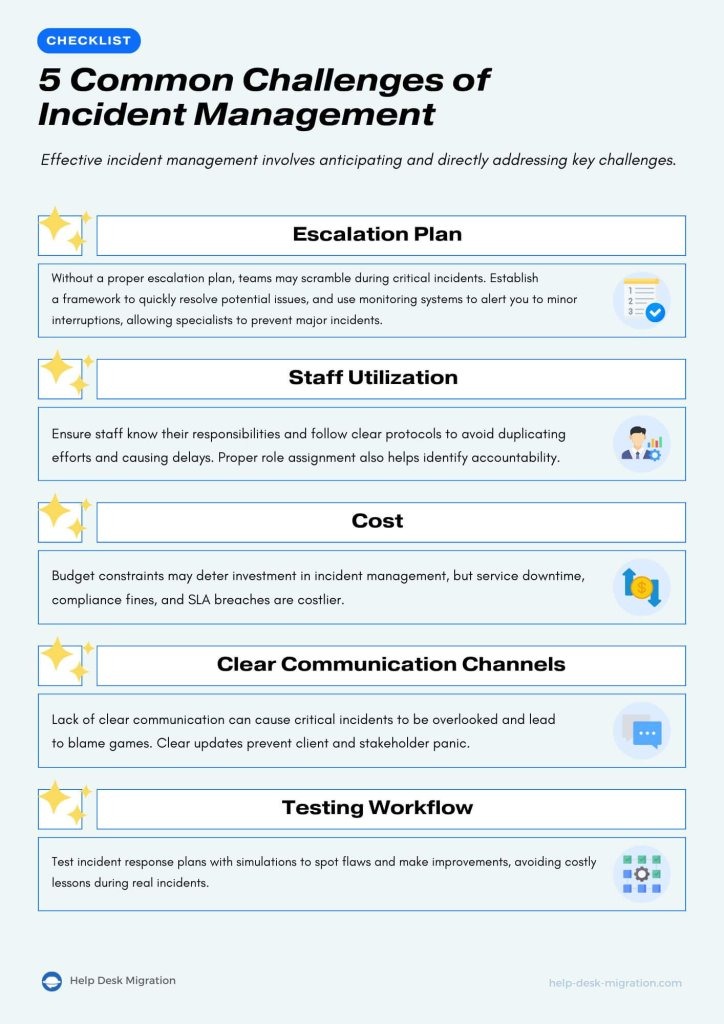
Write one ownership sheet for your security stack that lists:
- Alert destination: The console, service, or queue where the event arrives.
- Primary responder: The person or team who investigates it.
- Backup coverage: Who acts when the primary responder is unavailable.
- Containment authority: Who can isolate a machine or approve other disruptive actions.
- Response hours: The service window and escalation terms agreed for urgent incidents.
- Recovery owner: The person authorized to return an endpoint to service.
On a trial endpoint that runs several security tools, find out which engine is active and whether the vendor supports that combination. You can then route repeated alerts to the responsible team without assigning a separate investigator to every console.
Compare product editions and total ownership cost
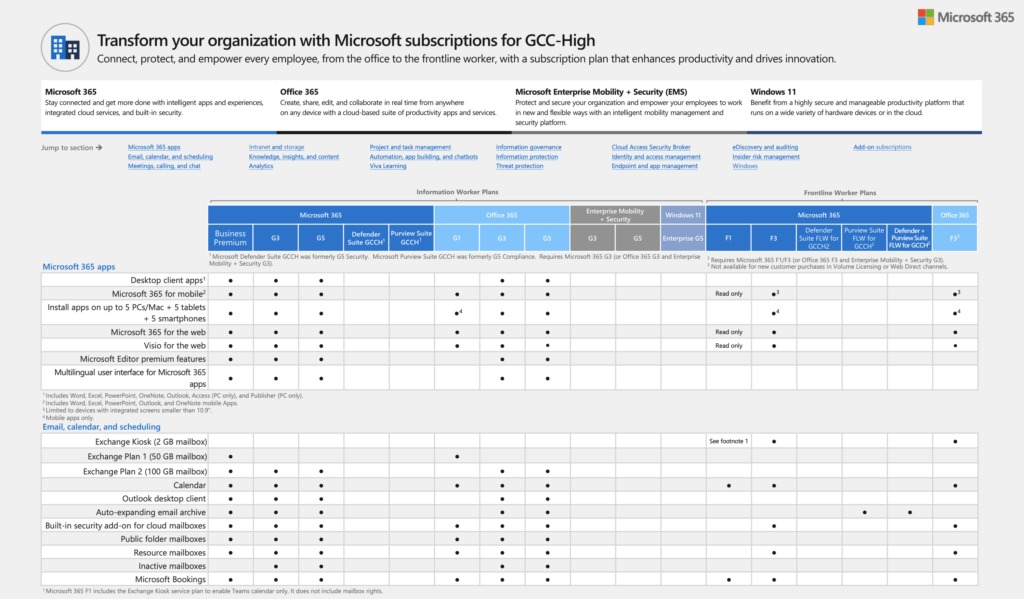
Build your shortlist from your existing subscriptions, required operating systems, available administration, and need for a response service. Compare each product on the same fields: US commercial eligibility, client OS, server coverage, endpoint agent, cloud console, EDR/MDR entitlement, trial terms, and support. For every product, match client OS versions, server rights, agent deployment, and console access to your inventory, and get the trial and support terms in writing.
- Microsoft Defender for Business: Confirm whether you hold the standalone subscription or a qualifying Microsoft 365 Business Premium entitlement. Microsoft documents up to five client devices per licensed user, with Windows or Linux servers licensed separately. Check the agent onboarding requirements against your fleet, and separate the detection and response capabilities included from any staffed MDR service you would contract on top.
- Bitdefender GravityZone: Use the exact US edition named in the offer. Bitdefender publishes edition-dependent security features and separately available add-ons, so confirm which EDR or MDR rights the quoted package includes. Record the US trial arrangement and the vendor or reseller support coverage.
- ESET PROTECT: Identify the exact US offering, including whether the quote uses the older Entry name or the revised portfolio with PROTECT Core. The product name alone doesn’t guarantee equivalent rights across legacy and revised editions. Document any separate EDR/MDR entitlement and the deployment assistance on offer.
- Sophos endpoint offerings: Sophos describes Central as gradually evolving into Fusion, so confirm which console your account gets. Check the EDR/MDR functionality and any contracted monitoring or response coverage under the specific offer, plus the technical support channel and service hours.
In its US portfolio announcement on September 30, 2026, ESET introduced PROTECT Core within a revised product lineup. That date matters when you compare a quote labeled Entry with one labeled Core.
For each eligible product, calculate the same 12-month and 24-month periods. Use the quote’s billing unit, and count services already included in an existing bundle only once.
- Client protection: User or device licenses under the vendor’s rules.
- Server coverage: Separately priced servers and supported workloads.
- Security services: EDR, MDR, or other paid features outside the base edition.
- Initial deployment: Setup, policy design, migration, and technical labor.
- Ongoing operations: Monitoring, administration, support, and agreed incident-response services.
- Contract and renewal: Payment term, renewal rate, minimum seat commitment, and cancellation conditions.
A 20-client-device office with one business server and a possible after-hours response contract makes a good quote scenario. Ask each supplier for a written US offer covering those same requirements, periods, and renewal conditions, with the exact SKU listed. A quote without server coverage or the response service you need is incomplete.
Total each period: licenses and services plus deployment, migration, support, and administration.
Make the decision with a fleet pilot scorecard
Use a pass/fail record to compare your eligible products on the requirements that matter to your organization. A missing mandatory capability should stop approval, however attractive the optional features. If you’re still working out which capability is missing, start with how to identify the missing capability, which covers Windows, macOS, and device enrollment.
Apply the same scorecard to the two or three finalists that passed the US eligibility and platform screening. Mark every criterion Pass, Fail, Needs verification, or Not applicable, and attach evidence or a support case to important results. Before you decide on identity, access, and permissions, see documenting an SSO vendor decision.
| Criterion | Acceptable evidence | Your result |
|---|---|---|
| US eligibility | Permitted transaction and covered product | |
| Required devices and servers | Supported OS and sufficient licensed coverage | |
| Agent and enrollment | Healthy agent, correct tenant and expected policy | |
| Cloud management | Check-in and device health visible to the administrator | |
| Independent protection evidence | Applicable tested edition, OS and period documented | |
| Business applications | Critical work completes under the intended policy | |
| Offline behavior | Required local functionality and reporting recovery observed | |
| Quarantine and recovery | Approved investigation and recovery process demonstrated | |
| Alert ownership | Named responder, response hours and escalation authority | |
| Total ownership cost | Comparable 12-month and 24-month offers with the same scope |
Mark Not applicable only when the business doesn’t have the requirement. A company without servers, for example, can skip server licenses and still evaluate client protection and operating cost.
Unresolved coverage or response failures remain outside the approved deployment. Obtain a demonstrated correction on the proposed configuration before expanding to the fleet.
Speak Your Mind