A new application should fix a problem employees can describe, not merely offer more features. Identify the task that breaks down, the result you need and the cost of getting there. Then compare qualifying products on the same work, including how you would recover your data if you left.
Start with the workflow that is failing
Most software purchases begin with a small, recurring frustration: a customer never gets a follow-up, an invoice waits for missing information or someone copies the same details into two systems.
“Better productivity” is hard to measure. “We missed two customer follow-ups because the next action was hidden in a spreadsheet” is a failure you can investigate.
A consultant asking for CRM advice described outgrowing a familiar system:
Okay so I’ve been tracking my leads in a Google Sheet since the beginning. When I had 30-40 contacts it was fine. Now it’s grown and I’m genuinely dropping the ball — missed follow-ups, no idea which leads I talked to last week, nothing.
The consultant has about 150 leads, a sales cycle of two to four weeks, and two missed follow-ups in one month.
Treat this as a worked example. The first task is to make every active lead’s next action visible to the person responsible for it. Before you weigh customer records, subscription costs, and data exports, read how to start with the task that is breaking.
- Current task: Follow up with prospective consulting clients.
- Observed failure: Two follow-ups missed in one month.
- Current system: Leads and notes managed in Google Sheets.
- Success condition: Every active lead has an owner, a next action, and a due date that the owner can find.
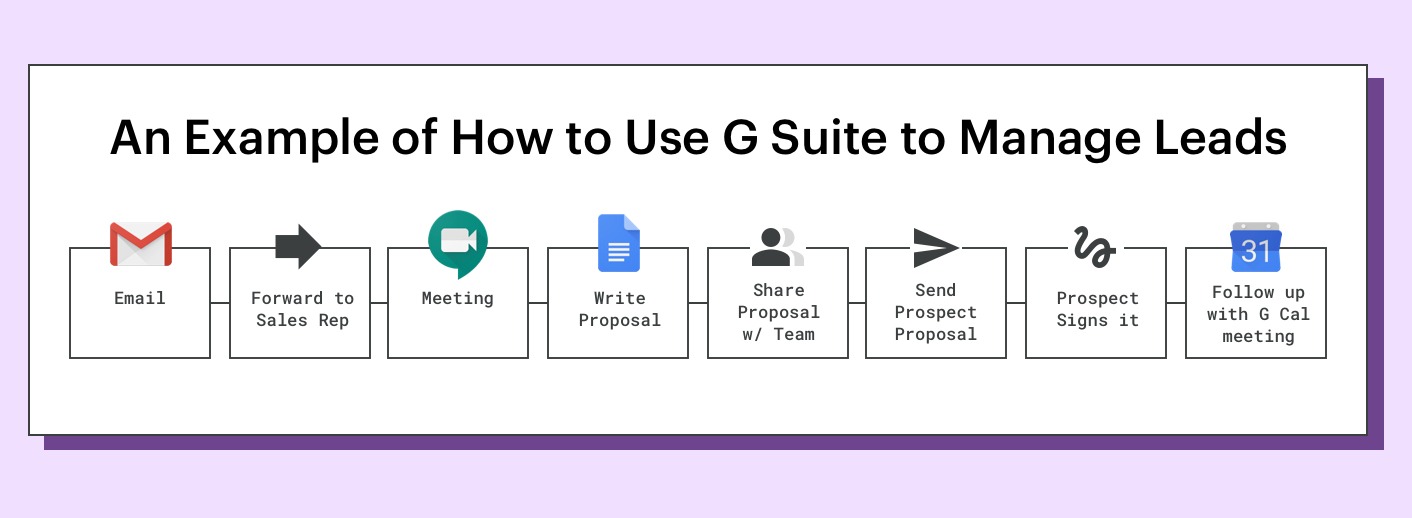
A better reminder routine, a connection between tools you already use, or a dedicated CRM could each meet that condition. Test all three against the same requirement.
Pick one measure that matches the business problem: missed tasks, duplicated entries, correction time, or time spent finding information. Give one person responsibility for tracking it.
Separate must-haves from attractive extras
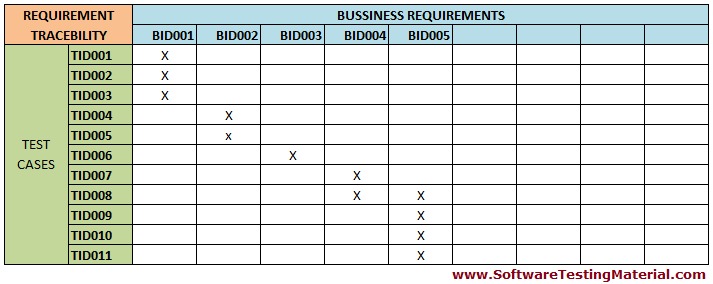
Start with the work, then turn it into requirements you can observe. A sales process needs a follow-up date and a contact owner. A service business needs to produce an invoice from a finished job. A company that handles sensitive records needs specific access controls. A must-have is anything the business cannot do its job without. A preference only matters once every must-have is met.
For the consultant’s lead tracking, the requirements look like this:
| Requirement | Classification | Reason |
|---|---|---|
| Show the owner and next follow-up date for every active lead | Must-have | Addresses the reported missed-follow-up problem |
| Fit the existing Gmail and Sheets workflow | Important | Becomes a must-have if those tools stay in the daily routine |
| Provide an advanced sales forecasting dashboard | Optional | The reported problem does not call for forecasting |
The first row decides whether a product can solve the central problem. The third row only breaks ties once the first is met.
Write down the proof you need for each must-have. A product may list reminders as a feature, but you have to confirm that the reminder behavior you need exists in the edition you plan to buy. If it needs a higher tier, that price goes into the cost calculation. If shortlists, requirements, or weighted scores shape your choice, read how to test the same work in every product.
Other businesses will have different must-haves: required permissions, retention rules, support arrangements, expected workload, or a strict budget. Tie each one to a real operation or to what happens if it fails.
Reject poor-fit options before demos
Your shortlist should hold only products that can handle the required work under your operating conditions. A long feature list means little if the product serves the wrong category or assumes a different way of working.
A system for consulting leads does a different job from field-service dispatch software, accounting software, or a customer support platform. Even inside one category, products assume very different staffing, permissions, and workflow complexity.
Apply these filters first:
- Operating environment: Can the people doing the job use the product where the work happens?
- Roles and access: Does it support the separation of duties you need?
- Workload: Does the edition fit your users, records, and work volume?
- Existing tools: Would the product fix the failure, or duplicate an application you already use?
- Records: Can it store, protect, and retrieve the records you need?
In the consultant’s case, Google Workspace already included Sheets, Gmail, and Docs. Keeping those tools in the workflow was a real constraint to test before adding another subscription.
The shortlist here has two options: improve the existing lead-tracking process, or test a dedicated CRM with follow-up reminders. Cut any broad platform that cannot handle the workflow or fit the budget before anyone books a sales demo.
A seasonal service business filters differently. Its booking workload and subscription commitment vary sharply across the year, and a year-round platform can still work if it covers the basics between busy periods.
Compare the finalists against the same job
Give every finalist the same requirements and the same test. Otherwise you end up comparing a polished sales demo with a review rating or an unrelated feature list.
Back to the lead-management example. Say the consultant compares three made-up products. The results below show how to record evidence; no real product was tested for this article.
| Fictional finalist | Follow-up workflow finding | Other evidence needed | Status |
|---|---|---|---|
| Candidate A | Required reminders exist only in a higher edition | Price of that edition | Wait until the full price is acceptable |
| Candidate B | The person doing the job needs repeated workarounds to finish the task | Whether the usability problem can be fixed | Reject if the workflow stays unacceptable |
| Candidate C | Passes the follow-up test | Export of notes, owners, and due dates | Keep testing; export not checked yet |
Candidate C passed the follow-up test, but you still need to check its export before buying. Candidate A may be affordable at the higher edition. Candidate B fails on workflow unless the usability problem can be fixed. Keep these open questions on the page until you close them.
Record the same observations for each finalist: required functions, task completion, staff effort, eligible edition, financial commitment, and access to existing records. Weighted scores can help you choose between products that qualify. A failed must-have stays failed whatever the score.
The HubSpot software procurement checklist gives another example of organizing vendor requirements and comparable evaluation criteria.
If no candidate meets a must-have, write that down. A shortlist does not need a winner just because you sat through several demos.
Calculate total cost and contract exposure
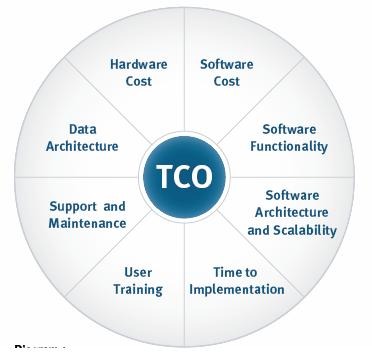
The price that matters is the full cost of the configuration you can use over the period you expect to commit. That covers the right edition, everyone who needs access, and the work of adopting the system. To evaluate cost, contract, and implementation, use what counts in the total cost of business software.
Use the same assumptions for every shortlisted product. Keep required spending separate from possible savings so optimistic cancellation assumptions do not skew the comparison.
| Cost component | What to include | Input needed |
|---|---|---|
| Subscriptions | Eligible edition, paid seats, and billing periods | Plan terms or written quote |
| Implementation | Configuration, onboarding, and setup work | Quoted scope or internal effort estimate |
| Integrations | Connectors, extra services, and required add-ons | Product and integration terms |
| Training and support | Paid help and staff time for adoption | Support price and internal time estimate |
| Data migration | Preparation, transfer, and validation work | Migration scope and estimated effort |
| Existing subscriptions | Overlapping licenses and expenses you can actually avoid | Current software inventory |
For a per-seat plan, multiply the required edition’s rate by the number of paid seats and billing periods. Add implementation, integrations, training, migration, and any overlapping subscriptions you cannot cancel. The sum is your total cost over the contract term. Track avoidable existing spending separately, and do not count labor already included in an implementation fee.
Compare candidates over the same twelve-month or twenty-four-month period, whichever matches your expected commitment. For other pricing models, use the quoted subscription total.
On Hacker News, one commenter said their company pays for overlapping collaboration tools, including Miro, FigJam, and Mural:
That means we often double pay on licenses for ostensibly similar software.
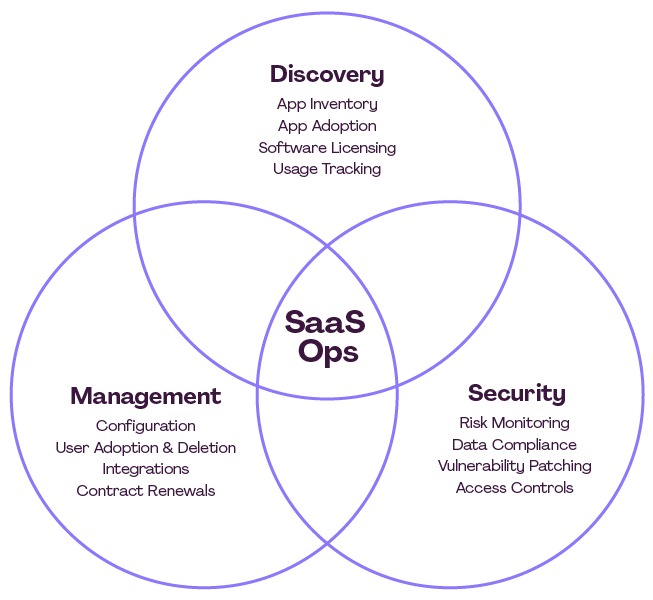
This is why you take inventory first. A new application can look cheap until the old one keeps billing next to it.
The consultant has a comfortable budget of $15 to $20 per month, possibly $30 if the product offers enough value. Candidate A’s higher edition and any required connector would have to fit within that limit.
Run a real-user pilot
Ask the person who normally does the work to complete a typical task, then watch the result under the permissions and conditions you expect to use.
For lead management, the task is to enter a contact, record the latest conversation, assign a follow-up, and find that action when it comes due. Use realistic records that contain no private data.
Give the pilot an acceptance card:
- Role: The employee or owner who normally does the work.
- Starting state: The information available at the start of the task.
- Expected result: The contact, reminder, document, or other output that should exist.
- Observed result: Whether the work got done, with errors and manual fixes recorded.
- Decision: Pass, fail, or keep testing under a stated condition.
Track elapsed time, interruptions, permission problems, and unexplained workarounds. If someone needs repeated help to finish a routine task, you have found an adoption problem that a feature checklist would miss.
Allow enough time for real work and data preparation. A Hacker News commenter described a company with a strict trial rule:
If we cannot get 30 days, it’s a simple ‘no,’ and we move on to the next.
That is one company’s rule. A small, reversible application can be judged sooner, and a complicated migration needs longer. A paid pilot also works if you accept its scope and cost.
Verify integrations in real tasks
A listed integration helps only if it moves the information you need, in the right direction, under the right account permissions. Test it separately, because the core application can work fine while an essential data handoff fails.
For a business keeping leads in Google Sheets, the task is to create or update a CRM contact from a Sheet row. Define the expected owner, next follow-up date, and status before you try the transfer.
Here is a sample acceptance result:
- Expected transfer: The Sheet’s contact owner, next follow-up date, and status reach the matching CRM contact.
- Result: The owner and follow-up date arrive, but the status field is empty.
- Decision: Hold approval if status matters. Find the mapping failure and repeat the test for that field after the fix.
Every integration check covers five things: the event that triggers the transfer, the fields transferred, the direction of synchronization, the account permissions, and what happens when something fails.
A one-way connector can serve a one-way workflow. If edits must flow back to the original system, you need more proof. Duplicate records, missing dates, or silent errors can rule out an integration even when the vendor lists both applications as supported.
For a service company, the matching test is a finished job turning into an invoice with the correct customer identifier. If your workflow has no external handoffs, you can skip integration work entirely.
Test data migration and your exit route
Your records must stay useful after the move, and you need a way to recover or keep what matters if you leave the product later.
A nonprofit employee described a CRM project where more than 40,000 contact entries were imported with incomplete information:
All data has already been imported without first being cleaned, and as I said much of it is very, very partial.
The organization holds records going back more than a century, and the concrete job was mailing particular people twice a year. The question was whether the records could support that job.
A small-business owner weighing a move away from QuickBooks raised a different problem, keeping a long archive:
I’ve got at least 15 years of invoices I don’t want to lose, and I don’t want to hand enter. Any suggestions?
List the records that must survive the change, including fields, relationships, attachments, activity history, or financial information. What counts depends on the software’s purpose and your obligations.
Test an export and, if you can, a sample import into the new product. Compare the required fields, record relationships, and counts. For accounting records or other high-stakes information, plan for reconciliation and a specialist review.
The Salesforce CRM migration guide covers data preparation, field mapping, sample testing, and validation for CRM migrations.
Before an irreversible cutover, set up an independent backup or read-only archive and a rollback procedure. Also confirm who controls administrator access and what data stays available after cancellation.
Check support, contract terms and vendor reliability
Once a product looks technically suitable, support and contract terms decide whether you can depend on it. Scale the scrutiny to the operational and data risk.
Support terms should name the available channels, the escalation path, the response commitments, and the person who handles a serious interruption.
An MSP owner described being unhappy with a low-priced remote management software agreement:
This was a mistake. They were cheap and willing to deal for a reason and as soon as I told my account manager I wasn’t interested in weekly sales calls about constant “promotions” my support magically dried up with it.
After further talks with the vendor, the author reported a satisfactory resolution.
For the agreement itself, review the minimum term, renewal arrangement, cancellation notice, seat reductions, price changes, and the conditions for data access after the relationship ends. Keep a copy of the written terms with the business account owner.
Scale the security review the same way. A replaceable, low-risk utility needs less than software holding payroll information or sensitive customer records. For high-stakes systems, examine authentication and access controls, data handling, continuity arrangements, and the supplier’s evidence for its key claims.
The NIST ICT supplier due-diligence quick-start guide covers supplier provenance, resilience, and foundational cybersecurity practices. It gives you a supplier-risk framework.
Decide whether to buy at all
Record one of six outcomes:
- Buy
- Keep the current tool
- Simplify the process
- Integrate existing tools
- Continue testing
- Reject the candidate
Keep the decision record short enough to use: one accountable owner, the evidence for the outcome and the event that would justify reconsidering it.
Speak Your Mind