Missed handoffs are a better reason to change project-management software than an impressive feature list. A spreadsheet, shared board and structured project platform handle different levels of coordination. Recreate one real project with its owners, deadlines and dependencies, then compare the cost and disruption of moving the team.
Do you need project management software or a clearer process?
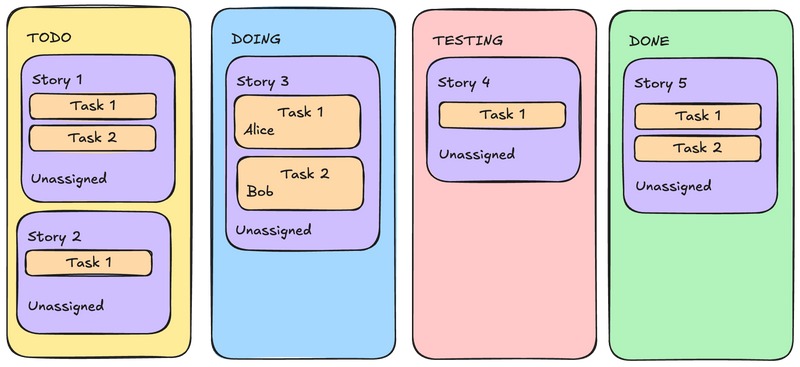
A schedule is not a handoff plan. If nobody is responsible for the next step, deadlines disappear into email and status changes live in chat, a new project board will simply reproduce the same uncertainty.
Start with one deliverable from your current workload. Name its owner, expected outcome, deadline, current status, next handoff, and where the latest decision is recorded. If you can’t fill those in, agree on responsibilities and on how updates get communicated first.
Software makes established work visible, alerts people to changes, and connects dependent tasks. It can’t work out what an assignment is supposed to deliver if nobody has defined it.
A new project manager inherited a plan that looked organized until the team tried to use it:
Before I started, some consultants made a big Excel Gantt chart and a risk register. The problem is, I don’t understand what the tasks on the chart actually are. There’s no timings, no owners, no reliance on. Just a link to the document where the supposed task is mentioned.
I sent it to my team to look at, but they said they don’t get it either and want to sit down and go through it in person.
In that situation, define the tasks and handoffs first. Then decide whether a spreadsheet or a dedicated planning tool can handle them. When you’re ready to try a tool with the team, see how to test whether the team will use the software.
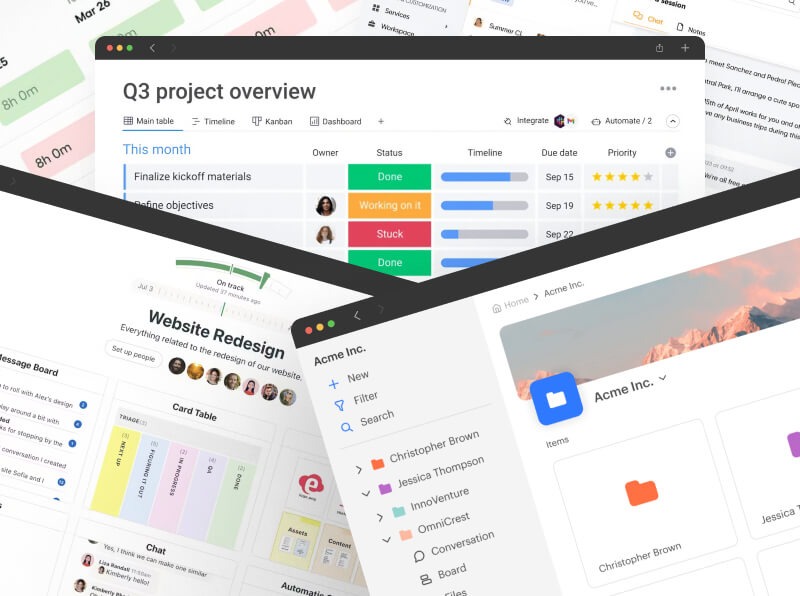
In Capterra’s buyer research, 52% of a 64-interaction buyer-advisor sample prioritized scheduling and 50% prioritized collaboration.
Task management came up in 44% of a separate set of 3,486 user reviews.
A shared spreadsheet or basic board is enough when ownership, deadlines, and updates stay dependable with modest effort. Specialized software earns its place when the team needs something the current setup can’t deliver reliably, such as linked dependencies, controlled external access, or reporting across several projects.
Which kind of project management tool fits your work?
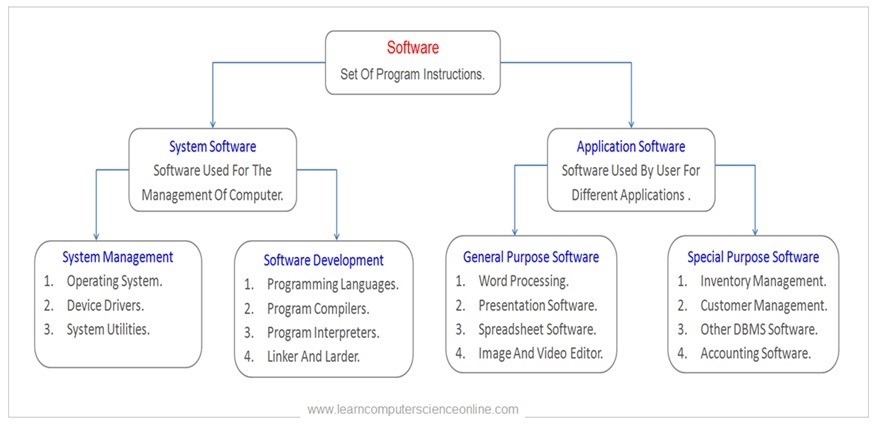
The first choice is the shape of your work. A marketing agency coordinating approvals, a development team managing bugs, and an operations group planning dependent milestones all call their work projects, but their requirements differ.
| Main work pattern | What must be coordinated | Category that fits | Example tools |
|---|---|---|---|
| Recurring tasks | Owner, date, status | Spreadsheet or task board | Trello; basic Asana views |
| Client campaigns and deliverables | Handoffs, approvals, shared files | Collaborative work management | Asana, monday.com, ClickUp |
| Software issues and backlog | Triage, assignment, workflow transitions | Engineering issue tracking | Jira |
| Schedule-dependent projects | Predecessors, milestones, change impact | Dependency-oriented planning | Smartsheet; advanced planning views |
| Coordinated programs | Capacity and cross-project reporting | Portfolio/resource management | Dedicated PPM capabilities |
Many products fit more than one row, and features vary by edition.
A Kanban board shows tasks moving between statuses. A Gantt view places tasks on a timeline and can show dependencies. Either way, the team still needs agreed ownership rules.
For an agency, a client approval can block the designer’s next deliverable. In an operations schedule, a delayed predecessor task pushes several downstream dates. A development team needs a defect to pass through triage, assignment, resolution, and review.
Portfolio management adds another question: how leaders allocate resources and report risks across several initiatives. If you need that, evaluate capacity and governance more closely than you would for a basic task board. For more, see what does project portfolio management software do.
Features that should disqualify a tool
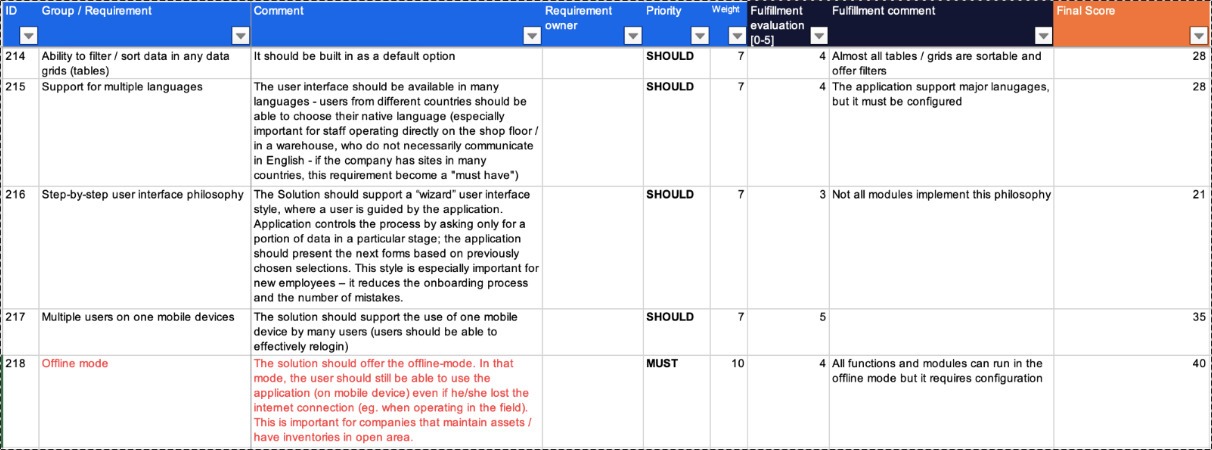
A polished demo means nothing if a key function fails in the environment where your team works. Write each must-have as a pass-or-fail condition that names the user, action, access level, device, or integration involved.
- Ownership and visibility: Contributors can find their assigned tasks, deadlines, and current status. Add milestone and dependency rules only if your workflow needs them.
- Guest permissions: A client can approve work or see progress without gaining access to internal budgets or unrelated projects.
- Integrations: Specify the source system, the information transferred, the direction of synchronization, and what happens if an update fails.
- Mobile and offline use: Edits and notes made offline are still there after the device reconnects.
- Governance: Confirm the access-removal, permission, and auditing controls you need for sensitive work.
- Automation: A repeated step runs within the plan’s usage allowances, and you can see when it fails.
Test mobile behavior on the devices your team carries. One longtime ClickUp user described frustrations with refreshing and offline notes:
* The “Flicker” Refresh: Every time I add a task or a note, the screen literally flashes/blanks out for a “classic” old-school refresh. It’s not instantaneous; it’s clunky, unacceptable, and kills my flow.
* Fake Offline Mode: Taking notes offline is a gamble. Sometimes they sync, sometimes they vanish into the void. Having to stare at the top of the screen waiting for a “Note Created” confirmation in 2026 is just anachronistic.
That’s one user’s experience. If your team relies on field notes, test offline mode on your own devices and the edition you plan to buy.
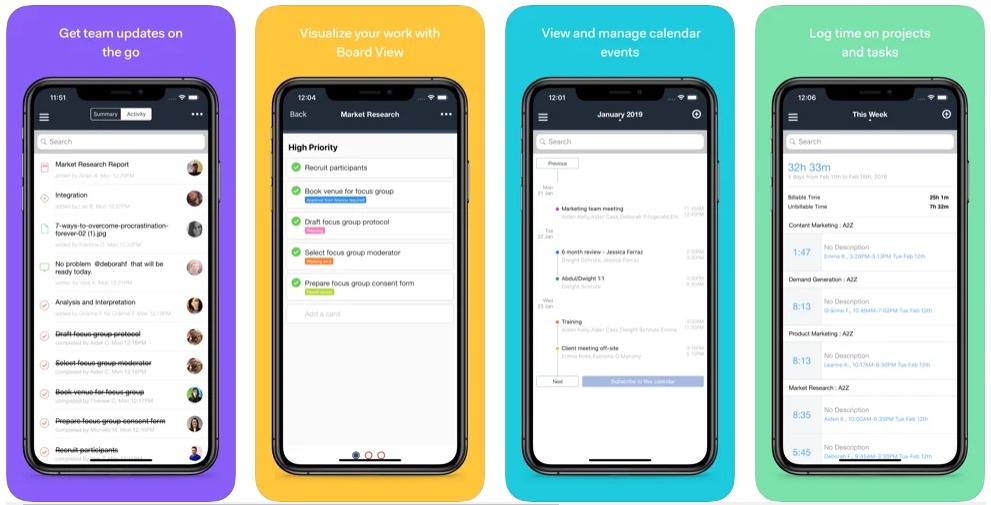
Keep each rejection condition specific: required result, test, pass or fail. If a permission rule exposes confidential client material, or a required dependency can’t be represented, reject that option unless the failure can be resolved and demonstrated.
How much will project management software cost?
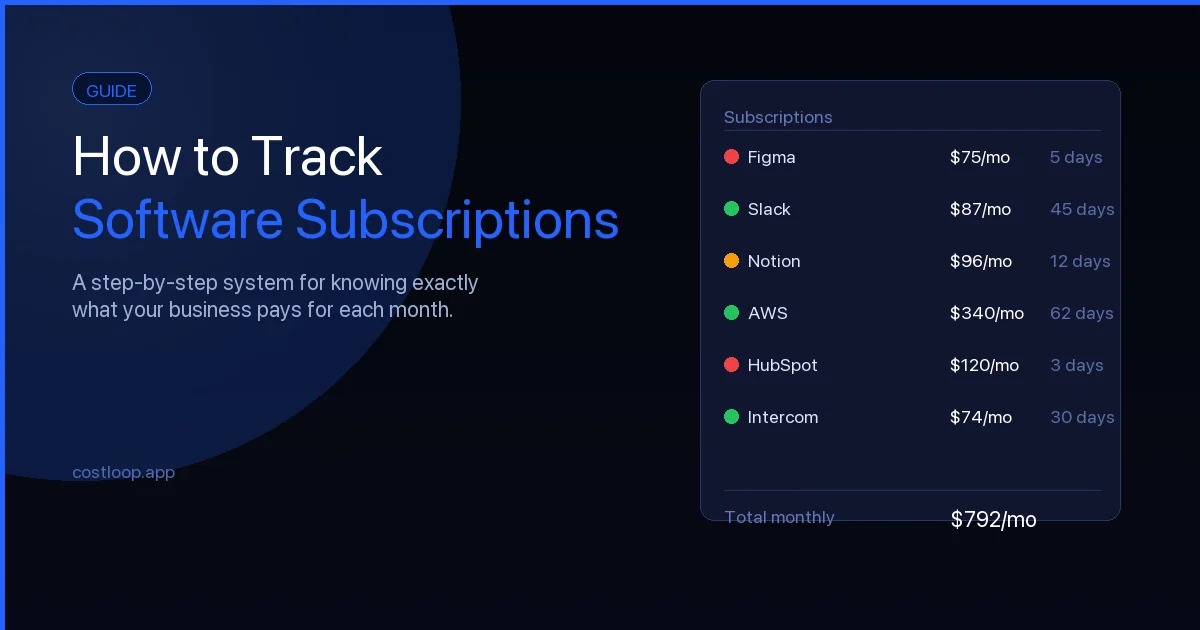
The advertised monthly rate is only one input to your first-year bill. Paid roles, minimum seats, billing commitments, and the edition that includes your must-have features all change the total.
For a one-year estimate, multiply billable seats by the confirmed monthly-equivalent seat price and by twelve months. Then add required services and one-time setup, training, and migration costs.
| Cost input | What to establish | Effect on budget |
|---|---|---|
| Paid members | People who need billable access | Guest and viewer roles can differ |
| Rate and term | USD price and billing commitment | Annual and monthly terms can differ |
| Seat minimum | Required minimum or bundle | You may pay for unused seats |
| Feature tier | Edition with mandatory capabilities | Permissions or planning can require an upgrade |
| Usage allowances | Automation, storage, integrations | Limits and add-ons change the cost |
| Implementation | Setup, employee training, migration | One-time labor and transition cost |
| Overlap | Months with two subscriptions | You pay for two tools for a while |
Take an agency with six editors and four client reviewers. The key billing question is whether those reviewers qualify for guest or viewer permissions. Build the estimate on the roles you will actually be billed for.
In the documented 2026 plan descriptions, Asana Personal listed up to two users, while Jira Free listed up to ten users. Those limits belong to different products.
ClickUp’s automation documentation distinguishes active Automations from monthly Actions. A monthly Actions cap can pause automations until the allowance resets, so check the configured rules and the actions they run separately.
Plan prices, seat classifications, features, and promotions change. Base your budget on the US edition and the contractual offer you receive.
Compare finalists using the same project
Compare two or three qualified tools using identical tasks and user roles. An agency evaluating Asana, ClickUp, and monday.com could run one client campaign through each, with an owner, a document, an approval, a deadline change, and a status report. If the choice comes down to Asana, ClickUp, or neither, read who should choose Asana, ClickUp, or neither.
| Criterion | Must-have? | Candidate A | Candidate B | Candidate C |
|---|---|---|---|---|
| Assign and update work | Yes / No | Pass / Workaround / Fail | Pass / Workaround / Fail | Pass / Workaround / Fail |
| Manage required dependency | Yes / No | Record result | Record result | Record result |
| Give client correct access | Yes / No | Record result | Record result | Record result |
| Complete essential integration | Yes / No | Record result | Record result | Record result |
| Produce useful project status | Yes / No | Record result | Record result | Record result |
| Fit annual budget | Yes / No | Record result | Record result | Record result |
A workaround deserves its own entry. Manual copying, administrator intervention, or repeated extra steps add team cost even when the task gets done.
Suppose Candidate B can’t give clients the approval access the agency needs. B fails the mandatory test. Compare the remaining finalists on preferences such as ease of updating or quality of project reporting.
If you weight optional features, base the weights on your own workflow. They reflect your team’s priorities and say nothing about how the named products perform. Only candidates that meet every must-have go to the live-team pilot.
How to test adoption before you commit
Give ordinary contributors a representative live project and watch how they work when nobody guides every click. One working week is a reasonable pilot, adjusted to your project’s pace.
Before the trial, note where the team currently updates status, how it resolves unclear priorities, and how long a project report takes to prepare. Then assign real work in the candidate tool and see whether contributors can update, hand off, and close their tasks on their own.
A marketing manager described a six-month Notion rollout that didn’t stick despite extensive preparation:
I have tried to adopt Notion team wide, and our CMO agreed with all of my points – after hours and hours of setting up Notion and workflows for the wider team, making it as simple as possible + having 1 on 1 calls with each team members, showing workflows and how it can benefit them, setting up workflows that mimic their own, 6 months later – wider team got back again to spreadsheets/emails / random messages and turned everything into chaos, essentially abandoning all my effort.
Build one ordinary disruption into the pilot: a delayed approval, a reassigned owner, or a changed deadline. Check that the update reaches the people affected and that the current project state stays clear.
Log the task, participant, expected outcome, actual outcome, and any help needed. A project lead should be able to produce a status report from the system without piecing together scattered messages.
If contributors can’t update or retrieve essential work on their own, pause the rollout. Simplify the workflow or configuration and rerun the failed scenario.
Before migrating, find out what you will lose
Check that records and workflows survive the move before you switch over. A migrated task title can arrive without its recurrence rule, hierarchy, comment context, or access restrictions. To check the workflow with the people who will use it, see how to test the real workflow and the person who will use it.
ClickUp’s Asana importer documentation lists items that don’t import automatically or lose their intended arrangement.
| Asana source object | Documented ClickUp import condition | Validation or repair |
|---|---|---|
| Freestanding tasks | Do not import automatically | Check whether work belongs in a source project |
| Nested subtasks | Do not import automatically in the expected hierarchy | Move affected subtasks under their intended parents manually |
| Tasks shared between projects | Shared placement does not automatically transfer | Restore required multiple-list placement |
| Recurring tasks | Recurrence does not automatically import | Recreate and test the recurrence rule |
| Private tasks | Listed among data requiring manual handling during import | Identify private tasks in Asana and restore private access to corresponding items in ClickUp |
| @mentions | Do not import | Decide whether missing conversation context matters |
| Unmatched users | Inviting them during import may cause charges | Review user mapping and billable membership |
These exclusions apply to the Asana-to-ClickUp route.
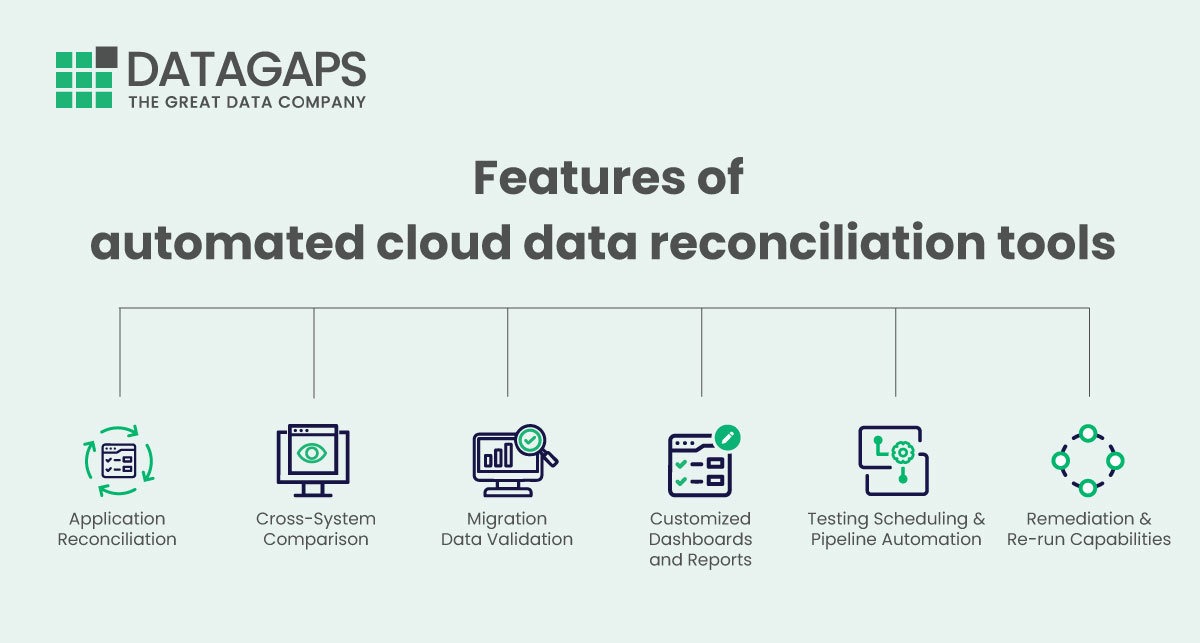
Prepare a sample with an owner, deadline, subtasks, recurrence, attachment, comment, and any sharing or privacy conditions that apply. Compare the source records with their destination counterparts, including object counts and the behavior needed to operate them.
A recurring task should generate the expected next occurrence after any manual rebuild. A private task needs the right access controls. Keep a list of manual exceptions and who fixes each one.
Keep a usable source export or archive and have a rollback route ready.
Make the call: buy, keep what works, or test again
Let the trial determine whether the team needs a new tool at all. Where a free tier is involved, use the free-plan pilot procedure before moving the project’s history.
Speak Your Mind