Hiring candidates, maintaining employee records, running payroll and filling shifts are related jobs, but they are not the same software category. An ATS, HRIS, payroll system or scheduler may solve the specific problem without replacing the entire stack. An integrated suite earns consideration when the handoffs between those jobs work in practice.
Which Kind of HR Software Do You Need?
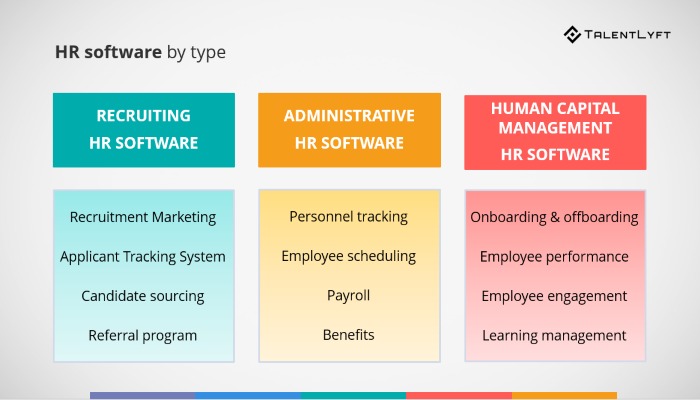
Hiring, employee administration, scheduling and payroll can be bundled into one vendor’s contract without becoming one task. Identify where a record or approval currently gets lost before pricing the whole HR suite.
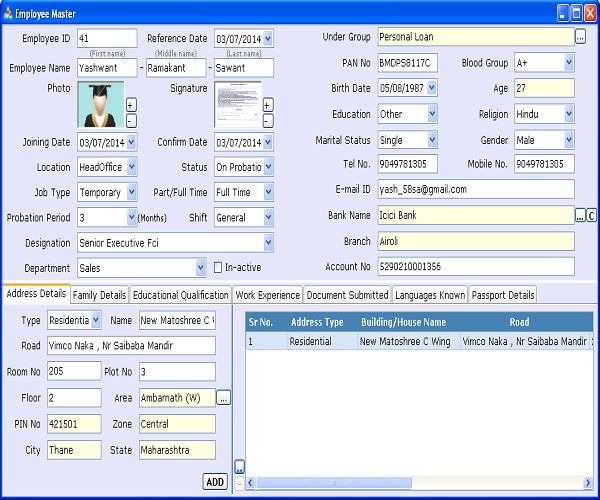
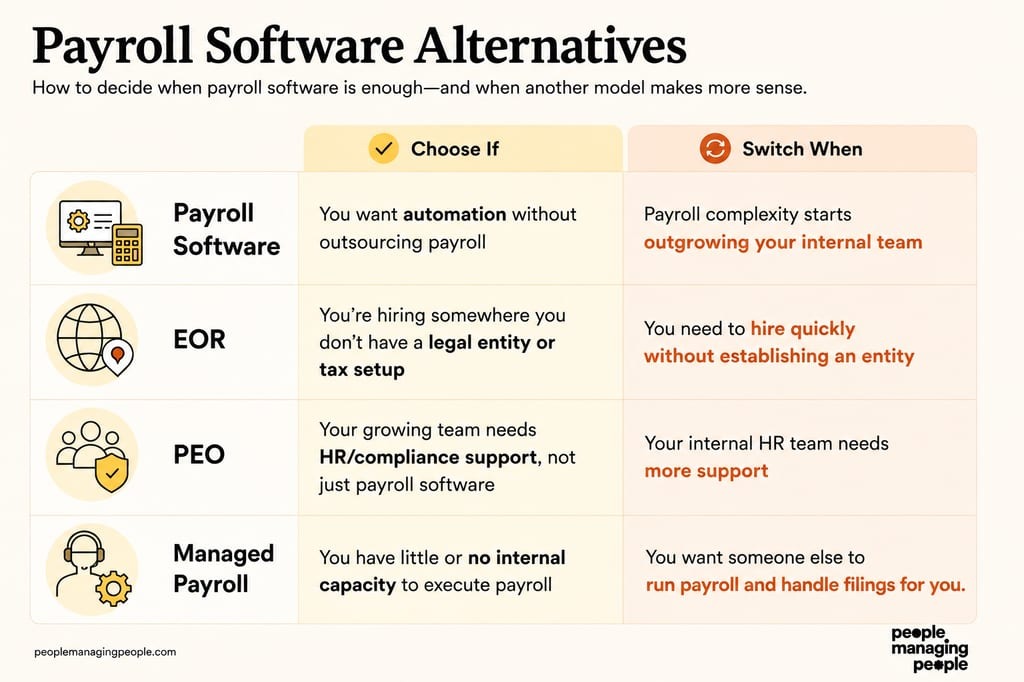
A human resources information system (HRIS) organizes employee profiles, reporting lines, onboarding, time off, and administrative records. An applicant tracking system (ATS) handles candidates, interview stages, and offers before someone becomes an employee. Payroll-first systems focus on paying workers. Scheduling and time-and-attendance tools manage shifts, clocks, approvals, and time records. For hiring and onboarding, review protecting applicant records during onboarding.
| Where work breaks | Software category to investigate | First capability to examine |
|---|---|---|
| Employee records, leave approvals, or onboarding documents are scattered | Core HRIS | One reliable employee record, approvals, and reporting |
| Applications, interviews, and offers are hard to track | ATS or recruiting software | Candidate stages, interviewer access, and hiring handoff |
| Pay runs, deductions, or worker-specific pay rules dominate the workload | Payroll-first HR software | Worker coverage, pay rules, and payroll controls |
| Shifts, time clocks, or attendance approvals cause problems | Employee scheduling or time and attendance | Shift rules, approvals, and usable time exports |
| Several of these problems occur together | Integrated HCM suite or connected systems | Employee data passing cleanly between functions |
Human capital management (HCM) and human resources management system (HRMS) are broader labels, and vendors use them differently. Some products bundle employee administration, payroll, hiring, benefits, and performance management. Others sell selected modules or rely on integrations. The edition you buy decides what you get.
Take a 12-person company that hires twice a year but keeps losing leave approvals and onboarding paperwork. It should look at core HR first. A dedicated ATS solves a different problem.
One small-business buyer had a messier starting point: the company had already changed payroll providers and was weighing another switch. Compare the prospective HRIS against the HR and payroll tools you already have before replacing functioning processes.
For the people who have switched payroll systems recently, can someone please tell me what’s the actual differences between Rippling and Gusto? For context, my company is like 30 people across 3 states and a few contractors in Canada. We plan to add significantly more headcount in mid 2026. We were on Paylocity first but it was clunky. So we switched to Gusto but it glitched a few times and trying to get a hold of the support team was really painful and slow.
For that employer, worker location, payroll coverage, support, and another possible migration belong in the requirements.
One HR Suite or a Connected Stack?
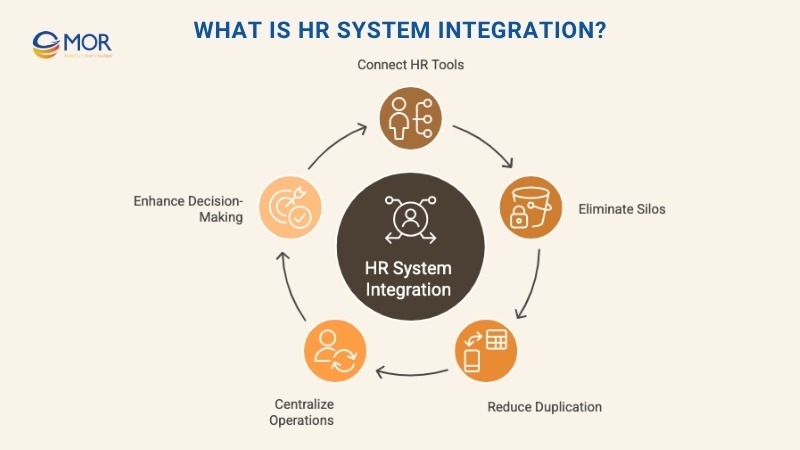
A suite gives you fewer systems to coordinate. A connected stack keeps the specialist payroll, recruiting, or workforce tools that already work. Either way, look at where employee data is created, maintained, and passed on.
A suite can offer a shared employee profile, one set of permissions, joint reporting, and a single vendor relationship, but only for the modules you buy. A shared brand name doesn’t mean payroll and recruiting share every field you need.
A connected stack is more flexible. A contractor might keep its payroll process and add an HRIS for onboarding and employee records. The cost: you own the connectors, map the fields, work with separate support teams, and risk conflicting employee identifiers.
| Decision factor | Integrated suite | Connected specialist systems |
|---|---|---|
| Employee identity | One shared record if the modules truly share fields | Needs a source of truth and matching identifiers |
| Specialized work | Depends on how deep the included module goes | Keeps an established specialist process |
| Implementation | Coordinated under one provider | You map data and responsibility across vendors |
| Permissions and reports | Consolidated controls | Access and reporting must work across applications |
| Commercial commitments | One purchase, possibly with paid add-on modules | Separate contracts, integration costs, and renewals |
A mostly remote employer with staff in the United States and India put reporting and core HR ahead of recruiting.
Looking for HRIS recommendations for a mostly remote company of 300-400 US & India employees. We’re currently use Paylocity and we hate it. It is not intuitive and the reporting capabilities suck. We’re looking for something that can be an all in one system (Reporting/Data Insights, Payroll, Benefits, Time & Attendance, Performance, Compensation) and ATS is a nice to have but not required. International payroll is not required but a possibility for the future. Ability to do integrations is a plus.
For this buyer, a sophisticated ATS adds little while reporting and core HR fall short. International payroll could wait.
Draw a source-of-truth map. List employee ID, employment status, manager, compensation, time records, and candidate data in one column. Name the authoritative system for each in the next column. Then list every application that receives or changes each field. An unresolved owner, or two master records that anyone can edit, breaks the design under either model.
Requirements That Can Rule Out a Vendor
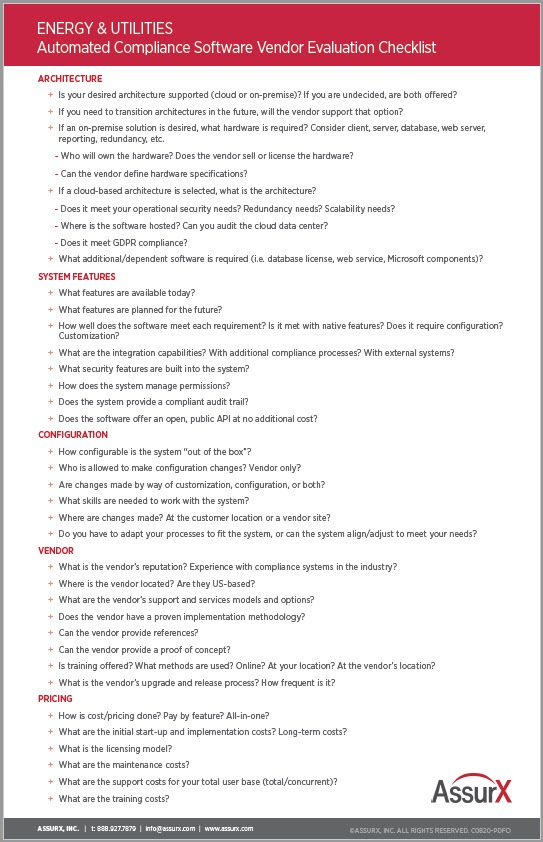
The best requirements knock out a product before the demo turns into a sales pitch. A long feature list means nothing if the product lacks a worker type, report, approval process, or permission control you need.
Sort requirements into three groups:
- Must work: Processes the business can’t run without, such as the payroll population, employee reporting, shift approvals, or restricted access to compensation.
- Helpful: Features that save work but have a manual or connected workaround, such as extra dashboard views or occasional recruiting automation.
- Do not need: Modules with no current use, such as elaborate applicant workflows for an employer that hires very little.
Write each must-have as an operating condition. “Supports payroll” is too vague for hourly employees in several states. Say which worker types, locations, approved time records, and pay codes must reach payroll.
Be just as precise about reporting. Name the employee fields, filters, historical periods, export formats, and roles. A report that a global administrator can open may be locked to the supervisor who needs it.
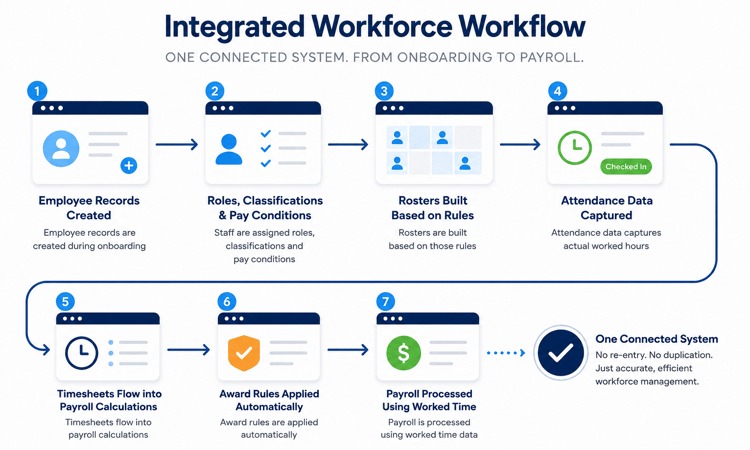
Worker classification, location, pay frequency, required integrations, and benefits handoffs all change which product fits. A missing must-have rules out the setup unless a supported integration delivers the same result.
Make Vendors Demonstrate Three Workflows
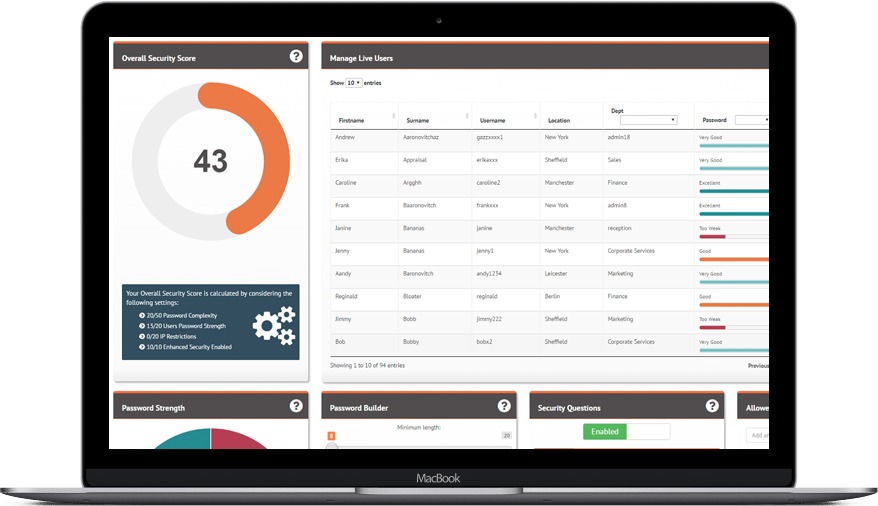
Ask vendors to do work that looks like your employee lifecycle. Three demonstrations expose gaps a feature checklist misses: hiring someone, changing an employee’s information, and ending employment. Use synthetic records in a sandbox or controlled demo. Keep real Social Security numbers, pay details, and personnel documents out of shared test environments.
1. Candidate to employee
Have the vendor create a fictional applicant, move that person through the hiring stages, record an accepted offer, and create the employee profile. If you have no ATS, start at the onboarding entry point.
Check the new record for employee ID, status, documents, manager, and permissions. Look for duplicate profiles and for hiring-manager access that should have ended. Related reading on permissions, scheduling, and time off: the costs of employee scheduling software.
2. An authorized employee change
Change a fictional employee’s manager, compensation, or employment status in the system that owns that field. Then check the HR, payroll, and reporting records that should receive the change.
Look for the effective date, approval, audit record, sync direction, and final value. A named connector may move some fields and leave others for manual entry.
For a scheduling-led evaluation, enter an irregular approved timesheet and check the hours and pay codes in the payroll record.
3. Offboarding
Run a test departure and check role removal, account access, time and pay cutoffs, document availability, and downstream employment status. This covers the operational handoff only. Your legal termination procedure is separate.
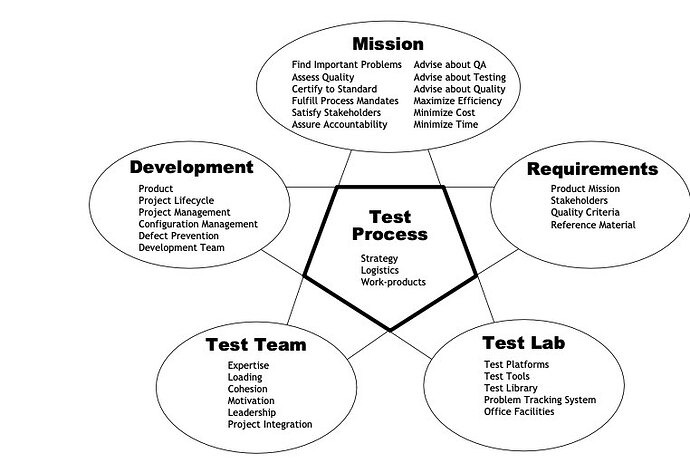
Record each result in the same format for every shortlisted setup:
| Demonstration | Expected result | Buyer records |
|---|---|---|
| Applicant to employee | One correctly linked employee record and appropriate permissions | PASS / FAIL / NEEDS PROOF |
| Employee change | Correct approved values, effective date, and target-system record | PASS / FAIL / NEEDS PROOF |
| Offboarding | Authorized access changes and correct downstream status | PASS / FAIL / NEEDS PROOF |
Mark an essential workflow PASS only when the agreed setup shows the right records, values, and permissions. An untested connector, separately billed middleware, or promised fix stays NEEDS PROOF until the vendor shows the result. If an essential requirement is still unresolved after that, reject the setup.
Also have the vendor stage a failed transfer with synthetic data. Record how the error appears, who owns the retry, and what the target system shows before and after recovery. For every test, log the edition, demonstrator, your reviewer, target system, error behavior, and a screenshot or transaction record. Note whether the result was native, came from a paid module, or depended on third-party software.
Plan the Switch Before the First Payroll or New Hire
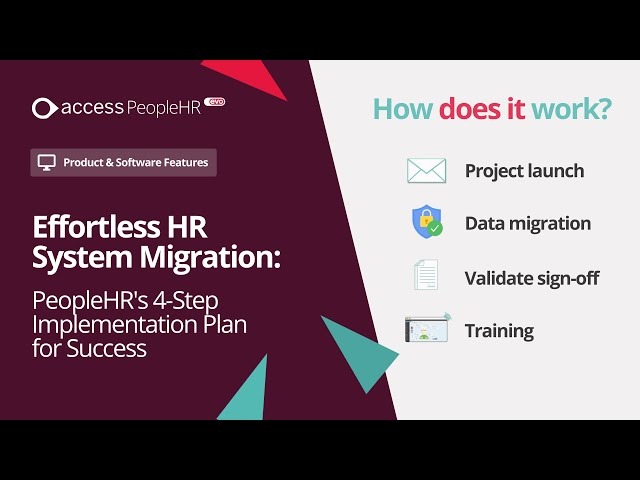
Changing systems means moving employees, history, responsibilities, and deadlines without losing records the business still needs. The first payroll cycle and the first new hire are the worst times to discover an incomplete migration.
An HR professional preparing a Paycom-to-UKG Ready transition described the worry before the first pay run:
My company (250-300 EEs) will be fully transitioned to UKG Ready next week from Paycom. For those of you who have gone through a transition, what are some HOLY SHIT moments that you encountered in your first payroll that you would love to share to help me prep me?? Also, what information would you advise I pull from the old system (we have pulled a crap ton of course, just wondering what I may have missed since they don’t know yet that we are leaving – only 30 days notice is required). This has been MONTHS of hard work on my part and I’m freaking out in the 11th hour that I’m missing things that are simple by any other set of eyes!!
An old-system export inventory and a first-cycle sign-off answer that worry.
Build a cutover sign-off record
The migration owner should account for these data classes:
- People records: Employee identifiers, current status, managers, job information, and history, each mapped to a destination.
- Payroll inputs: Pay groups, earnings and deduction codes, opening information, time records, and balances to reconcile.
- Documents and leave: Onboarding records, employee documents, PTO data, and access to older records.
- Security: Administrative roles, user access, permissions, and who deactivates them in the outgoing system.
- Exceptions: Failed transfers, mismatched values, missing history, and a named person to resolve each.
Give each data class a source owner, export format, destination, reconciliation result, and approver. Payroll staff should approve first-cycle figures and exceptions before you rely on the new process.
Get written confirmation of the old system’s export window, cancellation conditions, and access to historical records. Retention periods depend on the applicable rules and the type of record, and migration doesn’t create a universal one.
Add a completeness check to new-hire processing before employee status, access, or dependent steps move forward. Industry-specific onboarding requirements may need separate checks.
The Full Cost and the Contract You Can Leave
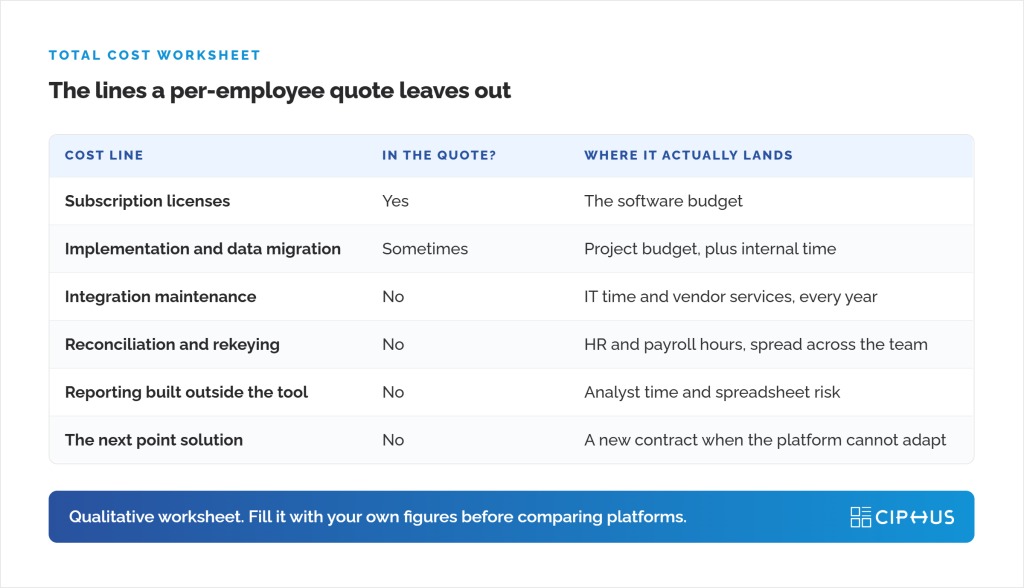
A monthly subscription quote can cover only part of the commitment. Compare the same configuration across the same workforce and contract period, and include the cost of leaving.
Ask for a written 12-month and 24-month estimate, or an equivalent breakdown for the available term. Line up these fields:
- Licenses and workforce rules: Base platform fee, per-employee-per-month (PEPM) or per-seat charges, minimums, and how inactive employees or contractors are treated.
- Required modules: Payroll, ATS, scheduling, benefits, reports, analytics, and any other function the proposal depends on.
- Deployment: Migration, setup, training, implementation partners, and integration work.
- Ongoing service: Support package, response scope, API or middleware charges, and renewal terms.
- Exit: Notice period, termination terms, export format, data access after cancellation, and extraction charges.
A lower subscription quote can end up costing more when a required module or connector is billed separately, and a higher platform quote may already include it. Compare documented line items, and treat undisclosed amounts as unresolved. Plan features and terms change, so match workforce assumptions, edition, currency, quotation date, and billing term before comparing totals.
US Employee Records, Privacy and Hiring-Tool Safeguards

HR software holds employment records and sensitive personal information. Its controls have to support your recordkeeping, access, and hiring responsibilities.
For new hires subject to Form I-9 employment-eligibility verification, build that process into onboarding. USCIS I-9 Central has the official instructions.
The US Department of Labor’s Fact Sheet #21 covers the wage-and-hour records that covered employers must keep under the Fair Labor Standards Act. It doesn’t require a particular HR product or recordkeeping form.
The Federal Trade Commission’s Start with Security guidance stresses sensible collection, retention, and limits on access to sensitive information. In an HR system, check which roles can see personal identifiers, pay information, applicant records, and the audit history.
The EEOC’s December 1, 2007 technical assistance on employment tests and selection procedures covers discrimination risks in screening and selection methods. If a recruiting tool evaluates or ranks candidates, assess its use within your selection process.
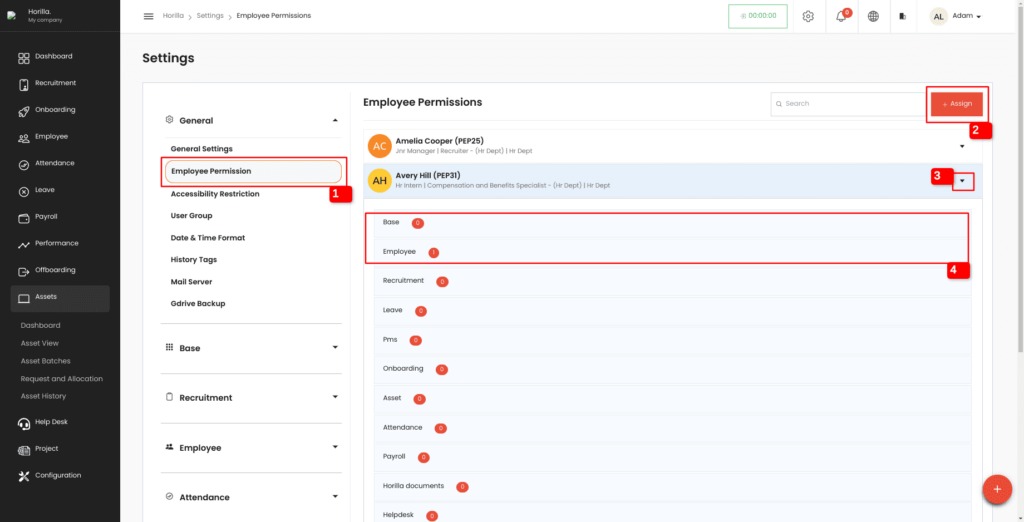
Build a role-and-record matrix for HR administrators, payroll staff, hiring managers, supervisors, and employees. Record who can view, edit, export, and retain compensation, personal identifiers, candidate assessments, and employment history. Your HR, payroll, or legal function should assess the rules that apply to each record type. A vendor’s compliance badge doesn’t prove your setup meets your obligations.
Take the Right Next Step

Start with the staffing handoff that fails in practice. A specialist tool may fix it; a suite may be preferable if the necessary connections actually work. Use the keep-or-buy comparison to compare the cost of replacing existing tools with a broader platform.
Speak Your Mind