A switch between QuickBooks Online and Xero should begin with the books, not the interface. QuickBooks remains sensible when the accountant and US reporting process already work; Xero may better suit the required user access and banking workflow. Run the same transactions on the relevant plans and safeguard history and reconciliation before moving.
Start with where you are today
A new business can choose accounting software around the transactions, reports and users it needs today. An existing QuickBooks Online or Xero customer also has conversion costs and historical records to protect, so the same subscription comparison leads to a different decision.
Plans, seats, and what twelve months cost
The two services charge differently once more than one person needs access. Start with the cheapest plan that covers the work you do.
The table shows regular US monthly list prices, before promotional discounts. Xero’s rates reflect its pricing update effective October 1, 2026. Twelve-month totals assume the same undiscounted monthly price for all twelve months. They exclude taxes, payroll, payment-processing fees, paid applications, accountant services, migration costs and extra company subscriptions.
| Product | US plan | Monthly list price | General-user access | 12-month base |
|---|---|---|---|---|
| QuickBooks Online | Simple Start | $38 | 1 user | $456 |
| QuickBooks Online | Essentials | $85 | 3 users | $1,020 |
| QuickBooks Online | Plus | $140 | 5 users | $1,680 |
| QuickBooks Online | Advanced | $340 | 25 users | $4,080 |
| Xero | Early | $27 | No per-user license fee | $324 |
| Xero | Growing | $59 | No per-user license fee | $708 |
| Xero | Established | $97 | No per-user license fee | $1,164 |
These figures come from the official QuickBooks Online pricing and Xero US pricing pages. Feature gates and user roles decide which plan you actually qualify for.
A three-person team that needs bill management in QuickBooks pays $85 a month at list price (Essentials). Xero charges no per-user fee, but roles and transaction limits still decide whether a plan fits.
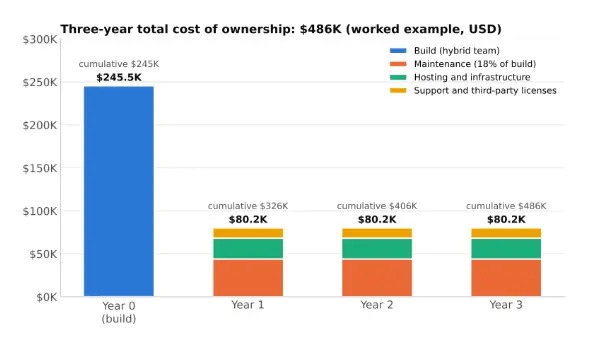
Separate companies cost extra. Ten people working in one company’s books and one bookkeeper handling ten businesses are different licensing situations. Count your companies, your plan, paid extras and any conversion costs when you work out total cost.
For a promotional offer, use the discounted price for the months it covers and the regular price for the rest. The twelve-month figures above are for comparison only.
Intuit announced renewal-price changes for QuickBooks Essentials, Plus and Advanced effective August 1, 2026. Treat a first-payment discount and the ongoing renewal price as two separate numbers when you buy.
Invoices, bills, and basic plan limits
Xero Early allows 20 invoices and five bills per month. If you like the entry price, check your transaction volume first.
| Example monthly workload | Fits Xero Early? | What to do |
|---|---|---|
| Freelancer: 12 invoices, 3 bills | Yes, within both limits | Banking and other required features decide whether the plan fits |
| Service company: 35 invoices, 12 bills | No, exceeds both limits | Look at Growing or another plan that fits |
| Small team: occasional invoices, several collaborators | Fits on volume alone | Check user roles and any additional plan restrictions |
The invoice count covers approval and sending events, including invoices started in connected apps. Count your real monthly activity, app-generated invoices included.
QuickBooks Online Simple Start is a paid product. Intuit also lists a separate, restricted QuickBooks Free offer with one user, no accountant access and a default two-invoice monthly allowance. Free has an exception tied to enabling QuickBooks Payments and follows its own terms.
If you’re above Xero Early’s invoice or bill caps, compare a higher Xero tier with a QuickBooks plan.
Bank feeds and reconciliation
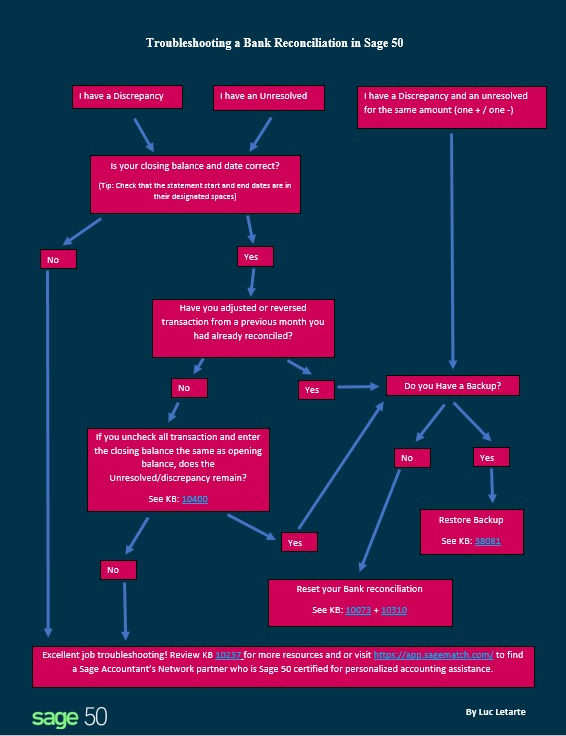
A reliable bank workflow matches imported statement lines to the right transactions and produces a reconciliation you can follow. To test this yourself, read how to test the bank feed and reconciliation workflow.
A US small-business owner starting out on Xero hit two conflicting reconciliation labels:
Xero’s “startup guide” is terrible as is their unhelpful AI. Case in point: on my bank accounts main page it says everything is “Reconciled,” but in the “Account Transactions” tab a bunch of items show as “Unreconciled.” Wow, I didn’t see anything about this in the “Guide”.
The confusion came from the interface, and nothing in the post says the books were wrong. Before you accept a bank line, check whether it’s a new transaction or a match to an existing invoice payment.
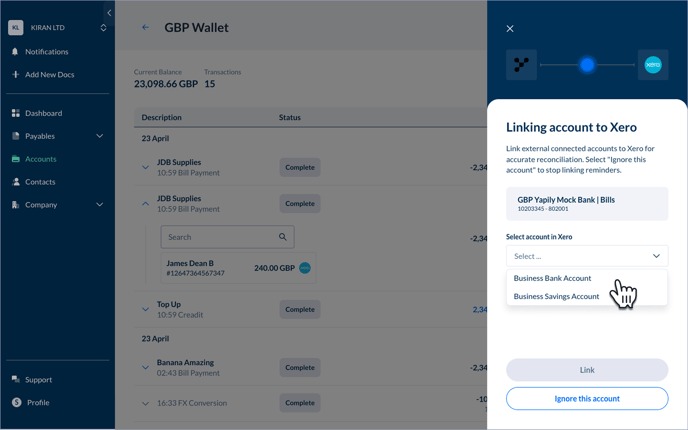
Bank-feed availability varies by bank and connection provider. Xero’s US bank connection guide documents direct connections, supported alternatives and manual statement imports in OFX, QIF and CSV.
Check that your bank or credit union supports the connection you need, and decide whether manual import is an acceptable fallback when an automatic feed isn’t available.
Day-to-day bookkeeping and reporting
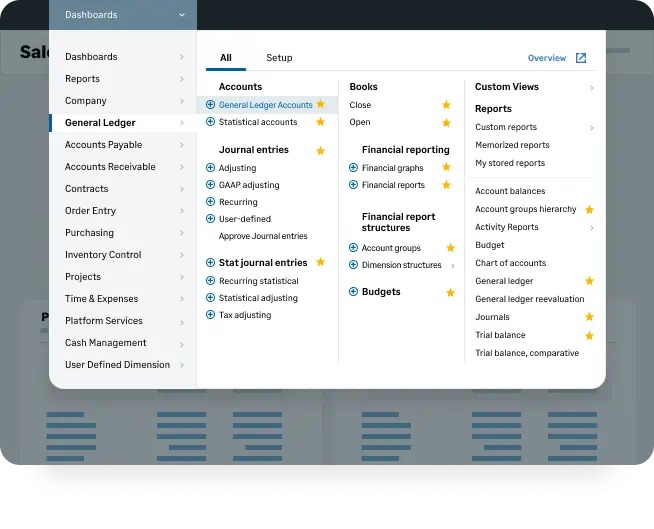
Accounting software has to stay understandable after the first invoice goes out. A bookkeeper may need to adjust a posting, chase an aging balance or trace a gap between the ledger and a financial statement.
A bookkeeper weighing a move from QuickBooks Desktop asked Xero users what they dislike about it:
But we all know the devil is in the details. Before I spend too much time checking out Xero, I’m wondering if anyone using it would be willing to share what they hate about it. Or find they can’t do easily. Or little thing that is way more complicated to do than it should be. Just so I have an idea what to look out for and if it’s a deal breaker for me
The same poster also asked about posting a journal entry directly to a bank account. Put that entry path on your list of tasks to test, along with any posting adjustment that materially affects your financial statements.
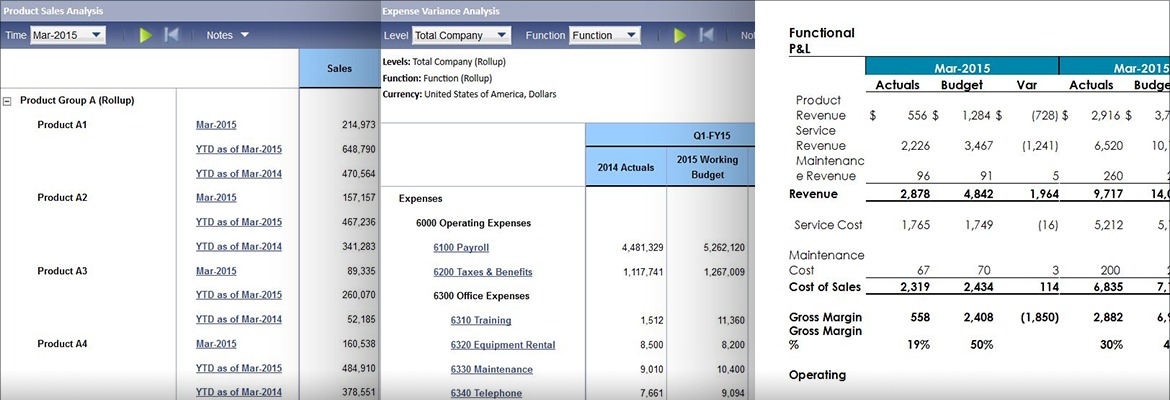
A working bookkeeper needs profit and loss, the balance sheet, cash flow, and accounts-receivable and accounts-payable aging. Transaction history should explain how each figure was produced. User permissions and plan features affect how you reach those reports.
If you regularly make adjusting entries, you need a clear, authorized journal workflow. If you mainly invoice customers and pay suppliers, you’ll spend more time on customer payments and bill reconciliation. The daily work differs even though both end in the same standard financial statements.
Inventory, projects, multicurrency, and US payroll
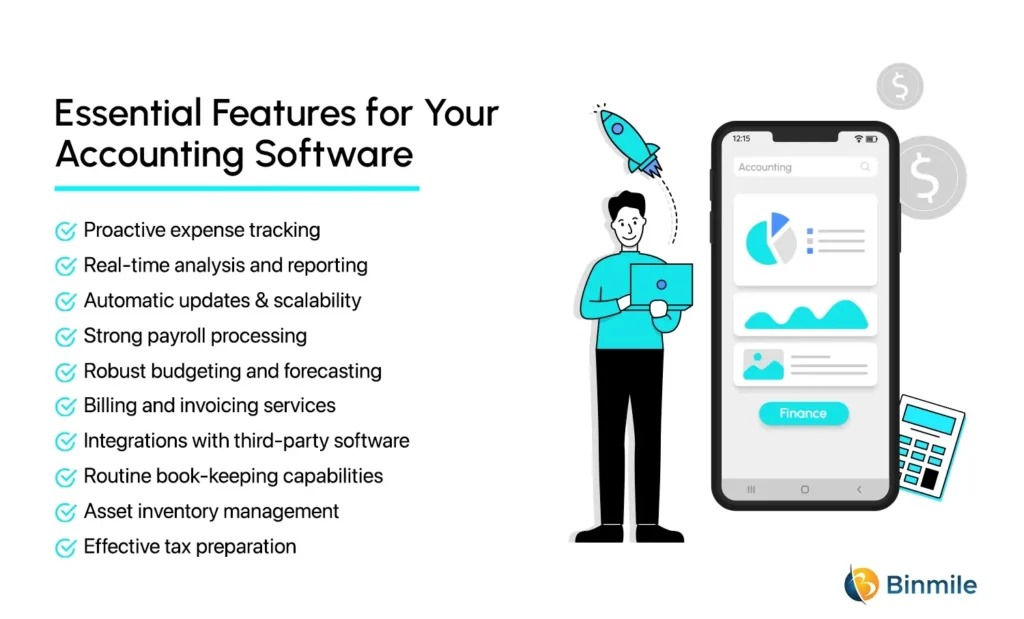
Your advanced accounting needs decide which paid tier you need. A service firm measuring job profitability and a retailer tracking inventory need different functions, even at the same invoice count.
QuickBooks Online Plus includes inventory tracking, project profitability, budgets and classes or locations. QuickBooks Advanced adds expanded permissions and reporting.
Xero Established includes multicurrency, projects, mileage, expense claims and a 180-day forecasting feature. Xero also has built-in tracked inventory for straightforward stock workflows. Its separately paid Inventory Plus covers more complex needs, including multichannel operations.
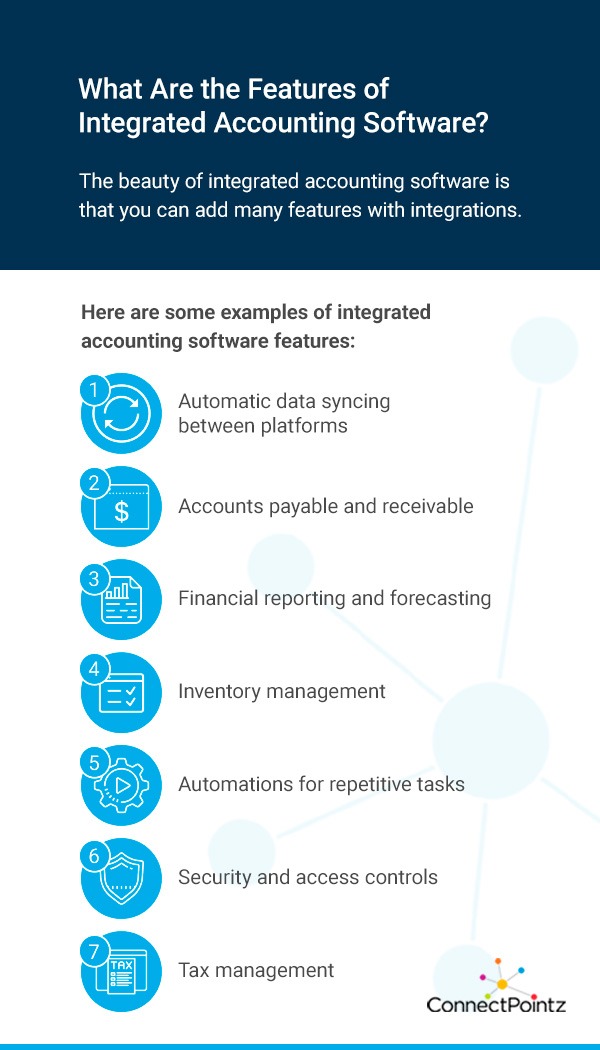
- Inventory: Look at quantity tracking, cost of goods sold, purchasing, returns and sales-channel handling. Xero’s built-in tracked inventory covers finished goods invoiced through Xero. Raw materials and work in progress need a different solution.
- Projects: You need a defensible job-profit figure after time, expenses and customer invoices are assigned to the right project.
- Multicurrency: Currency handling, conversion treatment and reporting must fit your actual transactions and plan.
- US payroll: QuickBooks payroll is priced separately. Xero’s US payroll is powered by Gusto and also costs extra. Check that the payroll process and your state and federal reporting needs are covered.
- Tax-related work: For 1099s and sales tax, confirm that your setup and your professional process support your filing and recordkeeping requirements.
A retailer with several sales channels may need a separate inventory app or paid integration. Costing and returns handling differ between the products. QuickBooks documents FIFO and moving-average inventory costing; Xero’s standard tracked inventory uses weighted-average costing. The costing method matters when you carry over historical inventory records.
A five-person service company faces a different question. Its project accounting depends on how much work it takes to assign expenses and staff time to a job and then produce a profitability report. If inventory is your deciding factor, see which inventory accounting setup fits your business.
Accountant collaboration, usability, and support
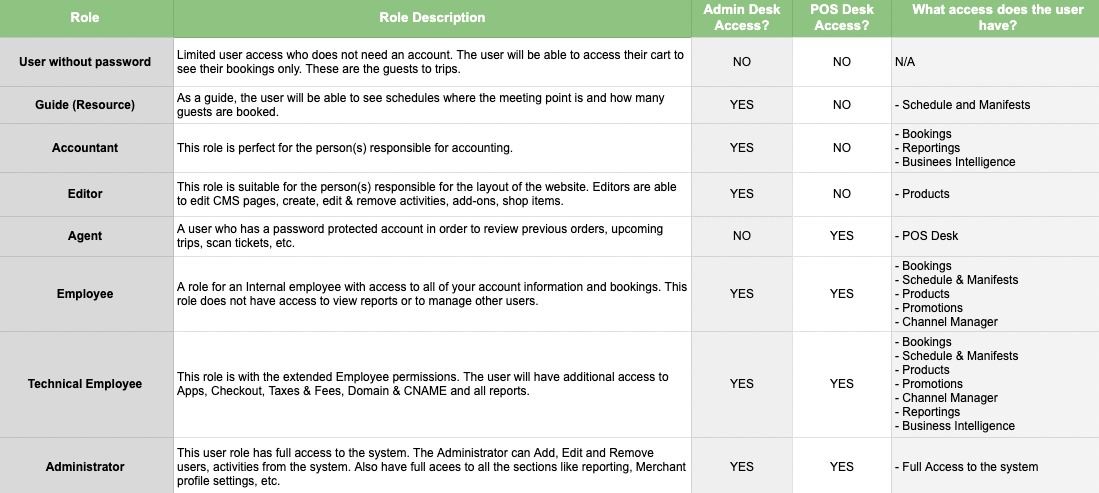
Your software choice also affects whoever prepares or reviews your accounts. An owner, staff bookkeeper, external CPA and account administrator need different access, and the general-user price doesn’t set every permission.
An experienced QuickBooks bookkeeper weighed familiarity against trying a different online platform:
I have been doing bookkeeping for 15 yrs using QB. It is great other than the glitchiness and customer service may as well not exist, because it is so terrible. I will be starting my own business, as an independent bookkeeper, and taking on small business clients. My dilemma is that I don’t know which online software to go with. Ive heard good things about Xero, but I’ve never used it. Recommendations appreciated!
Staying on QuickBooks means less retraining. Moving to Xero means confirming that your daily tasks and client handoffs still work.
QuickBooks Simple Start, Essentials and Plus each list access for two accountants, and Advanced lists three, separate from the standard-user limits. In Xero, roles and permissions govern what an invited person can do.
Invite the accountant or bookkeeper who will work with your business into the trial. Confirm the access role, then have that person complete a typical financial review and handoff. A successful review by the person responsible for your books counts for more than a recommendation from a practitioner who doesn’t know your company’s work.
Switching between QuickBooks and Xero without losing records
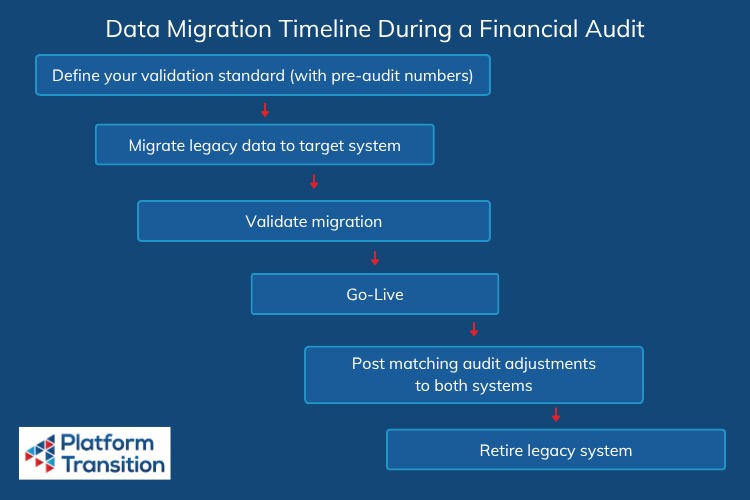
Moving accounting software means deciding which records transfer, which you must preserve separately, and what the new ledger will show after conversion. A lower subscription price doesn’t make up for missing financial history or unexplained balances.
Intuit’s Xero-to-QuickBooks Online conversion guidance, updated August 4, 2026, describes a Dataswitcher route for that direction. It requires a suitable blank QuickBooks company and specific checks before and after the conversion.
Under the documented route, up to two fiscal years of specified data are included at no extra conversion fee. More years and some extra data categories can carry charges shown during the conversion. The scope depends on the conversion type, the options you select and your data.
Your destination tier can also set the cost. Intuit specifies QuickBooks Online Advanced when the source has more than 250 chart-of-accounts entries or the conversion needs more than 40 classes. Inventory needs Plus or Advanced, and bill management needs Essentials or higher.
| Record or condition | Documented Xero to QBO treatment |
|---|---|
| New QuickBooks company | Suitable blank QBO company required |
| Included history and fees | Up to two fiscal years of specified data included; additional years and extras can cost more |
| Bank reconciliation history | Excluded from documented conversion |
| File attachments and payroll information | Excluded from documented conversion |
| Draft or unposted journals; closed or partially closed estimates and purchase orders | Excluded from the documented conversion |
| Project details, budgets and fixed-asset management | Excluded from the documented conversion |
| Tracking categories and multicurrency amounts | Tracking categories face mapping limits. Transactions convert into the QBO home currency at Xero exchange rates, so check rounding and currency differences. |
These exclusions and allowances apply only to Xero moving into QuickBooks Online. Don’t assume a QuickBooks-to-Xero conversion works the same way.
Importing one company is a separate task from merging two organizations. Running a second import into the same destination can create conflicts with existing company records, especially when the source organizations should stay distinct.
Before you switch, archive the old company and set a reporting date. The archive should cover financial statements, reconciliation records, attachments, open receivables, payables and anything else the conversion route excludes. Compare opening balances and financial reports in the new company against the old one, and keep access to the old company until your accounting professional approves the result. After conversion, reopen the retained source evidence and compare it with the new opening balances.
An unexplained difference in the converted balances is a reason to stop the switch. Don’t continue day-to-day accounting in the new company until its ledger is trustworthy.
A side-by-side pilot that tests the same jobs
A useful trial runs the same test transactions in both products, on the plans and with the access roles your business needs. You can run it yourself. We didn’t run it for this article.
Set up a small fictional company in each service with the same opening balances, customers, suppliers and accounting assumptions. Do the tasks in the same order, then compare the ledgers and reports.
| Task | Common input | What to write down | Passes if |
|---|---|---|---|
| Customer and supplier setup | Identical fictional records | Fields and access roles | Required records stay complete |
| Invoice and partial payment | Same invoice and payment amounts | Receivable balance, payment posting | Outstanding balance is correct |
| Vendor bill and settlement | Same supplier bill and payment | Payable balance, ledger entries | Payable and cash movements are correct |
| Bank statement matching | Same statement lines, including a duplicate | Matching and reconciliation results | Duplicate handled correctly, nothing posted twice |
| Financial reporting | Equivalent completed transactions and accounting basis | Profit and loss, balance sheet, aging | Balances match under the agreed accounting assumptions |
| Required advanced function | Same inventory or project scenario | Transaction trail, cost allocation, report | The plan produces the required accounting outcome |
Compare the results and the steps it takes to get them. A different report layout is fine when balances and classifications are correct on the same accounting basis. A missing required feature or an incorrect transaction treatment fails that plan.
For example, a three-person consulting business can give its test company owner, bookkeeper and CPA roles. A retailer would test a stock purchase, a customer sale and the related inventory-cost calculation.
For each plan, record the user role, task result, blocker and any measured completion time. Keep the transaction trail so you can investigate a discrepancy.
Which should you choose or keep?
A new business can decide once it knows the plan it needs and the accounting workflows it must support. An existing business also has to weigh the value of its current reports, retained history and a professional process that already works.
Write down the plan you chose, the requirement that decided it, the result of your accounting test and any conversion condition that remains unresolved. If a required bank connection, costing workflow or financial report fails, keep evaluating that plan or look at other accounting software.
Keep the old accounting system available through both the transaction trial and migration acceptance. That gives reviewers a trustworthy source for resolving differences.
Speak Your Mind