Microsoft Teams or Google Meet may already cover the meetings a business holds through its Microsoft 365 or Google Workspace subscription. Before adding another service, try the guest access, recording, session duration and meeting-room equipment that matter in everyday use. The existing plan deserves a fair comparison.
Which video conferencing platform fits your business?
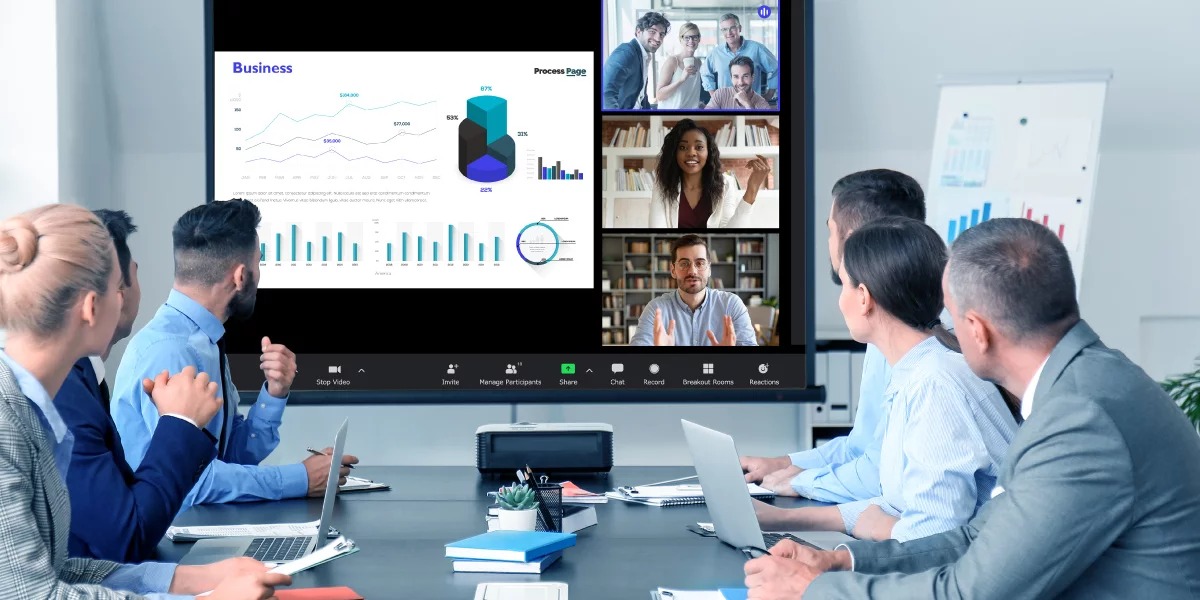
If your team lives in Microsoft 365, evaluate Teams first. If you organize work in Google Workspace, start with Meet, as long as your subscription includes the features you need. A consultancy that holds client calls across several organizations faces a different choice, because easy external participation often matters more than keeping every meeting inside one suite. Conference rooms add another constraint: a platform can connect to an outside meeting without supporting the presentation features the room needs. Start by listing your current collaboration subscriptions and sorting your meetings into internal discussions, client calls, and room-based sessions.
Compare the business video meeting options by what you need

Microsoft Teams, Google Meet, Zoom, Cisco Webex, and Whereby each earn a place on a business shortlist for different reasons. A small office with internal calls has different needs from a firm whose customers send invitations from several outside organizations. Specify the required integration behavior for any meeting platform that must exchange data with another system.
| Platform | Reason to consider it | Deciding check | When to rule it out |
|---|---|---|---|
| Microsoft Teams | Your team already schedules meetings and collaborates in Microsoft 365. | Confirm your plan includes Teams and test meetings with outside Microsoft 365 tenants. | Clients you need to meet cannot join under your organization’s access policies. |
| Google Meet | Your company schedules meetings through Google Workspace. | Match your Workspace edition to the host permissions, duration, and capacity you need. | Your edition cannot support a meeting format or control you require. |
| Zoom Workplace | You need a dedicated meeting tool for colleagues and external clients. | Identify your licensed hosts and the guest and room workflows you will use. | Your sessions run longer than the host’s license allows, or a critical client workflow fails. |
| Cisco Webex | Security configuration and controlled collaboration drive your choice. | Compare your intended encryption mode with your recording, transcription, and guest-access needs. | A cloud or joining feature you must have is unavailable under the required security mode. |
| Whereby | A simple browser-based meeting room suits your client calls. | Check the host, guest, duration, and room allowances of the plan you would buy. | A regular meeting exceeds the plan’s participant or duration limit. |
For a client-facing team, the shortlist should also include any alternative that meets an outside-meeting requirement your existing service cannot. Use a scorecard with mandatory pass/fail gates to prevent a favorable feature score from concealing an unmet requirement.
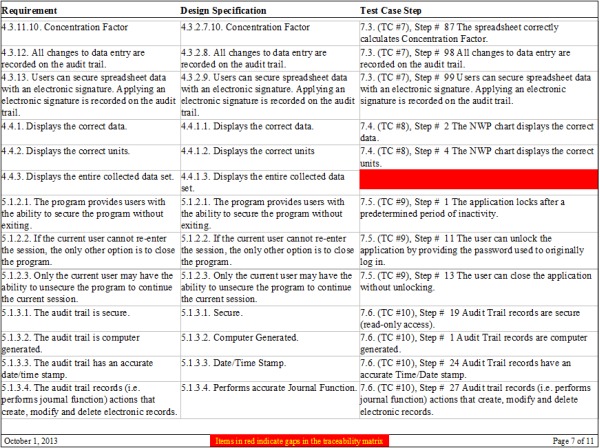
Reduce the field to two or three candidates using your required workflows and clear disqualifiers. If you mainly need phone numbers, call queues, extensions, and PBX functions, evaluate business VoIP and phone systems separately. Broader business software evaluation criteria can help organize requirements shared with other purchases.
Free and paid plans: check the host, time, and participant limits
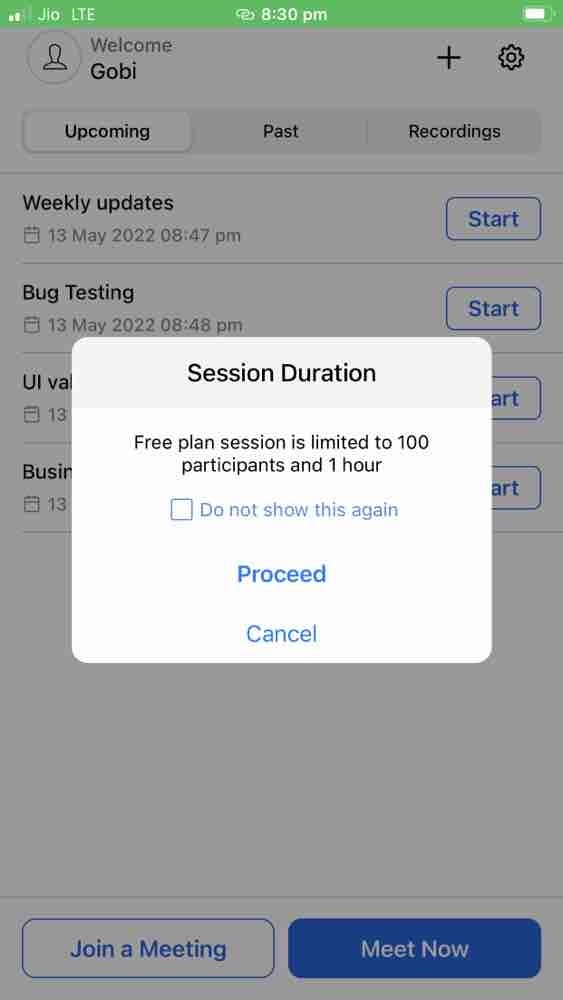
Free meeting accounts suit short, infrequent calls. For longer client sessions, the organizer’s assigned license is the deciding detail. A paid attendee joining a meeting does not give the host paid-plan privileges.
Zoom shows how this works. Its meeting time-limit guidance sets a 40-minute limit on meetings scheduled and hosted by Basic users, including Basic users on accounts that also have paid licenses. Eligible paid hosts can hold meetings of up to 30 hours.
| Product and account | Meeting duration | Capacity or license condition |
|---|---|---|
| Zoom Basic host | 40 minutes | Up to 100 participants |
| Zoom eligible paid host | Up to 30 hours | Capacity depends on the host’s license |
| Google Meet personal account, group meeting | 60 minutes for a group of at least three | Business Workspace editions have their own allowances |
| Whereby Free | 30 minutes | One account host; up to four people total in a meeting, including the host |
| Webex Free | 40 minutes | Up to 100 attendees in the official Free guidance |
A 75-minute workshop exceeds the group-session durations listed for these free hosts.
Whereby introduced four-participant and 30-minute Free-plan limits on January 13, 2025, according to its plan-change notice. An older general signup description listed a larger capacity, which conflicts with the dedicated Free-plan terms.

Google’s 60-minute limit on personal accounts applies to group meetings. One-to-one calls follow different conditions. Zoom also documents exceptions for certain paid Zoom Room arrangements, but they do not change the planning rule for a Basic host.
Before using a free tier for a customer workshop, check the organizer’s account against the full session length, including presentations and discussion. For paid plans, compare the business edition you would buy.
Will people outside your company be able to join?
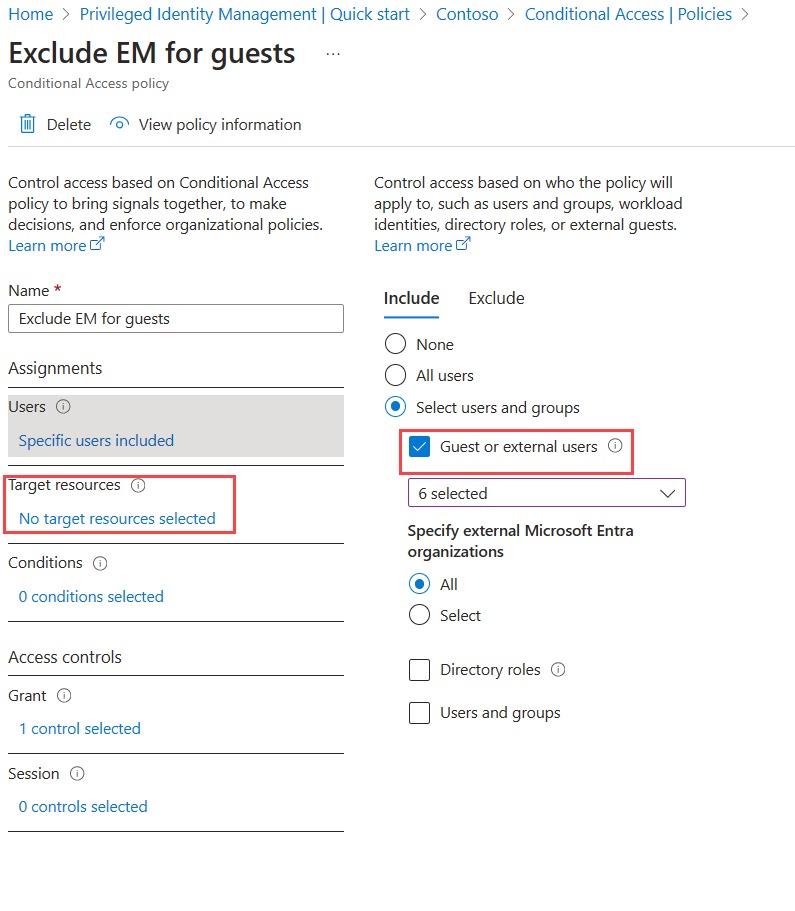
A meeting invitation can reach a client’s inbox and still end in an access error. With Microsoft Teams, joining another organization’s meeting can depend on policies that administrators set in each environment.
Microsoft’s external meeting join policy guidance lists three choices: Anyone, Only people in trusted orgs, and No one. A work account from another tenant, a guest with organizational access, and an anonymous browser attendee each get different permissions.
A system administrator described a morning when some outside meetings failed while calls with other client organizations worked:
East US – It’s giving the “account you’re using doesn’t have access to this meeting” but we are definitely joining from the accounts the meetings were sent to. This has happened to two meetings from different domains this morning so far. I confirmed all settings are wide open on our end. Anyone else experiencing this? Edit: Colleague on the tenant I was experiencing this on was able to join a meeting with a third client no issue. I had another meeting on a different tenant with a fourth external domain and had no issue. It seems some others have been experiencing this randomly, too.
Access worked for some client organizations and failed for others. Your internal test call can pass while a customer’s meeting still won’t open.
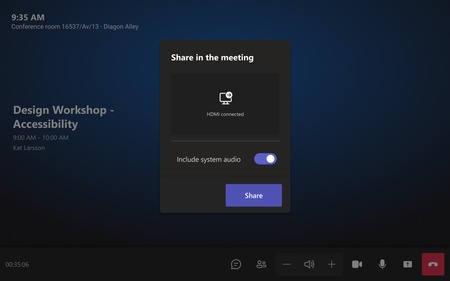
Set up a test invitation with an outside organization. Try the account you intend to use, check whether the guest reaches a lobby, and where policy allows, test the browser and anonymous joining routes. Record which permissions need an administrator. Agree on an approved fallback for meetings the intended account cannot reach, within both organizations’ access and security rules.
Conference rooms and cross-platform meetings are not all equivalent
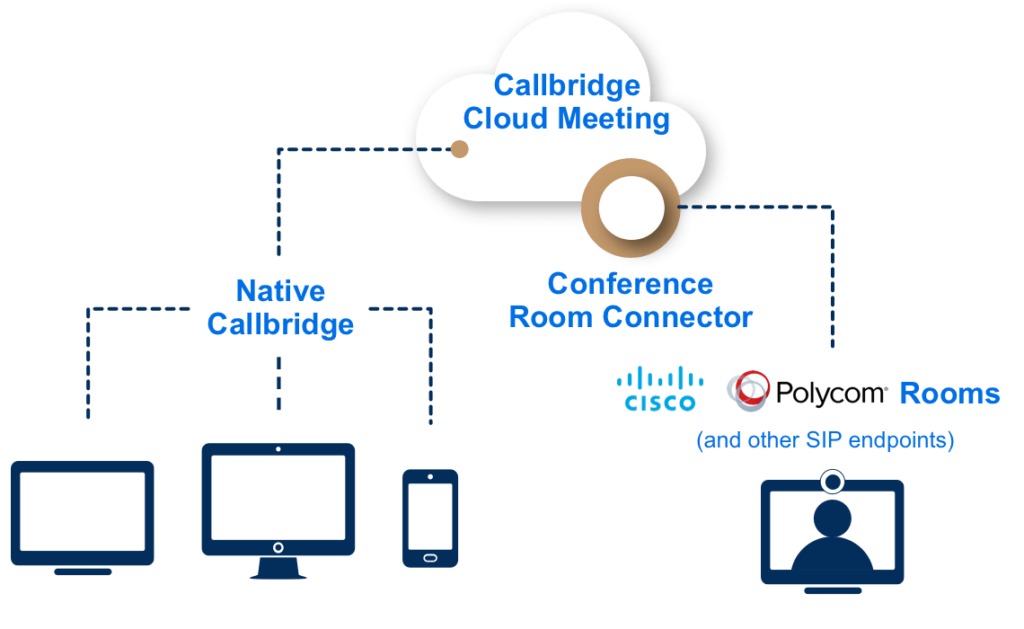
Joining a meeting from a conference-room system and using every meeting feature are separate capabilities. A room can connect to an external provider and still lose the screen-sharing or display functions a presentation needs.
Microsoft Teams Rooms offers two ways to join supported third-party meetings. Direct Guest Join (DGJ) uses a web-based method. The other route uses SIP, the Session Initiation Protocol, for cross-platform meetings. Microsoft’s Teams Rooms interoperability matrix lists different capabilities and licensing requirements for each.
| Teams Rooms capability | SIP path | Direct Guest Join | What it means for you |
|---|---|---|---|
| Maximum video resolution | Up to 1080p at 30 fps | Up to 720p at 30 fps | SIP gives a sharper picture through the room’s external connection. |
| HDMI content sending | Supported | Unsupported | A presentation that needs HDMI sharing requires SIP. |
| Front-of-room displays | Up to two | One | A dual-display setup requires SIP. |
| Room and joining licenses | Teams Rooms Pro and a paid SIP dialing plan required | Teams Rooms Basic or Pro; no SIP dialing plan required | Room subscriptions and external joining services add to the purchase. |
| Connection requirements | SIP service, configuration, and supported provider requirements | Direct internet access and supported third-party meeting requirements | The route you can use depends on your deployment. |
For a room that sends slides from an HDMI-connected laptop, the content-sharing row decides. A room used mainly for conversation can work fine with the simpler joining method.
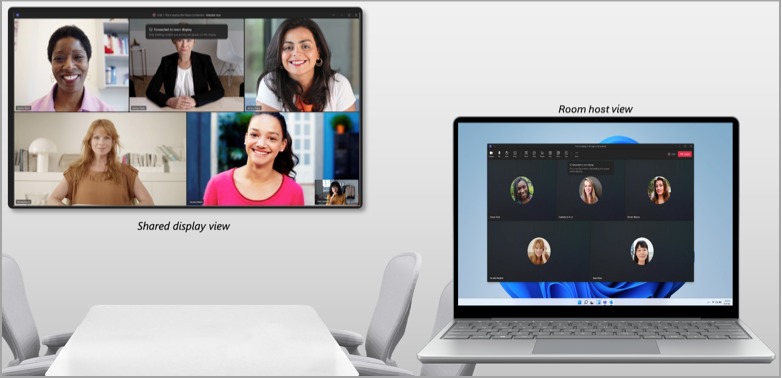
The matrix covers Microsoft Teams Rooms joining supported third-party platforms. Capabilities also depend on device operating system, outside provider, and configuration. For example, Microsoft’s listed Google Meet DGJ support is restricted to Teams Rooms on Windows.
A Zoom Room joining a customer’s Teams meeting is the reverse direction and has its own interoperability requirements. An administrator reported that internal Zoom Rooms tests looked fine while a client’s Teams meetings suffered stuttering and screen-sharing problems:
Our org has been running into issues when joining a client’s Team meeting, the quality is just absolutely abysmal. Stuttering, can’t screen share, etc. When we do in-house testing we can’t replicate the issues at all. This all seemed to start within the last couple of months. Has there been a major change with Teams causing this? Is there something that needs to happen on the client’s end for meetings or I need to change/update within our Zoom tenant? Cannot stand Teams, but a few of our clients are all Teams and we need to be able to connect to their meetings that way.
A separate Teams Rooms report from March 2024 described a Zoom meeting that connected successfully before the remote video tiles turned black during the call.

On your room hardware and operating system, identify which cross-platform method is licensed and enabled. Join a supported outside meeting, send content through the input your team will use, and watch how the displays behave. A successful connection with a failed presentation is a failed room requirement.
Recording, AI notes, and security: which settings conflict?

Meeting recording, automatic transcripts, AI summaries, and stronger encryption can depend on the same plan and security configuration.
Cisco Webex separates its standard encryption from Zero-Trust End-to-End Encryption for meeting media and content. Its Zero-Trust encryption documentation describes restrictions on cloud recording, AI-generated transcripts, and some connection methods.
Webex offers local recording in Zero-Trust meetings. Network-based cloud recording and services that need decrypted meeting media, including certain AI functions, are unavailable in that mode.
A professional-services firm discussing confidential customer information may prefer a stricter encryption mode, yet its employees still want searchable transcripts. The firm must settle that conflict before relying on automatic notes.
Recording also raises operational questions: who can start it, how participants are told, where files are kept, and who can retrieve them. Consent and retention rules vary by jurisdiction.
Compare your host edition and chosen security mode with the recording, captioning, transcription, AI, and guest-access functions you need. Decide who controls the recordings and how long they are kept.
Calculate the full annual cost of business meetings
The cost that matters is the extra amount you would spend to run your required meetings. Someone who only attends calls may need no additional paid hosting rights, while an organizer or a physical room can require a separate license.
Say five people use the platform and two of them organize client calls. If the plan charges per licensed host, you pay for two. A dedicated room or additional SIP service adds another cost category when your deployment needs it.
| Cost component | Input needed | Treatment |
|---|---|---|
| Existing collaboration subscription | Current annual obligation and meeting rights already included | Baseline cost; count only incremental changes |
| Additional licensed hosts | Number of billable organizers, verified rate, billing commitment | Recurring annual cost |
| Room and SIP entitlements | Required room licenses and external SIP service charges | Recurring if billed on a subscription basis |
| Recording, storage, or AI add-ons | Required paid features and their billing intervals | Recurring where applicable |
| Onboarding or one-time setup | Deployment, configuration, or initial support charge | First-year expense |
| Avoided costs | Existing recurring services you actually discontinue | Deduct from the corresponding recurring comparison |
| First-year incremental total | Incremental recurring annual amount plus one-time charges | Cash commitment for the first year |
| Subsequent annual incremental total | Incremental recurring charges after one-time expenses end | Ongoing cost comparison |
Keep the existing suite subscription in the baseline so you do not count it twice.
A monthly equivalent can hide an annual commitment. For example, Microsoft’s Teams Essentials pricing information has listed a $4 per-user monthly equivalent with annual auto-renewal. Your cash obligation follows the billing terms.
Promotions, taxes, minimum host counts, and room licensing can change the comparison. If you already own a suitable collaboration suite, calculate the incremental cost of giving the necessary hosts a second meeting platform. A broader software total-cost calculation can cover related procurement expenses.
Run a realistic pilot before committing
A vendor demonstration runs under controlled conditions. Your real meetings run on existing accounts, customer organizations, shared rooms, ordinary office networks, and staff who have other things to do than prepare the call.
Room startup deserves special attention. In March 2024, a Microsoft Teams user described three meeting spaces using shared computers, with slow application loading, intermittent device detection, and occasional screen-sharing failures:
Hi all, We’ve got 2 meeting rooms and 1 conference room that we use teams for meetings. These rooms have dedicated PCs that people log in with their AD account to join meetings. Big issue is that Teams (standard teams) takes a long time to load when users log in and they can sometimes be late for meetings. Other issues that some times come along are the microphone and camera not being detected, and other times is sharing screen just shows white background. As for meeting rooms, is there any specific Teams that you use, and any specific setups you do that helps meetings go smooth? PS: Teams complains about being out of date (if user had already used it in the past, teams.exe saved into use profile), and I believe it only updates when user is not actively using Teams, which is hard as or they are in a meetings or they aren’t using the device at all. Any help is appreciated
That report concerns standard Teams on shared PCs, and a dedicated Teams Rooms appliance uses a different setup. The question still applies: can ordinary staff start and run the meeting without unplanned help?
A practical acceptance pilot recreates your normal meeting from start to finish:
- Startup: Have a regular staff member start the call from the workstation or room you plan to use, without help from the evaluator.
- Full session: Run the meeting for the length you expect, with normal audio, video, and presentation use.
- Device operation: Watch camera and microphone detection, screen sharing, and what happens when participants join or speakers change.
- Recovery: Disconnect and rejoin, then switch to an approved alternative device or meeting route.
- Result: Record the environment, expected behavior, observed problem, and who is responsible for fixing it.
Mark each essential workflow pass, fix and retest, or reject. A full-length session exposes the setup and recovery problems a short demonstration skips. The full trial procedure appears in how to run One Real-World Pilot Before You Commit.
The deciding evidence is the meeting your staff successfully hosted, plus the host, room and additional-service licenses required to repeat it.
Speak Your Mind