A contact center has to do more than connect phone calls: routing, agent work, integrations and recovery must hold up under the offered plan. Ordinary calling may belong with VoIP, and ticket queues may belong in a help desk. Evaluate CCaaS only for the additional contact-center work, with comparable deployment terms and real scenarios.
A customer presses the right menu option and lands in billing. An agent transfers a caller, but the next person cannot see what happened before the transfer. A vendor shows a polished dashboard, yet nobody can explain what the bill will look like when two shifts overlap.
Have the same agents handle comparable calls against the same customer records and cost assumptions. That makes failures in routing, context transfer or license coverage visible instead of burying them inside a sales presentation.
Do you need contact center software or a simpler system?
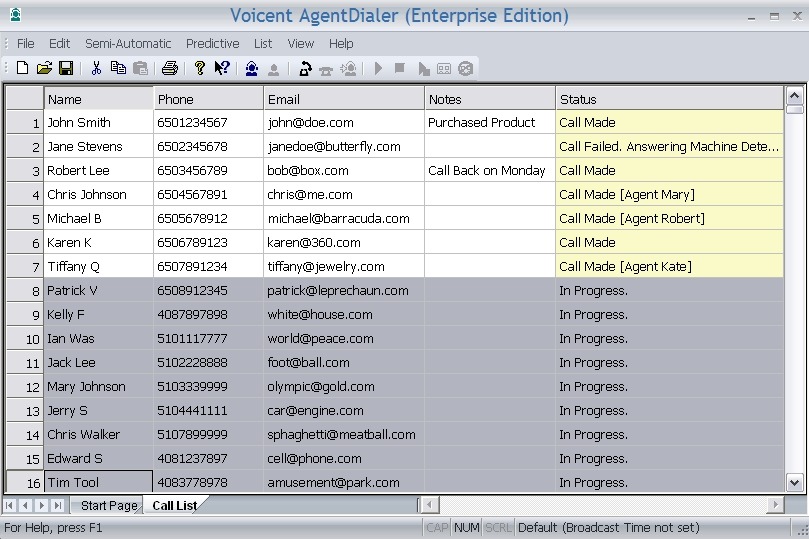
Contact center as a service (CCaaS) is built for teams that distribute and manage customer interactions across agents, queues and often several channels. If all you need is business calling or ticket management, narrower software does that job. Before you pick a category, read how to match the software to your channels and roles.
| Main job | Category | Reason to consider it |
|---|---|---|
| Business numbers, extensions and voicemail | Business VoIP or UCaaS | Calling and internal communications |
| Email requests and ownership of customer issues | Help desk | Tickets and case history |
| Staffed queues, transfers, callbacks and agent monitoring | CCaaS | Managed distribution of interactions and operational visibility |
| Dedicated outbound campaigns | Outbound dialer | Campaign-specific calling workflow |
These categories overlap. A business phone system can have an interactive voice response (IVR) menu, and a contact center can integrate tickets and outbound calls. What separates them is the work your team does.
Consider a six-person office that needs a published phone number, extensions and a basic greeting. A business phone system is enough. A service department with several skill queues, callbacks, warm transfers and supervisors watching abandoned calls has a different problem.
Name your main job before you build a vendor list. If you don’t need queues or agent supervision, start with the simpler category.
Turn your current operation into non-negotiable requirements
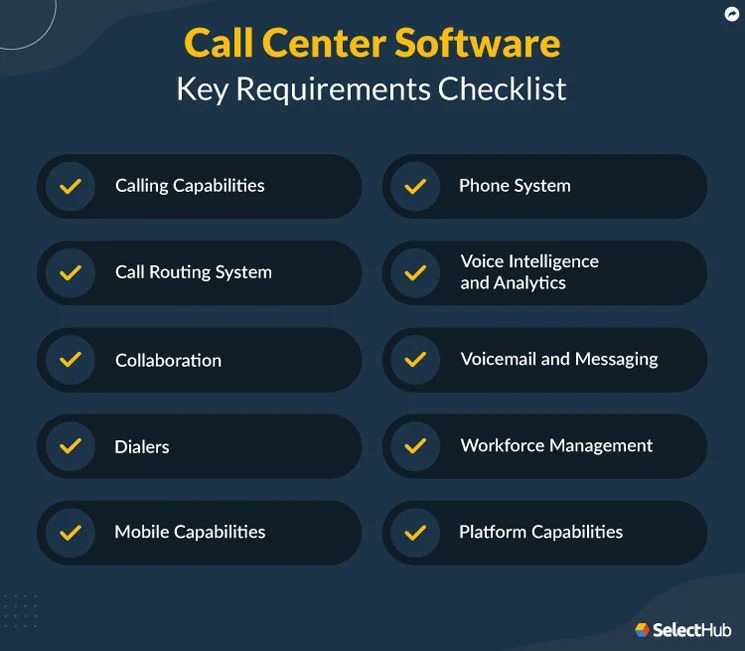
Start with the workload you already have: how contacts arrive, where they should go, who handles them and what happens when a normal path fails. Operations, IT and procurement need one shared version of that description, frozen before the first demo.
- Staffing: Total headcount, peak simultaneous agents, overlapping shifts, supervisors and remote users.
- Interaction types: Inbound service, any blended or outbound work, and required voice, email, chat or SMS channels.
- Routing: Numbers, languages, skills, queues, business hours, time zones and fallback destinations.
- Customer context: CRM records, ticket history, agent permissions and information that must travel with a transfer.
- Operating commitments: Critical incident escalation, recordings, reporting and recovery conditions.
- Deal breakers: Any missing capability, integration or contractual condition that would make a product unusable.
Turn each mandatory requirement into an outcome you can watch happen. An after-hours caller reaches the message or callback option. A returning customer lands on the correct contact record. When an agent is unavailable, the call follows the agreed fallback.
Scale changes the picture. One administrator described about 35 sales and support agents and a critical Salesforce integration. Another buyer described a 1,000-seat replacement of an on-premises contact center. The same requirements template covers both, but the inputs and the approval process differ.
Put AI summaries, advanced forecasting and extra digital channels in a separate optional column unless the work truly needs them. A listed capability can depend on the license edition, the integration or a purchased add-on.
Test where the caller is routed, including failures
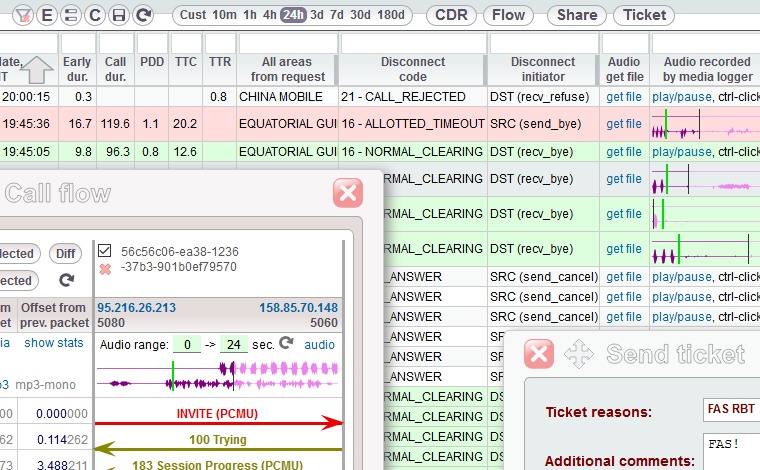
Routing works when callers end up where they should, including when something goes wrong. Whether it’s an IVR menu, an automatic call distribution (ACD) rule or a skills-based queue, the test is the same: did the call go where you expected?
The menu choice is only one part of the route. Keypad input, hours, time zones, agent availability, transfers, overflow and callbacks can all change where a call goes. Put the failure cases in the vendor demo.
A billing agent described finding calls in the wrong department after a change to their calling system:
I work in billing but handle all incoming calls for my department. We recently switched to dial pad instead of teams for our call management and their AI routing is actually awful. I was able to pull some stats and 52% of calls being routed to billing aren’t for billing and I have to get them to the right department. Its driving me insane, I also have other tasks besides calls but I cant do any of it when my volume has doubled for no reason. IT has been looking at the routing tree and apparently they are all saying billing, but there has to be something wrong. I need to know if this is normal or not EDIT: I also want to mention that most of our client base is elderly, were a home health care agency. It could very possibly be that clients truly are selecting the wrong options but over half seems like a lot
The worker reported that 52% of the calls routed to billing were meant for other departments, and the cause stayed unresolved. Callers may have picked the wrong option, or the routing was at fault.
A routing matrix that records the outcome
Write the expected outcome before you test. Leave the observed result, call ID and status blank until someone places the call and checks the events.
| Test | Condition | Expected result | Observed result | Call/log ID | Status |
|---|---|---|---|---|---|
| R1 | Caller chooses the intended department | Correct queue or agent | |||
| R2 | Invalid or missing keypad response | Retry or fallback runs as defined | |||
| R3 | Transfer cannot be completed | Call follows the agreed recovery path | |||
| R4 | Required agent is unavailable | Call reaches another qualified agent or route | |||
| R5 | Queue reaches overflow condition | Overflow rule fires | |||
| R6 | Caller arrives after business hours | Closed-hours flow plays | |||
| R7 | Holiday or time-zone boundary | Correct scheduled flow runs | |||
| R8 | Callback is interrupted | Documented callback recovery happens | |||
| R9 | Caller uses dedicated toll-free number | Call lands in the queue for that number |
Mark each test Pass, Conditional, Fail or Unverified. Pass means the required outcome happened. Conditional means a named exception and its owner remain open. Fail is a disqualifying result. Unverified means the question is still unanswered. Keep call IDs separate from observed results, so an answered call can’t hide a wrong destination.
Amazon Connect documents a call-flow simulator that compares expected and observed events. The tool is specific to Amazon Connect, but the habit of comparing expected with observed results works on any platform.
Run all nine cases for every finalist. Record the destination, the call ID and any failure you can reproduce. With speech routing, also record what the caller said and how the system interpreted it.
Watch agents and supervisors handle the same interaction
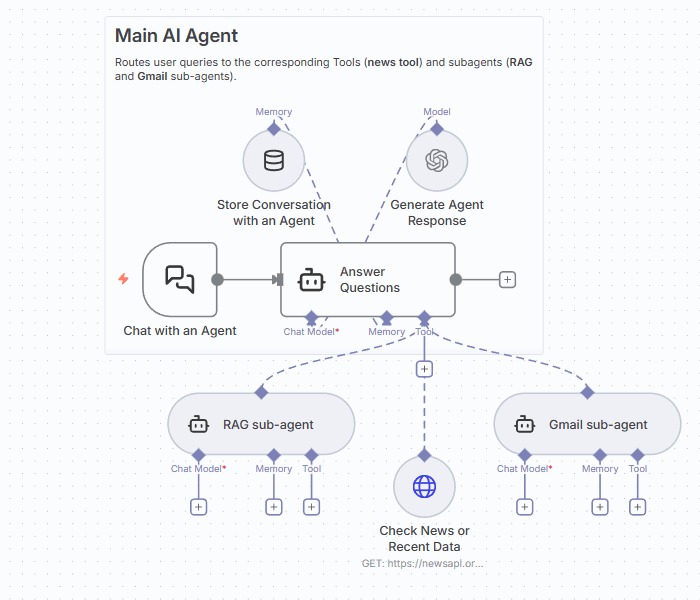
A call reaching an agent is only the start. Next, check that the agent can solve the problem and that the supervisor can see what is happening in the queue.
Have an agent complete one customer interaction in the exact edition you would buy: identify the caller, read the history, transfer the call, log the outcome (the disposition) and finish the after-call work. Add callback handling if it matters to your operation.
Watch the receiving agent’s screen closely. Voice, chat, email and SMS may all appear on a feature list, but shared context depends on integrations, customer matching and edition rights. Customers who have to repeat their story after a transfer get worse service.
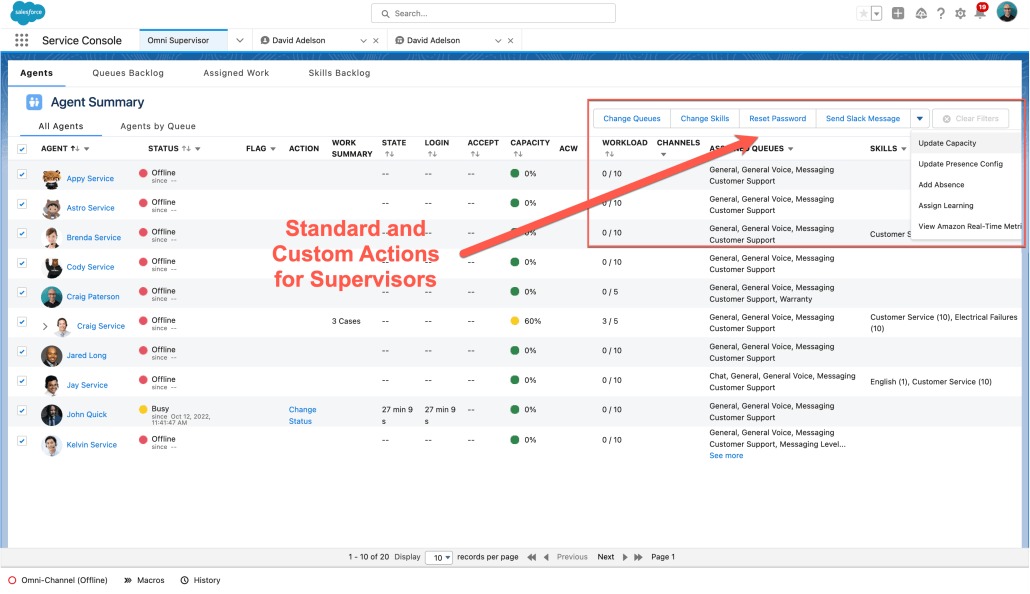
Supervisors need these on screen:
- Queue activity: Waiting contacts, assigned work and outcomes.
- Agent states: Availability and state changes.
- Follow-through: Callbacks, voicemail and unfinished contacts that supervisors can find and handle.
- Management tools: Quality assurance, coaching, forecasting and reporting, if you need them.
A small back-office department can do well with a hunt group that rings available staff. Once you need agent states, supervisor metrics or precise distribution logic, a managed queue becomes the better choice.
Test with real roles and permissions. Log every missing piece of context, blocked action or reporting gap next to the requirement it affects.
Prove your CRM integration and the support you will need on a bad day
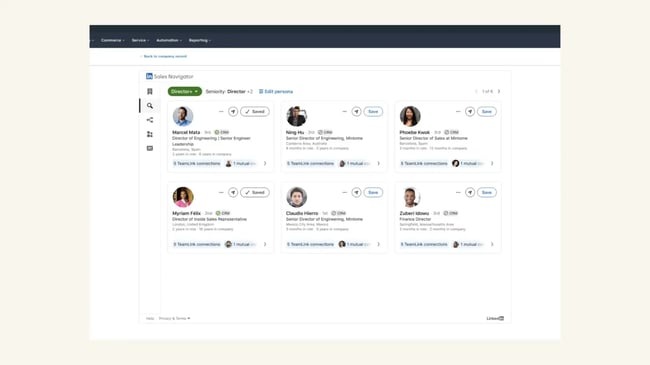
An integration listing is only a starting point. The proof is a working customer lookup, screen pop, transfer and interaction record in the edition you would buy.
An administrator shopping for roughly 35 sales and support agents laid out a mix of cost, Salesforce and technical escalation needs:
I have about 35 agents between sales and support teams, no outbound dialing campaigns and salesforce integration is key. So far I’ve been looking at talkdesk, cloudtalk, ringcentral, and genesys. All have all the features I’m looking for, but cloudtalk seems to be the most cost effective. Key things I’m look for are: Cost effective solutions, I don’t want to be nickle and dimed for every little feature or addon like Five9 does. Also lower cost per agent license ie under $100 a user. Decent support, I know we can’t ask for the world but at least getting a tier 2 person that knows what there are doing when you provide logs, screenshots, and detailed problem descriptions quickly would be nice. AI transcriptions and call summaries. Some basic salesforce integration, ie look up before a call lands for contact, and routing to the right sales person. Ease of administration. Five9’s admin side of things is dated as hell hard to understand at times, and poorly documented. For example I still don’t have information on how to setup chat with salesforce from them.
One interaction and one escalation
Use a Salesforce-linked inbound call. The system should identify the number, find the right contact, open the expected record when the agent answers and carry the context through transfer and disposition.
Include a number tied to more than one possible customer record. Check what the system displays when the match is ambiguous, a permission is missing or the lookup fails.
Then rehearse an incident that first-line support can’t fix right away. Send the vendor a call ID, event timestamps, logs or screenshots, the business impact and steps to reproduce the problem. Watch how the contracted support path handles severity, escalation ownership and service hours.
Access to a Tier-2 specialist and the handling of urgent cases can depend on the support package you buy, so run this test under the same proposal you would sign.
Compare total cost using the same staffing and call scenario
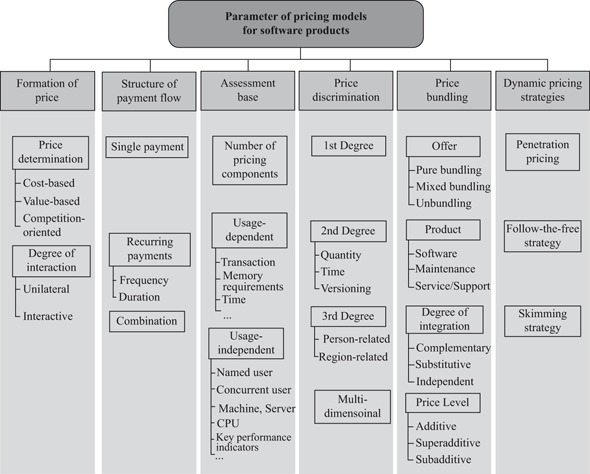
Contact center pricing can count named users, concurrent users, interacting hours or individual usage components. A headline monthly price means something only when the billing unit matches how your team works.
Named licenses generally follow assigned users. Concurrent plans count overlapping activity under the vendor’s rules, and usage-based services can include channel handling, telephony and other components. With a team of 35, the number working at once may be smaller than the roster, but in a concurrent model the peak is what counts.
Genesys bills its concurrent model on peak simultaneous use and has its own rule for short shift-change spikes.
The published price example and the unit behind it
The Genesys Cloud CX pricing page gives US annual-billed named-license examples of $75 per user/month for Cloud CX 1 and $115 for CX 2. The same billing example lists CX 3 at $155 and CX 4 at $240.
These are list prices for named licenses; entitlements, usage and add-ons change the real contract. Amazon Connect offers a different comparison point, since its documented pricing includes usage-based services and telephony components.
A worksheet for comparing unlike quotes
Give each vendor the same staffing, channel volume and contract assumptions, and enter only amounts from the written quote.
| Input | Vendor A | Vendor B |
|---|---|---|
| Billing model and unit | Unquoted | Unquoted |
| Named users / peak concurrent users / interacting hours | Unquoted | Unquoted |
| Required channels, minutes and phone numbers | Unquoted | Unquoted |
| Base licenses and telephony charges | Unquoted | Unquoted |
| CRM, AI, recording, storage and WFM add-ons | Unquoted | Unquoted |
| Setup, porting, training and support | Unquoted | Unquoted |
| Taxes, minimum term and exit obligations | Unquoted | Unquoted |
| Total for comparable 12-month and 24-month periods | Unquoted | Unquoted |
For each vendor, 12-month total cost = recurring charges billed over those months + usage and telephony charges at the shared estimated volume + one-time fees and applicable taxes, adjusted for quoted minimums and discounts. Work out a separate 24-month total from that contract’s billing schedule and term obligations, and count included services only once. Mark missing prices Unquoted, never $0. For the complete purchase-cost calculation, use the help-desk purchasing-cost worksheet.
Build a defensible vendor shortlist
Choose two to four finalists whose proposed editions cover every mandatory workflow and who will take the same acceptance test. Possible candidates include Genesys Cloud CX, Amazon Connect, NICE CXone, Five9, Talkdesk and Webex Contact Center.
Drop any proposal where a deal-breaking queue, CRM or supervisor requirement can’t be shown in the offered edition.
Label every decisive claim as vendor-documented, individually reported, independently tested with actual results, or unverified. A ranking needs comparable observed evidence behind it.
Demand proof of number porting, cutover and rollback

A new contact center depends on familiar phone numbers, carrier arrangements, call flows and people who know how to recover from a failure. The migration plan should say what you will accept before the business relies on the new platform.
A buyer planning a large move from on-premises infrastructure described what was at stake:
Gartner CCaaS Magic Quadrant 2024 tells me that the order of preference is NiCE, Five9, Talkdesk and then Webex CC. All of these companies claim they are the best at everything. I wanted to know from you (real users, agents, supervisors, and admins), which of the four do you think is the best for a 1000 seat operation? We are choosing between the four, migrating to CCaaS from on-prem, and most likely, this will be a 3 year or longer commitment. A major shift for our organization.
The poster was evaluating options for 1,000 seats and expected a commitment of three years or longer.
What cutover acceptance requires
Amazon Connect number-porting documentation describes carrier coordination, a letter of authorization (LOA), number configuration and cutover activity.
- Number ownership: Current carrier, business numbers, dependencies and who is authorized to start each port.
- Traffic validation: Real incoming calls reach the intended queues and agents on the customer-facing numbers.
- Operational connections: CRM lookup, recording where required, transfer paths and callbacks.
- Continuity: Any feasible parallel-running, recovery or rollback arrangement.
- People: Trained agents, a carrier contact, the vendor escalation path and named business and IT owners.
- Approval: Documented user acceptance testing (UAT), open risks and a go/no-go decision.
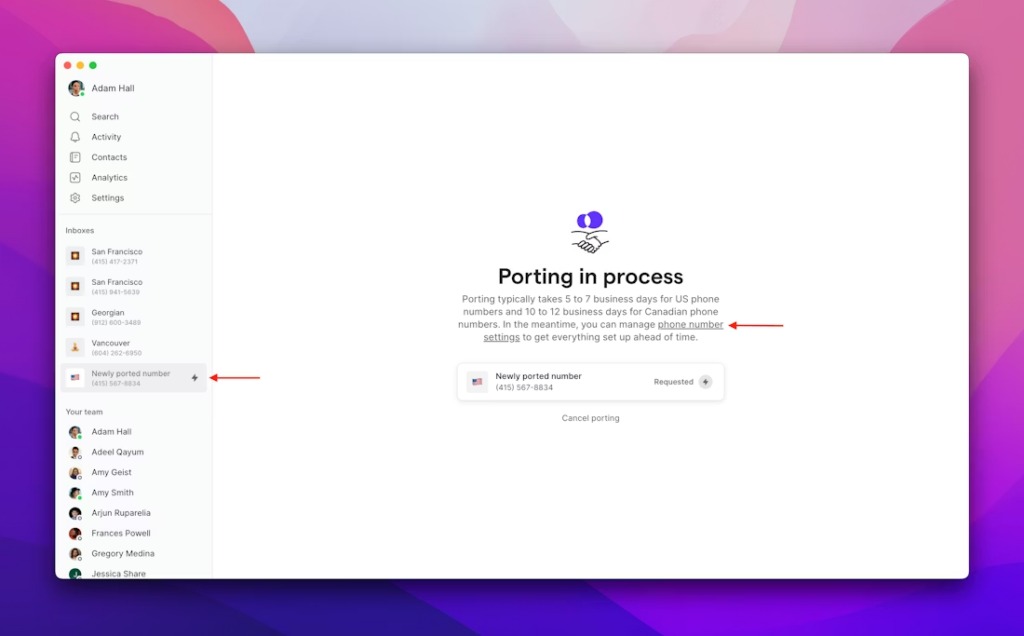
Write the recovery plan into the migration agreement, and make clear what you and the provider each control.
Check recording, payment and outbound requirements where they apply
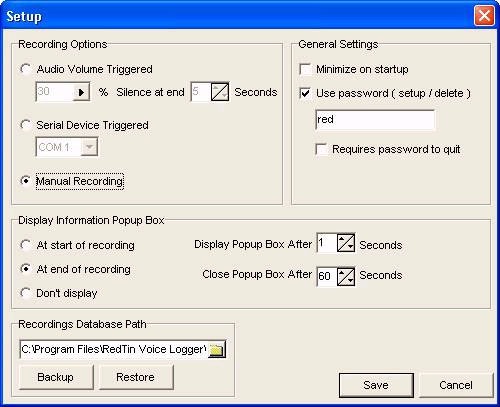
Recording, card payments and outbound telemarketing can change what a contact center may collect, store and automate.
For card payments taken over the phone, look at the moment a customer gives sensitive authentication data. Recordings, transcriptions and derived interaction records can become places where that data must not be kept.
The PCI Security Standards Council guidance on digital audio covers card verification codes in recordings. Its June 2025 FAQ explains the ban on keeping sensitive authentication data after authorization under the cited PCI DSS requirement.
Outbound telemarketing can trigger FTC Telemarketing Sales Rule obligations on Do Not Call, permitted calling hours and prerecorded messages. Recording-consent requirements can also depend on state law.
Have your security, payment or legal reviewer inspect one representative sensitive interaction. The record should cover recording suppression or redaction, transcripts, retention, access, any required notices and the vendor’s evidence for those controls.
Use one acceptance scorecard to make the purchase decision
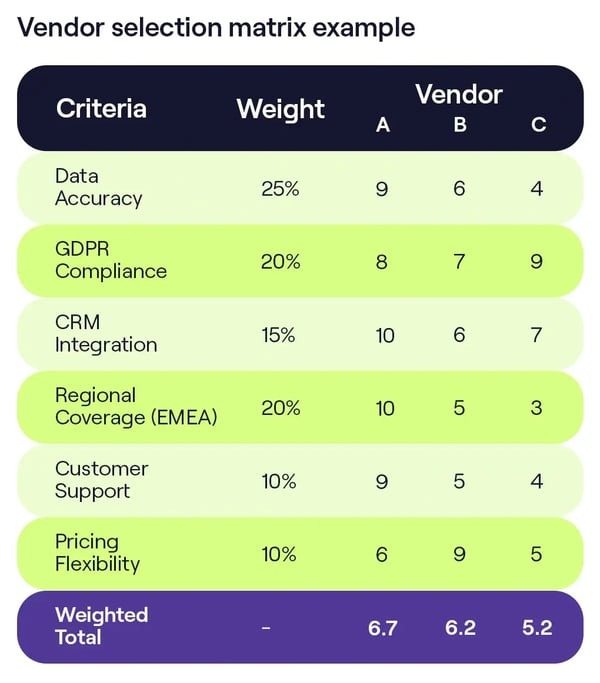
Base the purchase decision on what each vendor showed, where evidence is missing and which failures block approval. A proposal can win on price and still fail an essential workflow.
| Decision gate | Evidence | Status |
|---|---|---|
| Correct software category | Operating requirements | Unverified |
| Routing and recovery | Nine test cases and call logs | Unverified |
| Agent and supervisor operations | Workflow and monitoring observations | Unverified |
| CRM and escalation | Lookup/transfer test and support record | Unverified |
| Comparable total cost | Itemized quote and term assumptions | Unverified |
| Applicable sensitive workflows | Specialist review and controls | Unverified |
| Cutover readiness | Porting, UAT and sign-off evidence | Unverified |
Use the four statuses from the routing matrix, and write the evidence and the person who decides beside each one.
Use the completed record for a go, conditional-go or no-go decision. A failed mandatory requirement means a different vendor or a revised operating plan.
A contact center is unnecessary if the real problem is only assigning and tracking customer emails. Use the help-desk versus shared-inbox decision to separate that simpler need from call routing and agent operations.
Speak Your Mind