An email-led support team may start its Freshdesk comparison with the relevant basic plan. Zendesk Support Team or Suite can be preferable when their workflows warrant the cost; messaging and voice teams need to compare the broader Freshdesk Omni and Zendesk Suite configurations. Run the same ticket journey on the paid editions and include migration in the decision.
Five agents handling email need a different ticket journey from five agents moving between calls, WhatsApp and Instagram messages. Channel requirements, rather than team size alone, determine which editions deserve a trial.
Zendesk vs Freshdesk: Who Should Choose Which?
Your type of support queue sets the shortlist. Email-first teams should look at Freshdesk ticketing and Zendesk Support Team; multichannel customer-service teams should look at Freshdesk Omni and Zendesk Suite.
Compare Equivalent Packages Before Comparing Features
Both vendors sell several products and plans. Put a base Freshdesk plan next to Zendesk Suite and the differences you see come from the plans, not from the vendors.
Zendesk Support Team is a core ticketing plan. Zendesk Suite Team covers broader customer support, and Suite Professional adds advanced operating capabilities, including skills-based routing. Freshworks separates Freshdesk’s email-first help desk from Freshdesk Omni, its wider multichannel product. The Freshdesk Omni product guide describes the product families.
Freshdesk’s feature description includes email, Facebook, and basic web chat. Freshdesk Omni extends that to channels such as Instagram and WhatsApp. Some Freshdesk accounts established before December 2025 keep a legacy WhatsApp integration, so existing customers and new accounts get different WhatsApp access.
- Email-first tickets: Compare Freshdesk Growth with Zendesk Support Team, and move up a tier if you need a feature they lack.
- Social messaging and multichannel service: Compare the matching Freshdesk Omni and Zendesk Suite editions, including connected accounts and permissions.
- Complex routing: Compare higher-tier SLA, group assignment, skills-based routing, audit, and administration controls.
A team that only needs basic web chat has different needs from a company that wants WhatsApp, Instagram, and a phone queue in one workspace. List your channels first, then pick the product family.
Pricing, Billing Commitments, and Freshdesk’s Free Program
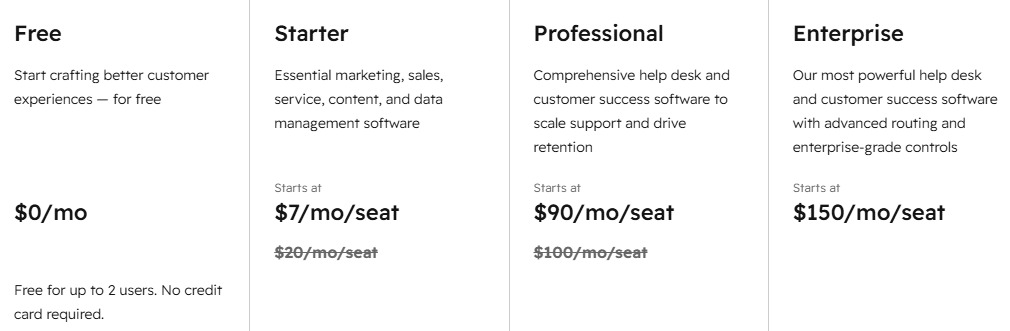
The starting prices overlap, but the plans include different things. These US list prices are in dollars per paid agent per month with annual billing. The five-agent annual totals are base-subscription figures that exclude taxes, promotions, implementation, AI usage, paid channels, and other add-ons.
| Product | Plan | Annual-billed rate per agent/month | Five agents/year |
|---|---|---|---|
| Zendesk Support | Team | $19 | $1,140 |
| Zendesk Suite | Team | $55 | $3,300 |
| Zendesk Suite | Professional | $115 | $6,900 |
| Freshdesk | Growth | $19 | $1,140 |
| Freshdesk | Pro | $55 | $3,300 |
| Freshdesk | Enterprise | $89 | $5,340 |
| Freshdesk Omni | Growth | $29 | $1,740 |
| Freshdesk Omni | Pro | $79 | $4,740 |
Two $55 plans cost the same and still don’t do the same job. The Zendesk pricing page also lists Support Team at $25 per agent per month on monthly billing, so always note the billing term next to a quoted rate.
Phone service changes the calculation
Freshdesk Omni’s base price excludes its separately licensed Voice add-on.
- Price: US rates are $15 per voice agent per month on Omni Growth and $39 on Omni Pro, billed annually.
- Seats: The add-on tier follows the base Omni tier, and eligible voice seats cannot exceed the base Omni agent count.
- Included calls: Eligible Voice plans include an account-level allowance of local, browser-answered incoming calls: 2,000 minutes monthly on Growth and 3,000 on Pro.
- Extra charges: Phone numbers, other call types, and usage beyond the included allowance.
Five Omni Growth agents with five matching Voice licenses cost $2,640 a year in licensing. Five Omni Pro agents with five matching Pro Voice licenses cost $7,080. Both totals leave out phone numbers, usage and other add-ons.
Zendesk Suite lists telephony capabilities, while Zendesk Talk charges separately for phone numbers and usage. Destination, call direction and configuration set the extra cost, and recording and transcription also matter. If your team takes calls, add these amounts to the base price. For free-plan limits on tickets and agent seats, see how to compare free plans by the limits that matter.
Licensed agents are the staff who use the support system. Requesters are the customers who submit requests. A company can serve hundreds of employees with a smaller group of ticket-handling agents.
One administrator described an internal Zendesk deployment with 250-plus employees and roughly 50 support agents:
Were currently a SMB using Zendesk for internal support only (staff email specific emails for each department to create a ticket) 250+ users and about 50 agents Reason for switching is due to cost – very expensive for our needs. Looking for something similar to Zendesk with good reporting tools and automation. Zoho seems to be the best bet as it looks like a complete clone, even coming with an import function for Zendesk. Freskdesk is another one I keep hearing about.
What Freshdesk’s free offering covers
The Freshdesk Free Program terms describe up to two agents for six months. The program covers Freshdesk but not Freshdesk Omni. The 14-day trial is separate.
The purchasing cost worksheet
- Subscriptions: Paid-agent seats, plan name, annual or monthly billing, renewal, and minimum commitments.
- Voice and channels: Add-on voice agents, phone numbers, usage, and required channel connectors.
- Implementation: Configuration, migration, training, and any consultant or premium-support fees.
- AI and extensions: Consumption units, overages, agent-based Copilot subscriptions, and integrations.
Leave any line the vendor hasn’t priced blank until the written quote fills it in.
AI Agents, Copilot, and Different Billing Units
Freshworks counts Freddy AI Agent sessions, while Zendesk counts AI automated resolutions. Each platform needs its own usage assumptions.
| Vendor | Offering | Billing concept | Plan and usage notes |
|---|---|---|---|
| Freshworks | Freddy AI Agent | Sessions | Initial allowance and paid session packs |
| Freshworks | Freddy AI Copilot | Agent-based add-on | Eligibility and licensed agents |
| Zendesk | AI automated resolutions | Automated resolutions | Support Team and Suite Team: 5 included per agent/month; Suite Professional: 10. Additional committed resolutions: $1.50 each; pay-as-you-go: $2.00 each. |
Freshdesk’s pricing FAQ describes an initial allowance of 500 Freddy AI Agent sessions, once per account. Additional sessions were listed at $49 per 100, and Freddy AI Copilot at $29 per agent per month on eligible paid tiers.
Zendesk’s automated-resolution allowances depend on the plan and agent count, with an annual allowance cap of up to 10,000. Committed and pay-as-you-go resolutions have different list rates. A Freddy session and a Zendesk automated resolution are different units, so you can’t convert one price into the other without the billable-event definitions and your usage.
Take 700 chatbot sessions in which 300 inquiries reach resolution without a human agent. Freshworks counts 700 sessions, while Zendesk counts 300 resolutions.
The AI section of the written quote needs four definitions: what starts a billable event, which allowance applies, when overages begin, and how a bot-to-human transfer affects the count.
Ticket Routing and the Agent Workspace
Agents need to find a conversation, use the right fields, and pass a difficult ticket to the right colleague. Advanced automation only helps if it runs your team’s own rules.
Test three jobs: switching between open tickets without losing context, recording different fields for a refund and a technical problem, and escalating a priority issue under the required SLA. Some Freshdesk tiers list multiple SLA policies and intelligent routing, and the Enterprise tier lists skills-based routing and audit logs. Zendesk also ties operational controls to the edition.
Two older Freshworks Community posts, from separate contributors in 2022 and 2023, raised different concerns. One asked for a Zendesk-style multi-tab workspace; the other came from a Zendesk user having trouble with agent-facing ticket fields while moving to Freshdesk. Both make useful test cases for the agent workspace.
Agents can have multiple tickets open in tabs or pages with filtered views or search pages or contact detail pages
…
I am a long time Zendesk user that is making the transition to FD and find I am struggling on a couple of things.
Omnichannel Support, Integrations, and Customer Visibility
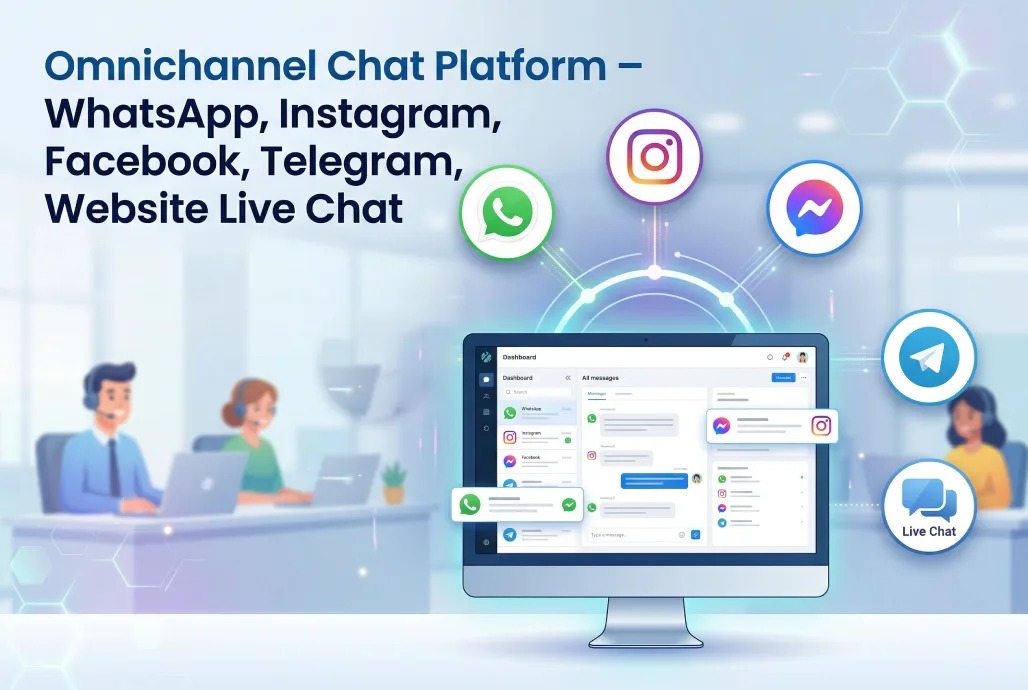
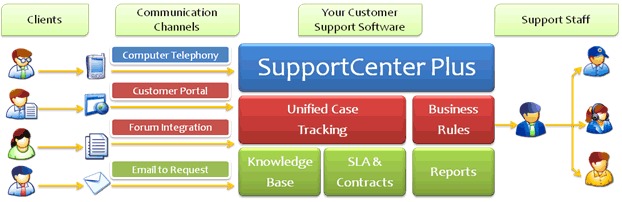
With several channels, the journey that counts covers the incoming message, the assigned ticket, the agent response, and the preserved customer history. A visible channel logo doesn’t mean every step is included in your plan.
Take an Instagram DM that becomes a ticket. The system must identify the sender, route the work, allow an authorized reply, and keep the conversation context. A phone queue adds its own agent permissions and number configuration, on top of the costs in the pricing section.
A small-business owner described a January 2024 Freshworks Customer Service Suite trial with problems in chatbot setup, Instagram connection, and mobile access:
I’m desperate to consolidate all of our client communication into one platform, and try some automations (like a self-service chatbot) to try to help cut down on repetitive inquiries. We get calls, texts, emails, social, google, etc. I was considering Freshdesk, then decided to do a trial of the Customer Service Suite, which I take it as Freshdesk bundled with a chatbot AI app (freshchat), but the interface is different from Freshdesk. We’re two days into the trial and I can’t even set up a chatbot because the website just stops working. Doesn’t freeze, just nothing is clickable all of a sudden. Their own demo chatbot even has broken elements. There are demo inquiries I can’t delete, can’t connect it to our IG DMs for some reason, the website completely breaks on mobile, and I’m just annoyed.
Integrations with another company’s system add their own work. Say a partner uses Zendesk and you use Freshdesk: creating the partner ticket is only part of the integration. Customer identifiers, custom fields, priority, and later updates all need compatible mapping, and customer-portal permissions decide which requester or organization sees each ticket.
Migration: Preserve Tickets, Rules, and Historical Reporting
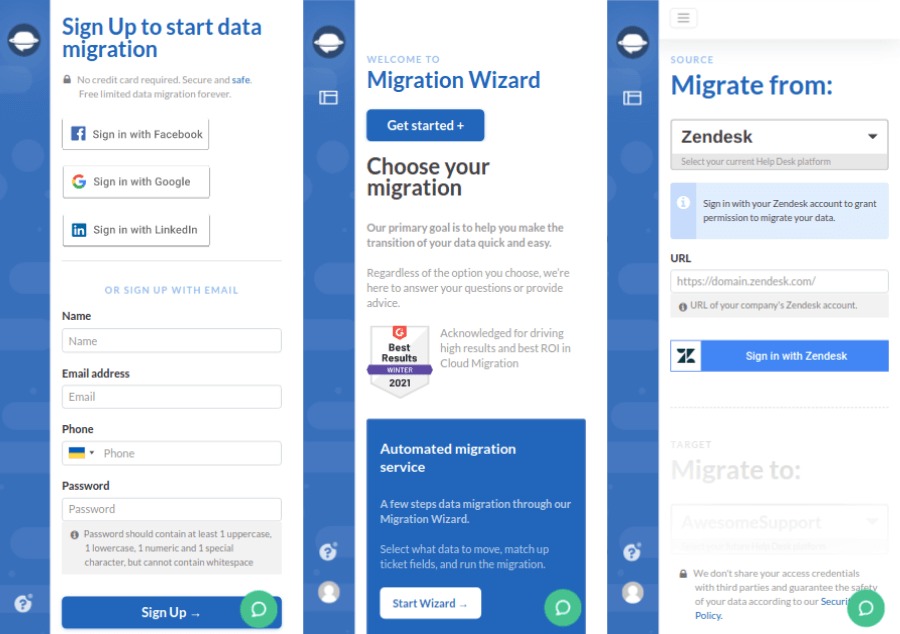
A help desk migration has three jobs: preserving ticket records, reproducing operational rules, and keeping usable reporting history. Give each its own acceptance criteria. For more on this, see protecting ticket history during migration.
Zendesk’s Ticket Import API reference documents historical ticket fields such as created_at and imported comments. Triggers don’t run at import for tickets whose status isn’t closed; they resume when the ticket is next updated. Native metrics and SLAs on imported tickets can be incomplete or inaccurate, so Zendesk recommends tagging imported tickets and excluding them from reports that rely on those metrics.
If you have reported first-response and resolution times for years, keep the old platform’s historical figures as an archived baseline, with their original definitions.
Two community posts cover opposite migration directions. In 2018, a Freshworks Community contributor reported a Zendesk-to-Freshdesk import that worked for most historical tickets before another batch failed. In 2022, a Zendesk Community contributor described a revenue-based priority rule during a Freshdesk-to-Zendesk move.
A few weeks back I managed to get >90% of out last few years Zendesk tickets imported. … They all error with:
…
We have had a automation rule assigning the priority of the tickets according to the last 3-month revenue of a user.
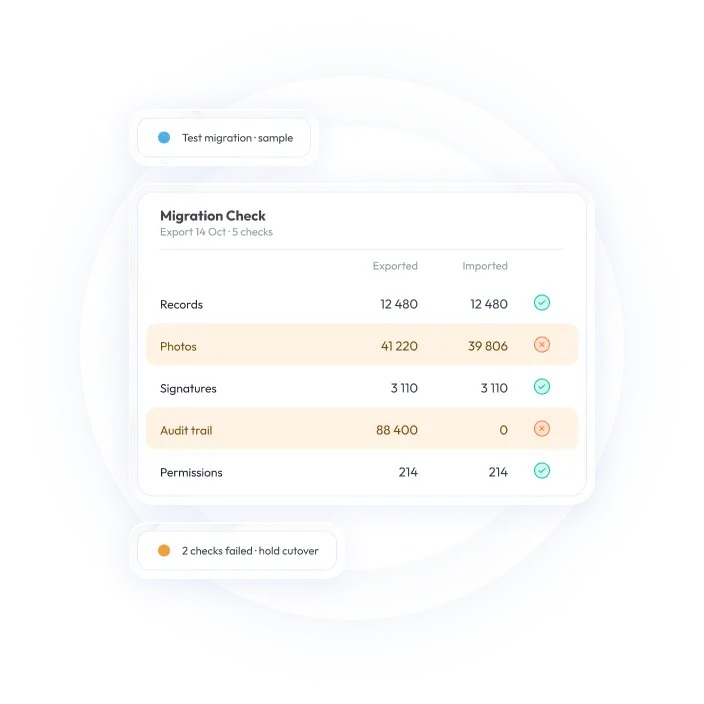
| Migration item | What to check | Problem it catches |
|---|---|---|
| Tickets and dates | Compare sampled records and created_at values |
Missing or misleading chronology |
| Comments and attachments | Open sample imported conversations | Lost support context |
| Contacts and organizations | Check IDs, mappings, and duplicates | Wrong requester association |
| Custom fields | Check values, forms, and required fields | Unusable or misclassified records |
| Rules and SLAs | Replay priority and escalation outcomes | Incorrect routing or timing |
| Portal access | Compare requester, CC, and organization views | Unauthorized ticket visibility |
| Historical reporting | Compare metric definitions and archived baselines | Broken year-over-year comparisons |
Run a sample import that covers ordinary tickets and the edge cases your team depends on, including contacts, attachments, custom fields, and escalation rules. Agree beforehand which records and outcomes must survive, and decide how to treat historical metrics the new platform can’t reproduce natively.
A Repeatable Trial That Determines the Choice
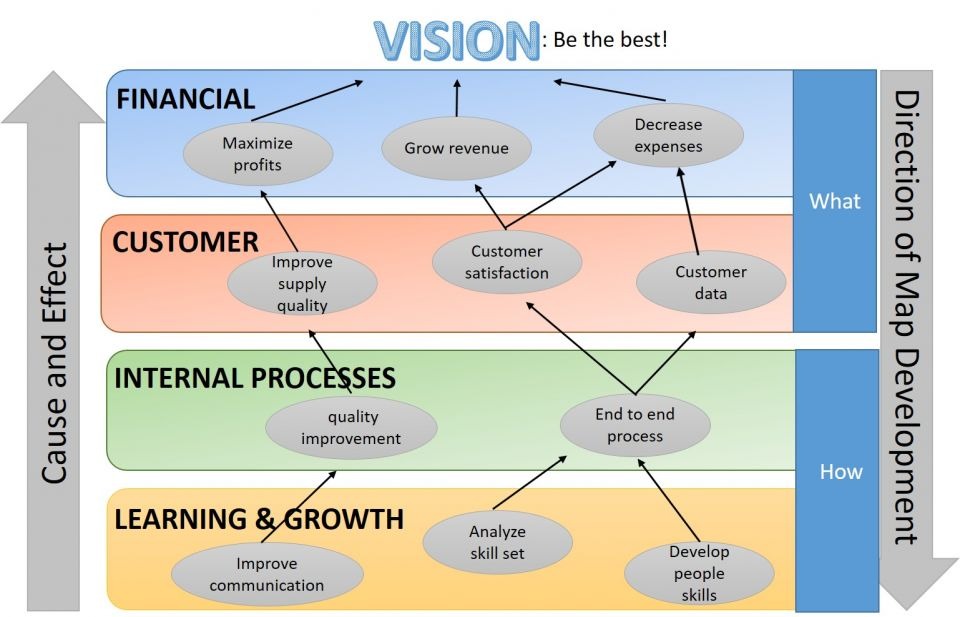
Run both comparable plans through the same sample workload. Use fictional customer data and real job roles, with enough variety to test ticket intake, priority escalation, an agent-only note, a custom form, a required second channel, and requester visibility.
Record a result for each task. A critical failure disqualifies a plan unless you deliberately change the requirement, and an untested mandatory function leaves the selection open.
| Task | Paid edition | Result | Evidence retained |
|---|---|---|---|
| Receive and route email | Plan name | Pass / Fail / Not checked | Ticket and assignment |
| Escalate priority ticket | Plan name | Pass / Fail / Not checked | Rule and outcome |
| Reply via required channel | Plan name | Pass / Fail / Not checked | Message history |
| Protect customer visibility | Plan name | Pass / Fail / Not checked | Requester role view |
| Produce required report | Plan name | Pass / Fail / Not checked | Report definitions and output |
| Accept imported records | Plan name | Pass / Fail / Not checked | Migration comparison |
Keep trial results separate from preferences you can negotiate. Agents may prefer one interface, managers another reporting view, and administrators another rule editor. Must-pass requirements decide eligibility; usability and price decide among the eligible plans.
Your final selection record should list the plan names, paid-agent and voice-seat counts, annual costs, AI assumptions, evidence for passed tasks, and any blocked migration criterion.
When Zendesk, Freshdesk, or Neither Fits
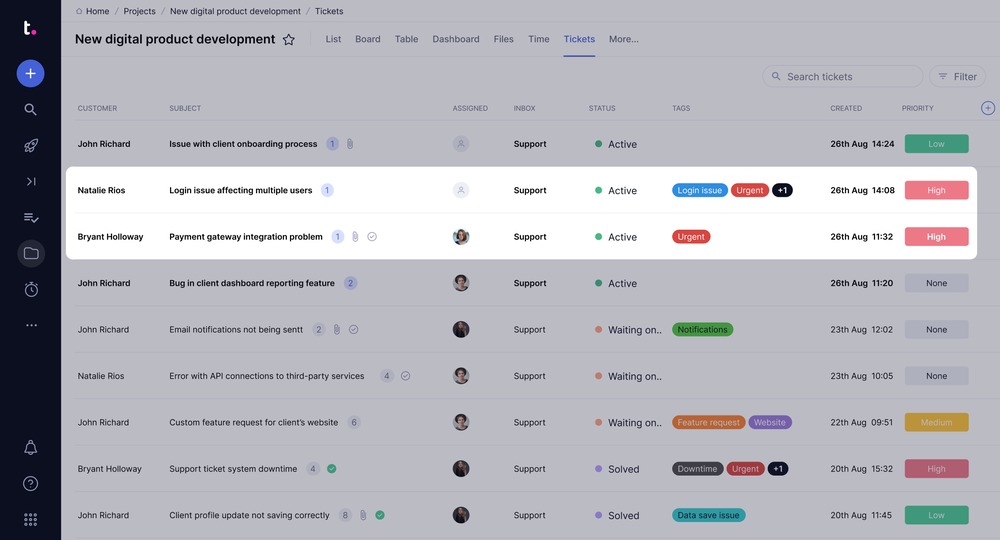
Some teams need an employee-service system more than a customer-facing help desk. IT incidents, HR requests, confidential employee records, and internal approvals call for an ITSM or employee-service evaluation, even when both vendors can accept an emailed ticket. To decide between a help desk and a shared inbox, read the help-desk versus shared-inbox decision.
An administrator considering a replacement for Freshdesk described a 15-agent group spanning customer service, HR, and IT:
Hi Everyone, What is a ticketing system that HR, Customer Service, and IT can use simultaneously? We have been looking at different ones available, but there are so many that I am not sure if we need something with so many features or a simple one. We have been using Freshdesk, but the price and service have not been meeting our standards recently, and we are looking for something new. I’ve looked into Desk365, as they support Microsoft Teams integration and some automations that can help our Customer Service team with forwarding to our internal Managers. We are looking for something that can help communicate internally and externally. Any thoughts or suggestions? We are about a 15 agent team all together.
A shared inbox or existing service desk can stay suitable when your ticket volume and workflow demands are low. Replacing it means implementation and migration work, so the switch needs to be worth that effort.
An affordable plan that loses required ticket history or cannot perform the team’s essential work is not a finalist. Changing products should solve a demonstrated problem, not just change the help-desk interface.
Speak Your Mind