A restaurant POS has to move an order from the server to the kitchen and through payment without losing the details along the way. Use the actual terminal and plan to reproduce normal service and a disruption, then close the day. Staff performance in that demonstration matters more than a polished sales presentation.
Imagine a six-person table ordering appetizers, drinks, and entrées with modifications. The server sends everything, the bar receives its drinks, and the kitchen printer quietly runs out of paper. The payment terminal still works. The order is in and the guests expect dinner, but nobody at the cooking station knows part of it exists. A POS purchase has to account for failures like this.
Square for Restaurants, Toast, Clover, Lightspeed Restaurant and other platforms describe what their products sell. The relevant question is whether the proposed combination of plan, devices and staff can complete your restaurant’s particular order cycle.
Match the POS to your service model first
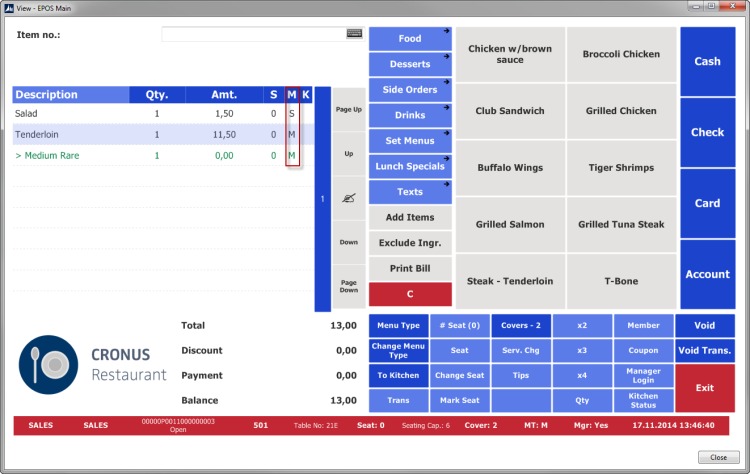
A full-service restaurant, a coffee counter, and a neighborhood bar all accept cards. The software behind the register has to do three very different jobs.
In a full-service dining room, table assignment, seat-level ordering, course timing, and check transfers decide whether the POS feels effortless or interrupts service all night. A quick-service restaurant cares more about entering modifications fast, keeping the pickup queue moving, and routing online orders to the right station.
| Restaurant type | Essential workflow | What to demonstrate | Features you can skip |
|---|---|---|---|
| Full-service dining | Tables, seats, courses, multiple servers | Split a six-person table by seat and route food to prep stations | Extensive self-service kiosk tools |
| Quick-service restaurant | Fast counter ordering and pickup | Enter a modified order and move it through the pickup queue | Detailed table and course management |
| Café or bakery | Counter service, substitutions, takeout | Handle drink modifiers, pickup orders, and delivery connections if required | Complex bar-tab or coursing features |
| Bar | Open tabs, card payments, tips | Keep a tab open, accept chip/tap payment, and produce the required receipt | Multi-course kitchen management |
| Food truck | Compact devices and variable connectivity | Take an order and payment under the network conditions you’ll actually have | Extensive dining-room layouts |
A café that sells a lot of packaged goods, with barcode scanning and stock counts, starts to need retail POS features. If you sell a few bags of coffee next to the drinks, you don’t.
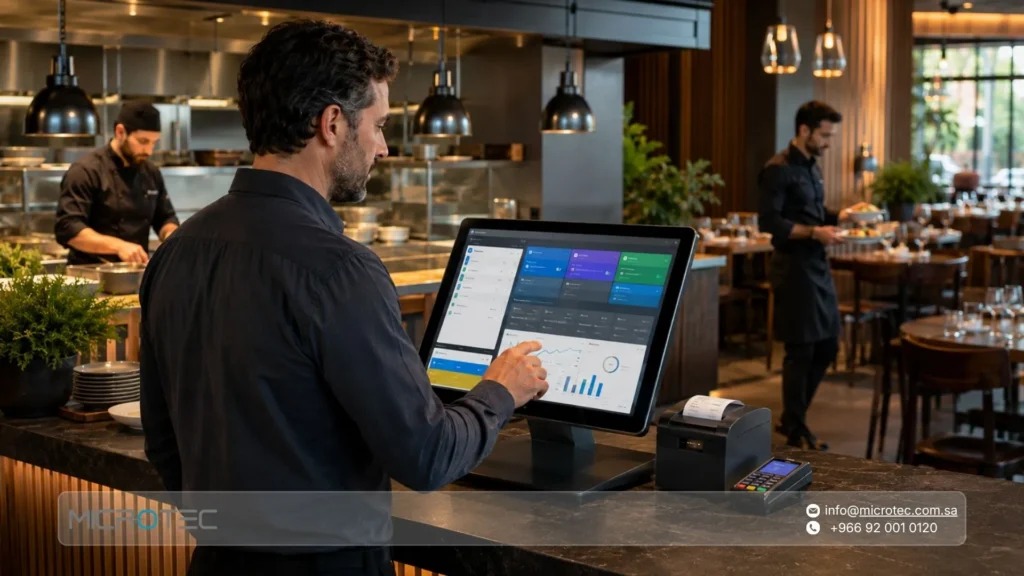
A lightweight card reader works for a small operation with no complicated menu, kitchen routing, staffing, or table service. A larger restaurant platform adds little there.
Before you talk to vendors, write a one-page operating profile. List three tasks the restaurant must perform correctly, the service model they belong to, and one failure that would rule a product out. Build all of it from your real menu and staff responsibilities. Every sales demo then gets judged against that page.
Compare restaurant POS systems on evidence
Build a shortlist of plausible candidates and decide what evidence will separate them. Square for Restaurants, Toast, Clover, and Lightspeed Restaurant publish restaurant products with different plans, equipment arrangements, and optional services. SpotOn and TouchBistro also show up in restaurant POS comparisons. For retail POS, payments, and inventory, see how to compare Square, Shopify POS, Lightspeed and Clover by retail fit.
| POS candidate | Published product or purchasing detail | What to confirm for your restaurant |
|---|---|---|
| Square for Restaurants | Restaurant plans advertise split checks. Reopening a closed check requires eligible restaurant capabilities and permissions, and the check must remain unsettled. | The eligible subscription, check status, reopening settings, user permissions, and compatible devices |
| Toast | Starter, paid, and custom purchasing options come with different equipment and implementation considerations. | Which terminals, onboarding services, integrations, and add-ons the written offer includes |
| Clover | Restaurant packages distinguish hardware configurations; higher bundles include handheld capability that the published Starter equipment bundle lacks. | The processor, seller channel, bundled devices, and contract terms |
| Lightspeed Restaurant | Restaurant tiers, plus separately priced kitchen display capabilities; the published KDS add-on is listed at $30 per screen per month. | The required plan, number of screens, integrations, and the add-on rate quoted to you |
No hands-on test of these systems was performed for this article.
Per-screen KDS pricing makes your recurring cost depend on the number of kitchen stations, and bundled handhelds change which devices you buy separately.
A bar owner weighing a move away from a long-used POS cared about other things:
Been using Focus for over 10 years. They got bought by HungerRush which got bought by Shift 4. Our newest location has tap to pay and chip capabilities but it’s slow and doesn’t always work because Shift 4 is just patched in to the system. Tap to pay is going to become even more prevalent so we’re thinking of taking the big pain in the ass switch to a new POS. Looking for feedback on the systems you’re using. Priorities for us: Good support center Tap to pay Chip reader Handheld device option Ability to print receipts for signatures for that old school tipping experience. We’re not having our customers tap screens. Not Toast
For each candidate, note the vendor’s claimed feature, its official source, and the US plan and device it requires. Mark it unverified until a staff member has performed the task. Then use your must-have tasks to cut the list to two or three options.
Make the kitchen order test your first hard pass/fail gate
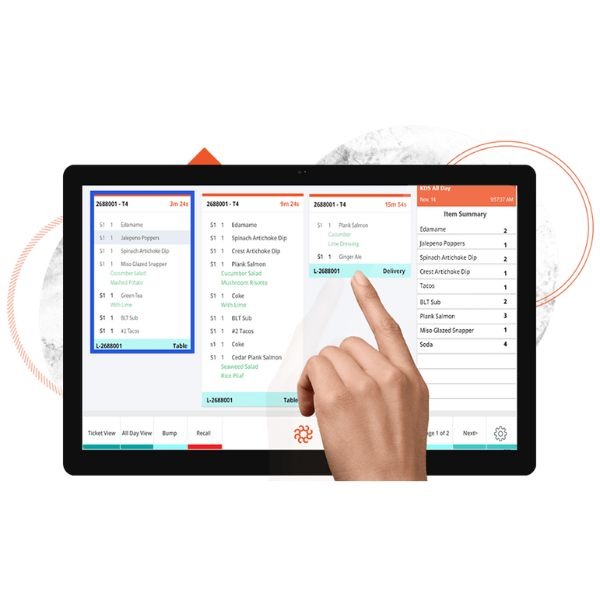
The kitchen needs the right instructions at the right station, and a way to spot and recover a failed delivery. Tapping Send is only the first step.
Picture a table ordering two appetizers, drinks, and several entrées. One entrée needs a substituted side. The bar gets the drink instructions, the cold station gets an appetizer, and the hot line gets the rest. Some items wait until the course is fired, with an expeditor coordinating the timing.
Follow that order through the whole route:
- Enter the order. Include the substitution, the table or takeout identifier, seat information where relevant, and any course instructions.
- Check delivery at each station. Watch what each destination receives and how the expeditor sees the order.
- Confirm receipt. Find out how staff know a station got the ticket, apart from the register showing that Send worked.
- Break a destination. Simulate an empty-paper printer or a disconnected kitchen station.
- Recover the order. Watch who sees the failure and whether the ticket can be rerouted or reprinted without duplicates.
An older thread on the Odoo Community Forum asks the question directly: if a kitchen printer runs out of paper or loses its local network connection, how does the waiter know a ticket failed?
Kitchen screens versus printed tickets
Kitchen display systems (KDS) organize orders visually and support station and expeditor workflows. Printed tickets have their own advantages, especially where cooks already sort and read orders on paper.
A restaurant owner weighing large kitchen screens over two printers raised a physical problem:
Hello all. I own a small restaurant and I am looking for new options for my cooks to be able to see tickets. Currently I have 2 kitchen printers in there and they print out the orders for the cooks. However, I have contemplated switching to a system where I have large monitors hanging in the kitchen instead so they can read off a large digital display instead of the kitchen tickets which often can be hard to read. Does anyone have experience with this that could tell me if this is a good idea? If you do use this system, how do you keep the monitors from getting disgusting? Our printers are constantly covered in grease or other things because that is just the nature of a kitchen, shit happens. Any advice would be greatly appreciated!
Legibility is one factor. Screen placement, heat, grease, cleaning access, and how cooks move between stations matter too.
If online delivery orders matter to you, add an incoming order to the route test. Check that it appears once, reaches the right prep queue, and stays identifiable after a brief connector outage.
The test passes when the kitchen gets the right instructions and you can show a workable recovery when a station fails. Note which employee spots an undelivered ticket.
Test checks, tips, and the end-of-day closeout
A restaurant POS has to cover both how guests pay and how management accounts for those payments.
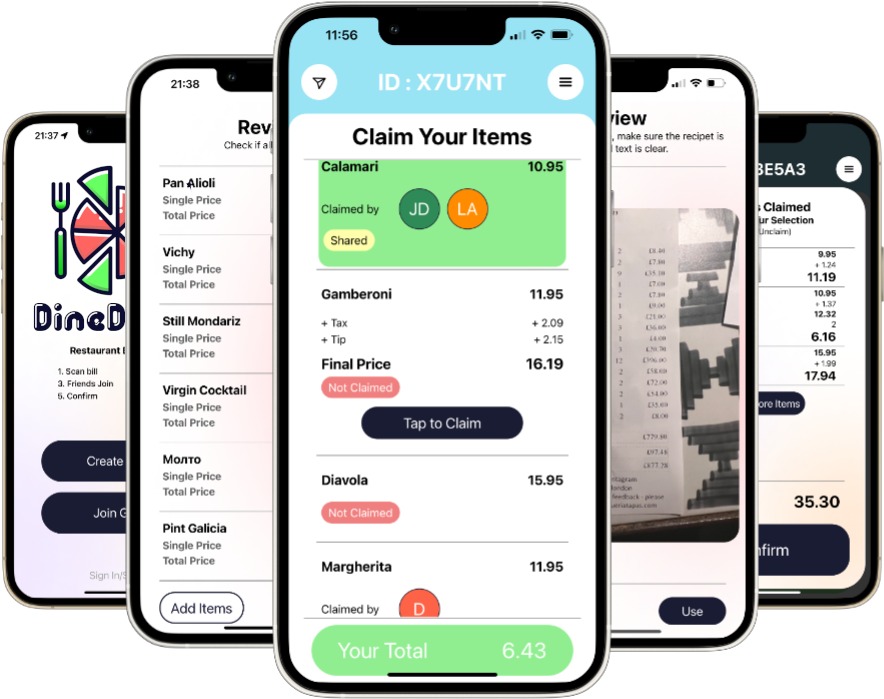
A group may split appetizers by item, entrées by seat, and a shared bottle evenly. A server may hand a table to a colleague. A manager may have to authorize a void, comp, or refund. Correcting a check and changing who gets credit for an already settled payment are separate operations. All of this matters most at closeout, when sales, tips, cash movement, and settlement reports have to agree.
A full-service restaurant manager described problems with Square for Restaurants:
I’m a GM for a full service, semi-fine dining establishment. This will be long. This is my experience with Square for Restaurants as a PSA: SfR is NOT built or designed for full service. It *might* be fine for a QSR concept. I’ve never run one of those, so I don’t know. Some lowlights: There is no way to view your total “deposit” at all. Pay-ins and pay-outs are tracked separately via Cash Drawers and the cash drawer report does NOT appear on the sales summary. This means you have to go to two different places and do the math to get your final number for the day, with *no way to verify* that your number is correct. This is by far our biggest beef with the program, but it’s also just the beginning.
Square’s documentation covers reopening a closed check before settlement. You need an eligible subscription, the required user permissions, and the right settings, and the reopening options affect how the original payment is handled.
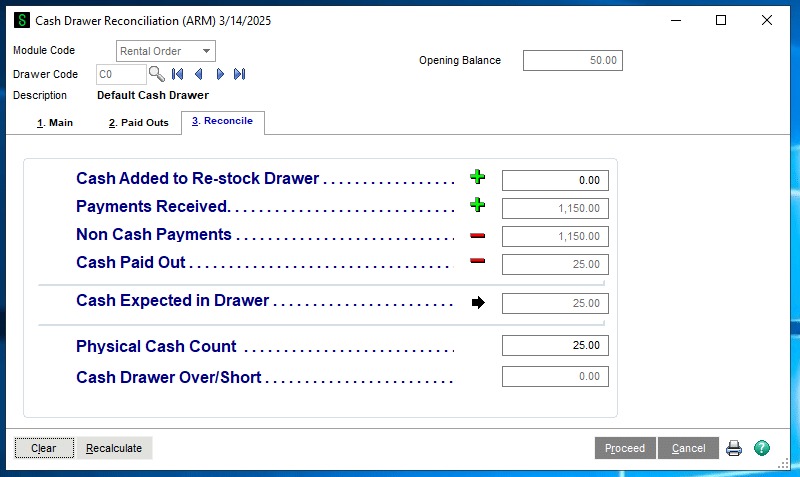
Use a scripted closing sequence with sample transactions:
- Split payments. Split a table by seat, by item, and equally, wherever you’ll use each method.
- Correct staff attribution. Transfer a check when permitted and test a case where an employee forgot to clock in.
- Apply adjustments. Include a manager-authorized comp or void, a refund, and a tip.
- Move cash. Enter a cash pay-in and a pay-out.
- Reconcile the shift. Compare sales, cash-drawer activity, card settlement, and available deposit information.
Some figures arrive in a separate settlement report after the shift. What matters is whether the person closing can produce the records you need with their normal permissions.
Guest-facing tip prompts, handheld signatures, and printed paper receipts each affect service in their own way, so judge them against your payment routine and what your guests expect.
Check what keeps working when the internet or POS goes down
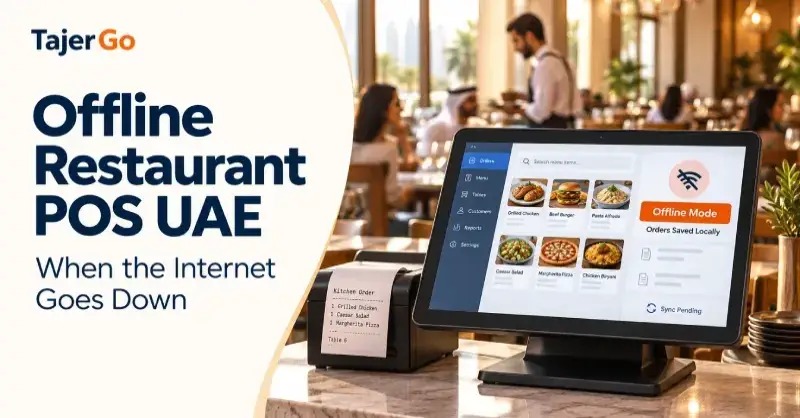
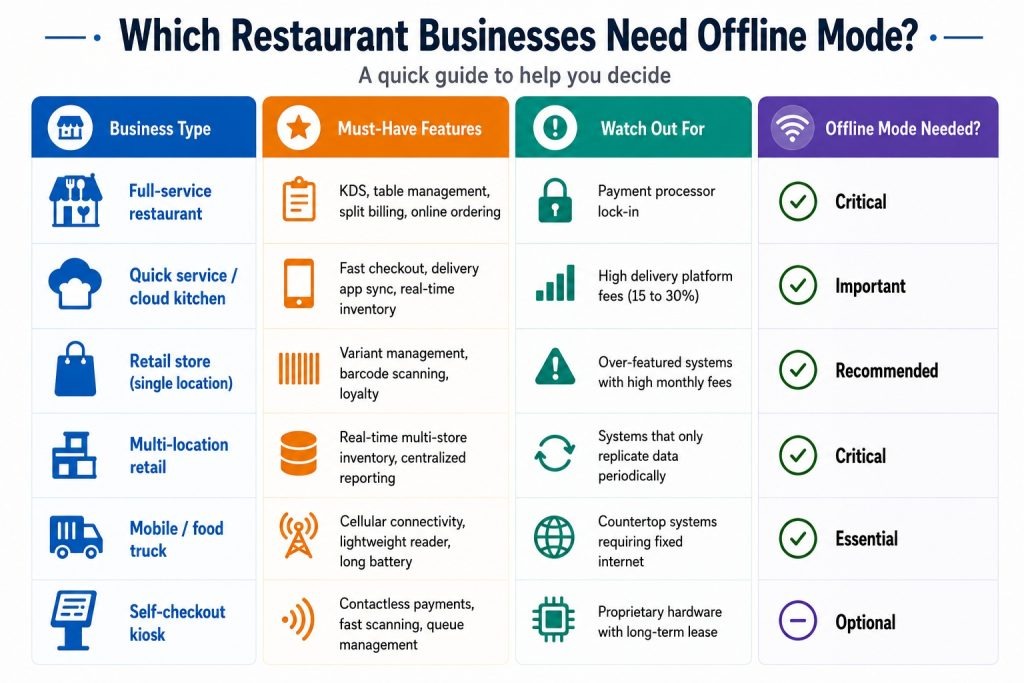
Check offline operation function by function. A POS can keep capturing card transactions while online ordering, kitchen communications, refunds, or cloud reporting are down. The retail POS checklist covers POS operation without an internet connection separately from online ordering.
An internet outage, a local router failure, a disconnected kitchen device, and a POS provider disruption each break something else.
| Failure scenario | Function to check | Consequence |
|---|---|---|
| External internet unavailable | Local order entry, card capture, connected services | Some local operations continue while online services stop |
| Router or local network unavailable | Printer/KDS routing and device communication | A registered order can fail to reach the kitchen |
| Payment device disconnected | Card methods and pending transactions | Payment capture is interrupted or unavailable |
| Online-ordering connection interrupted | Order arrival and reconnection behavior | Late or duplicate orders need reconciliation |
| Connection restored | Upload, refunds, reporting, and synchronization | Pending payments and orders need final status checks |
To rehearse an outage, test internet loss separately from local network failure, on your intended hardware and account. Note which functions continue, which stop, who handles recovery, and what stays pending until synchronization or settlement.
Offline card payments have their own restrictions
Square’s US offline-payment guidance describes card transactions stored locally and uploaded when connectivity returns. A payment captured offline has not necessarily been approved by the card issuer, so a later decline, dispute, or expiration can leave you responsible for the loss.
On listed Square devices, offline transactions must be uploaded within 72 hours of the relevant session start, and Square recommends uploading within 24 hours. Certain Reader and Stand configurations also have separate 24-hour offline acceptance sessions, so check both the session length and the upload deadline for your device.
Square’s documentation also excludes some payment methods from supported offline processing, including manually entered cards, Square Gift Cards, and Tap to Pay on supported phones. If you rely on one of those, you need a fallback during an outage.
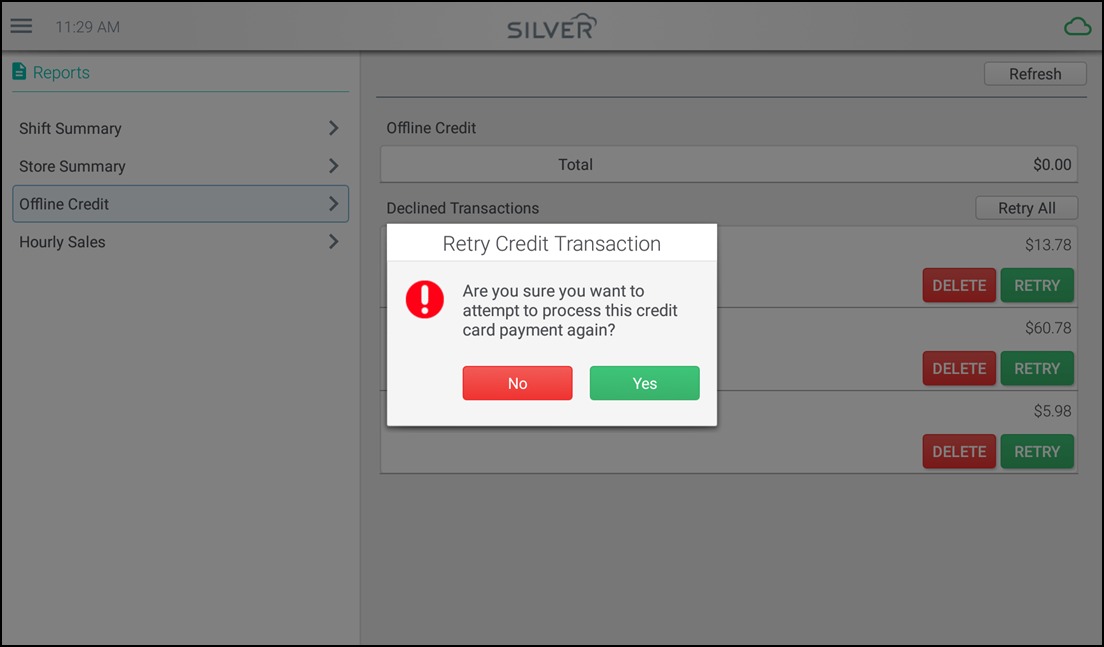
Pending transactions carry another risk. Square warns that signing out of the POS app, changing modes or locations, uninstalling the app, or resetting a device while offline payments are pending can permanently lose them. Its documentation also restricts close-of-day reporting during offline payment processing.
After reconnecting, have the person responsible for payments separate pending records from uploaded and finalized transactions. Compare any late online order against orders already prepared so a delayed ticket isn’t fulfilled twice.
Compare the total POS cost, beyond the advertised monthly plan
A subscription is only one part of what a POS costs. Beyond it, costs can include terminals, handhelds, kitchen displays, processing, installation, integrations, support, and contractual commitments.
A fair comparison uses the same assumptions for every vendor. A single counter-service location with one terminal and few add-ons needs a different equipment setup than a full-service dining room with several handhelds and kitchen screens.
Use a consistent 24-month comparison
Twenty-four months is an illustrative planning horizon. It is not a standard POS contract period.
| Cost component | Information required | How to compare it |
|---|---|---|
| Software subscription | Locations, plans, recurring charges | Monthly fees multiplied by 24 |
| Hardware and installation | Terminals, handhelds, screens, printers, setup | Quoted upfront costs and lease or financing obligations |
| Card processing | Volume, transaction counts, card-present and online mix | Merchant-specific rates and transaction fees |
| Integrations and add-ons | Delivery, loyalty, reporting, extra devices | Recurring and one-time charges over the same horizon |
| Support and exit | Onsite assistance, cancellation, export, equipment return | Written charges and obligations |
Add up upfront equipment and setup costs, 24 months of recurring charges, processing costs based on your transaction mix, and any support or exit charges. If a cost is unknown, mark it as unknown.
Square, Toast, Clover, and Lightspeed each have their own plan and purchasing arrangements, and Clover’s merchant terms can depend on the processor or reseller involved. A public subscription price covers only part of an estimate for your restaurant.
Support costs belong in the comparison too. One café and wine bar operator found the POS offline shortly before opening:
Relatively new a Toast I opened up a café wine bar in Marin County, yesterday I showed up to do some inventory and realize our POS system was off-line, 3 1/2 hours later with Toast technical support they realized it was their network. I was able to get it up and running 15 minutes before I opened. But what I was told really disturbed me, I guess I didn’t read the fine print. The only way to get a technician on site is $150 an hour, which they start charging when the technician leaves their house and it is almost a two week wait before they can get someone out. How in the hell did I agree to this?
For a restaurant open evenings and weekends, the availability and price of emergency help can matter as much as a subscription difference.
Request matched, itemized written quotes from the remaining candidates. Give every vendor the same assumptions for locations, terminals, kitchen screens, payment volume and card mix, integration needs, and support needs. Each quote should state equipment ownership, processing obligations, contract length, cancellation fees, and the conditions for urgent onsite help. To evaluate payment processing, transaction fees, and hardware, use how POS processing fees add up.
Verify hardware, integrations, and your way out
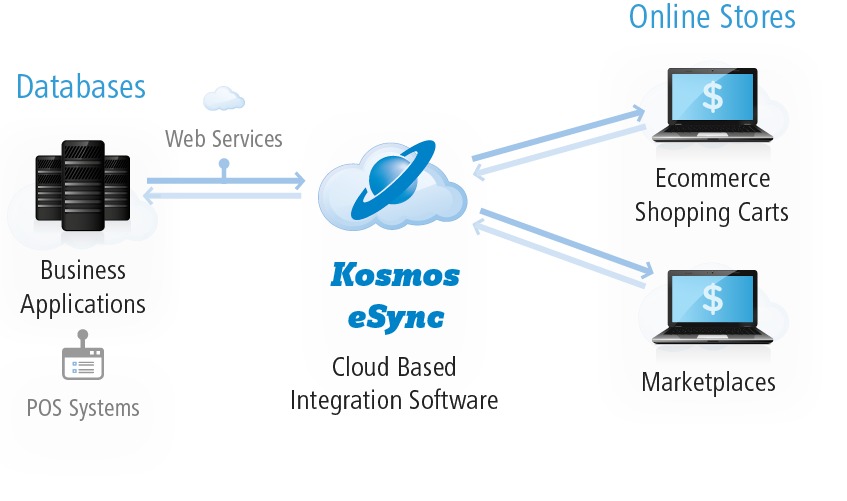
A restaurant’s POS reaches beyond the screen where orders are entered. Card readers, handhelds, printers, kitchen displays, network equipment, and connected services all have to work with your account and software.
Compatibility depends on the device model, product edition, processor, and installation arrangement. An existing terminal can work perfectly and still be unsupported by a new merchant setup.
Delivery integrations have to bring the order into the kitchen with its modifications and the right prep destination. If menu availability changes such as marking an item 86 matter to you, they need a defined synchronization path.
Accounting and payroll connectors vary in data direction, available fields, subscription requirements, and cost.
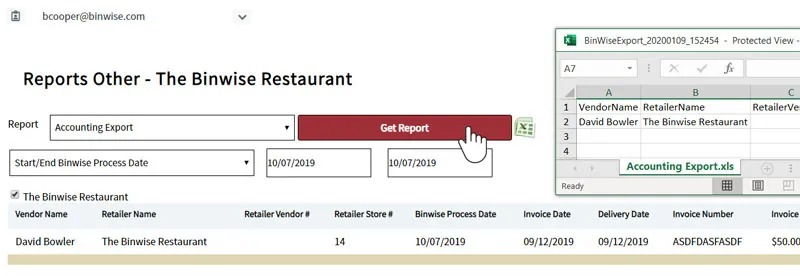
Before migrating, run one representative integration test and one sample historical-data export on the plan you intend to use. Inspect the fields you rely on: itemized orders, payments, tips, taxes, and reporting history. Find out who controls administrator credentials and what data you can still access after termination.
Payment security carries a separate responsibility. The PCI Security Standards Council explains that merchants who outsource payment processing keep responsibilities for service-provider management and compliance validation. The exact obligations depend on your environment and compliance program.
Run a staff-led POS demonstration before you sign
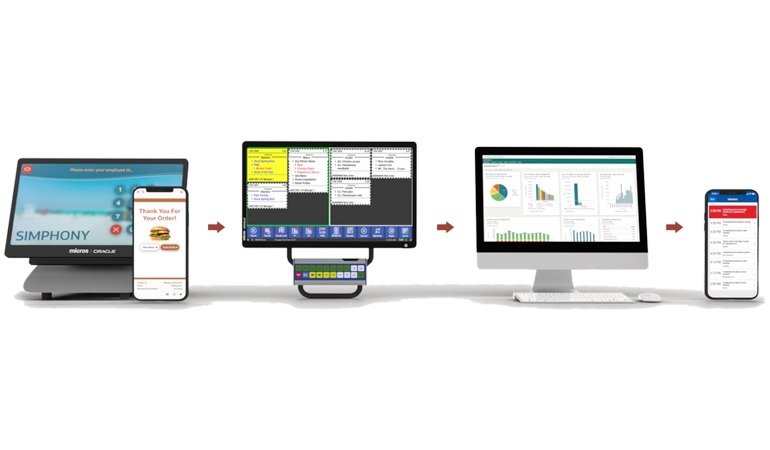
Cashiers, servers, kitchen staff and managers should each demonstrate their part of the order cycle. Their recorded results belong beside the hardware and contract terms before anyone approves the switch.
Speak Your Mind