An inventory tracker knows what quantity is on hand. A WMS can direct warehouse staff to bins, verify picks by scanning and handle floor exceptions, while ERP connects stock movements to other business records. Decide how much floor control you need, then run a receipt, pick and count discrepancy on the licensed system.
A warehouse can know it owns 60 units of a product and still have no reliable way to tell a picker where they are. Another business may know the right shelf but have no reliable record of what is already reserved for tomorrow’s orders. Each problem needs a different control.
Do You Need Basic Inventory Software, a WMS, or an ERP Warehouse Module?
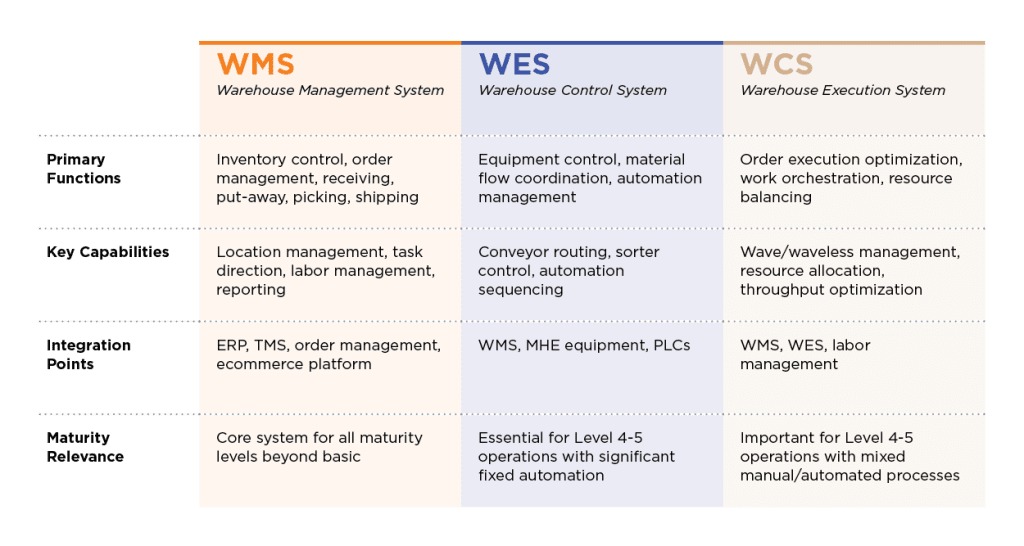
Inventory management software records quantities and their changes. A warehouse management system directs the floor work behind those changes, while ERP warehouse modules link it to purchasing, production and finance. The distinction matters when orders cannot be picked reliably from a simple stock total.
The categories overlap. Some inventory applications include bin management and pick confirmation, and some ERP suites offer full warehouse execution. Classify a product by what your staff can do with it.
- Basic inventory software: Covers stock counts, purchase receipts, reorder levels and simple barcode records. It works when a small team finds items reliably and records movements without directed picking.
- WMS: Fits when goods sit across many bins, workers need scan confirmation, or short picks and relocations must trigger controlled actions. It adds process configuration and training.
- ERP-connected warehouse solution: Fits when receiving and shipping must reconcile with purchasing, manufacturing or finance. Staying inside your existing ERP simplifies some interfaces. Warehouse execution still needs testing.
No SKU, pallet or headcount threshold settles this. What counts is the movements and exceptions your staff must record.
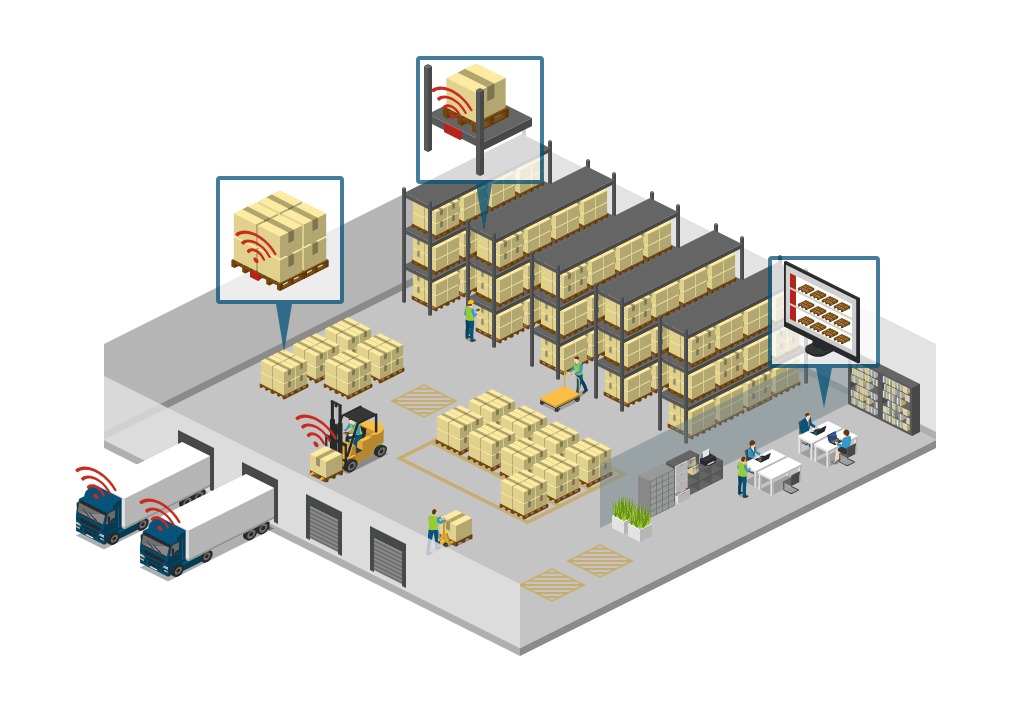
One poster describes a warehouse with no system in place and a WMS proposed as the fix:
So, here’s the deal with our warehouse: it’s kind of a mess. Stuff goes missing all the time, and it’s a pain to find anything. We’re still doing things the old-fashioned way, with no real system in place. It’s like a game of hide and seek, but nobody’s having any fun. They have 2 warehouse employees and a capacity of about 1900 pallets in their storage racks. Their solution: WMS-system. What I would like for them is barcode labeling and scanner implementation to get more control over goods, and structuring the warehouse in SKU’s.
Two employees and about 1,900 pallets of rack capacity make location control urgent. The poster also raises supplier barcodes and ERP integration.
Start by naming the failure you want to eliminate: stock nobody can find, items allocated twice, incorrect picks, disputed outbound quantities or systems that disagree about what is available.
Map Receiving, Putaway, Reservations, and Picking
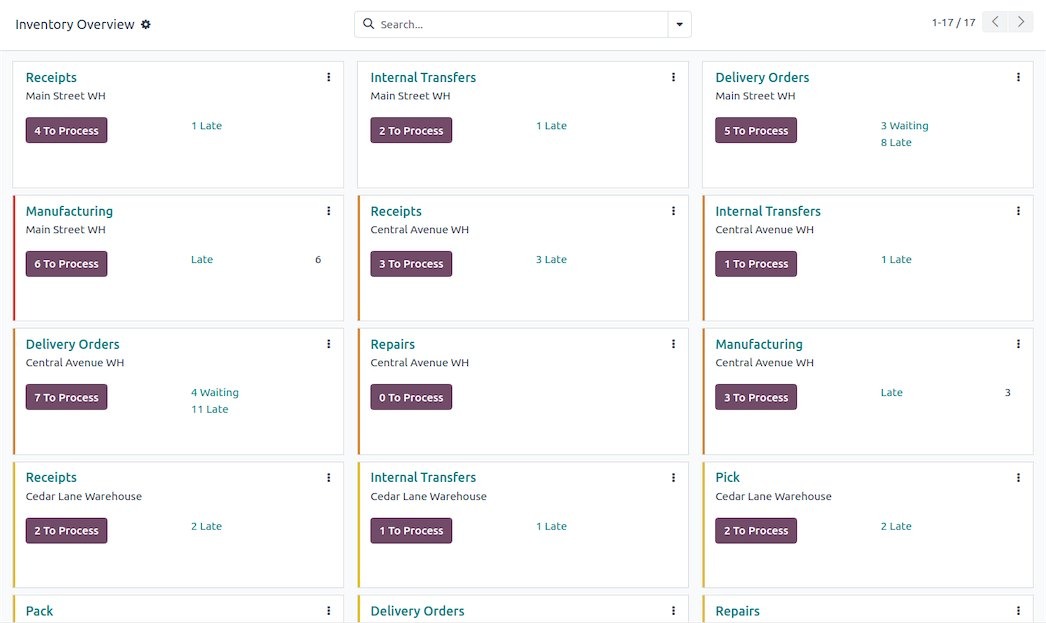
Follow one product through the building before comparing feature lists. A purchase order states what was expected. A receipt records what arrived. Putaway assigns its physical location. Reservations and picks change what other orders can use.
The table below follows one hypothetical order. The system has to keep ordered, received, binned and reserved quantities as separate records. It must never treat the purchase order quantity as received stock. Hardware, locations and transaction costs are itemized in the POS cost breakdown.
| Warehouse event | Example input | Required record | Exception to handle |
|---|---|---|---|
| Receive | 10 ordered; 9 arrive | Actual receipt and supplier reference | Partial or damaged delivery |
| Put away | 5 in Bin A; 4 in Bin B | Item quantity at each location | Wrong bin scanned |
| Reserve | Order requires 4 | Quantity committed to that order | Second order requests the same units |
| Pick | Worker collects order lines | Confirmed SKU, bin and quantity | Wrong SKU or short pick |
| Count | Count differs from system balance | Variance and approved adjustment | Unexplained movement |
The receipt discrepancy has to stay visible after the goods go into bins. A screen with one updated total loses it.
Odoo 19 documents receiving and shipping configurations with different numbers of warehouse steps. The same physical operation can require separate software events.
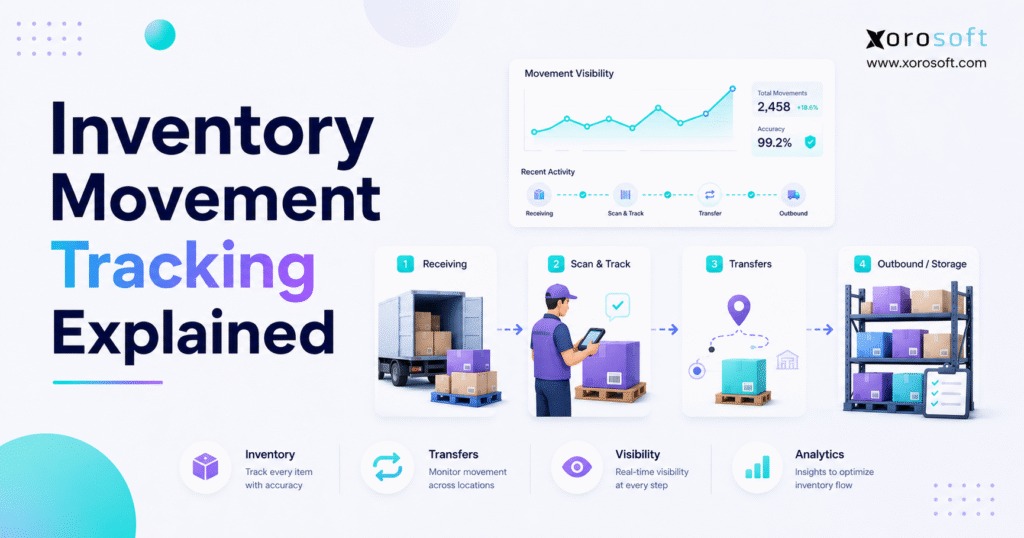
On-hand and available quantity also differ. A unit can sit on the shelf and still be reserved for another order. inFlow documents these as separate quantity states.
Write a process map covering receipt, location assignment, reservation, pick and count. For each step, record who completes it, which barcode or identifier they use and which saved event shows it is done. You will test against this map in the pilot.
Check Barcodes, Bin Locations, Lots, and Shipment Evidence
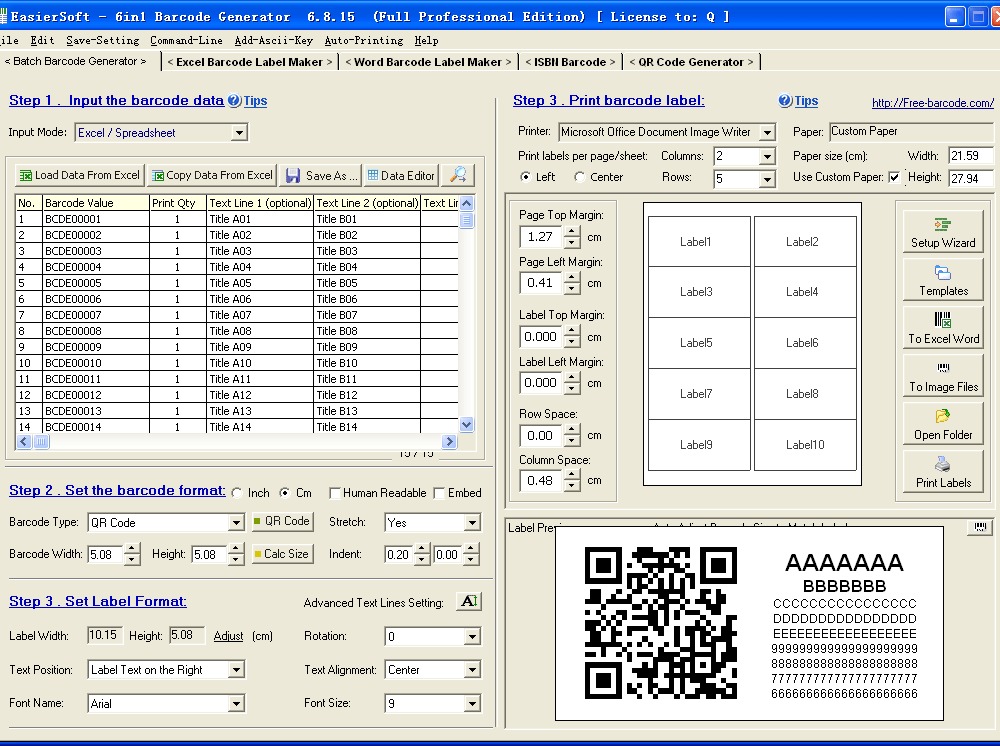
A scan helps only when the application captures the data the task needs. Product identity, storage location, lot and pallet identity are different data fields.
| Identifier | What it means | Warehouse decision |
|---|---|---|
| SKU | Internal product or variant code | Match a receipt or pick to the correct item |
| GTIN | Standardized trade-item identifier under GS1 | Recognize a trade item across supply-chain partners |
| Bin or location code | Physical place within storage | Confirm putaway, transfer or retrieval location |
| GS1-128 data | Structured encoded fields, such as batch or date | Capture traceability details |
| SSCC | Identifier for a logistics unit, such as a pallet | Track the individual handling unit |
The GS1 US GTIN explanation distinguishes standardized trade-item identification from a company’s SKU. Its GS1-128 reference explains how Application Identifiers identify encoded data fields. Reading those fields also requires compatible labels, scanners and software configuration.
Shipment disputes make these distinctions concrete. One chemical warehouse operator, who ships pallets 25 to 30 times a week, keeps order and lot records in Sheets and photos on a separate phone:
Some context- I run a chemical warehouse and send pallets of product out 25-30 times a week. We have an ongoing problem with customers coming back and stating that they were missing product when I know they’re not. Currently we track inventory via Google Sheets and I go in manually to update each individual order for the number of each product and the coordinating lot numbers. As well, I have a separate phone that contains all the pictures of each customer order with lot numbers and product amount.
A useful shipment record puts order lines, quantities, lots and supporting documents into one export. It shows what the warehouse documented at dispatch.
To test barcodes, use a supplier product label, a location label and, if you track them, a lot or pallet label. Check which fields the system keeps and whether it tells a case from a single unit. Then inspect the export for an order with a contested quantity.
Expiry dates, serial numbers, FIFO or FEFO picking and pallet-level logistics identifiers matter only if they affect compliance, product quality or customer traceability. Skip them otherwise.
Test Short Picks, Cycle Counts, and Stock Reconciliation

Inventory accuracy depends on a traceable history of what changed and why. A balance can look correct after an adjustment while the error behind it stays unexplained.
Say the system shows ten units across two bins, but a worker counts nine and four are reserved. The inventory team has to find out whether a movement was missed, the item was counted in the wrong location or a transaction was posted at the wrong time. A count should keep the previous balance, observed quantity, location, reason and approval history. For a POS-side check on stock, locations and barcodes, see how to tell whether a POS can handle your inventory.
Oracle’s documented cycle-count triggers let you configure specified short-pick events to start a count.
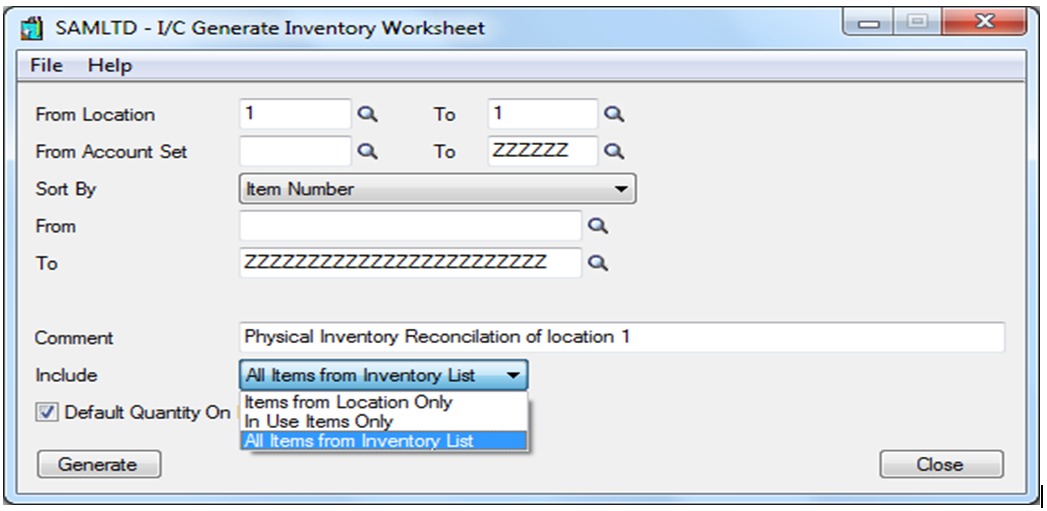
For each system you consider, define what happens when a picker scans the wrong item or cannot find enough stock. The application can block confirmation, create an exception, allow a supervised override or record a later adjustment. Afterward, the supervisor should see the full transaction trail.
Keep Warehouse, Store, and ERP Records Consistent
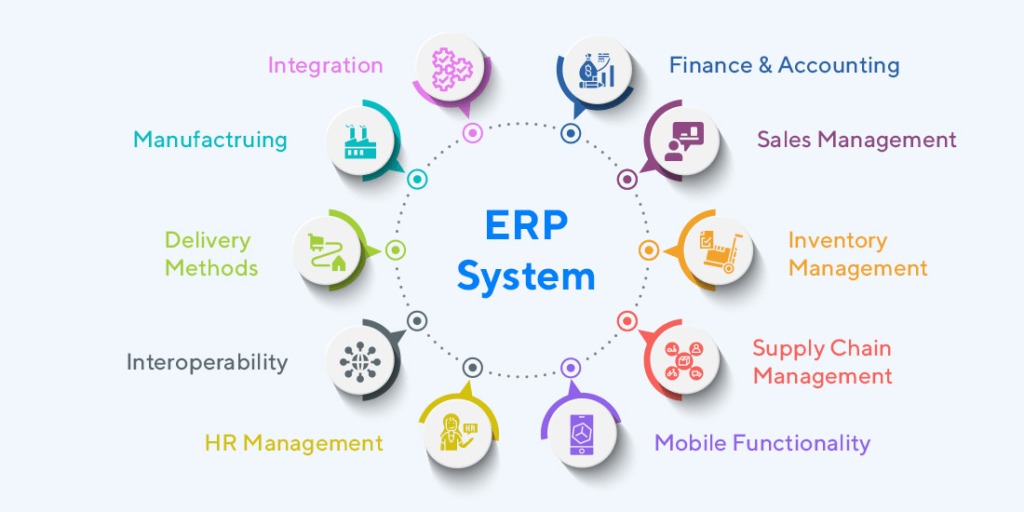
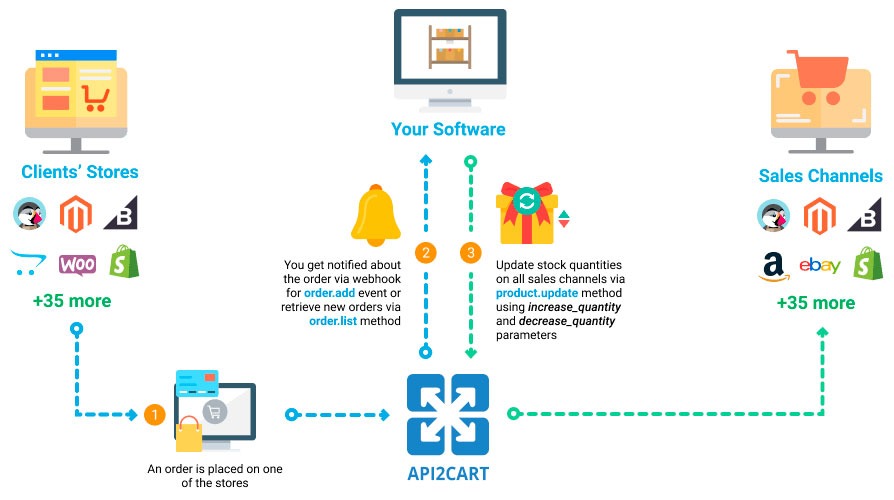
Integration reliability starts with field ownership. When the POS, warehouse application, ecommerce store and ERP all update inventory, each needs an assigned responsibility and a defined way to handle failed events.
Use this ownership matrix as a design worksheet. Your implementation can assign the owners differently.
| Record or event | Example owner | Information sent elsewhere | Failure question |
|---|---|---|---|
| Item master / SKU | ERP or inventory master | Item identity and unit of measure | What happens when a code changes? |
| Physical bin quantity | WMS / warehouse application | Confirmed receipt, transfer or count | Can a failed movement message be retried safely? |
| Reservations | Order management or designated inventory system | Committed quantity and released reservations | Can simultaneous orders allocate the same stock? |
| Sale or shipment status | POS / order system with warehouse confirmation | Order fulfillment event | What if shipping succeeds but the update fails? |
| Valuation and accounting posting | Financial system or ERP | Approved stock adjustments and posting context | Who reconciles a late or reversed entry? |
A warehouse can own the physical bin balance while a separate system owns the accounting valuation of that stock.
One warehouse worker tracks a customer’s inventory in the customer’s ERP and has no real way to track the warehouse’s own minor material:
The carrier has us using their ERP system to track their inventory, but we also carry a lot of ‘minor material’ not supplied by the customer that we do not have any real way of tracking. Aside from that, locating any given item(s), whether they are the customer’s or minor material, is hit & miss. I’d like a way to bring all of this under 1 in-house system, that will work with the customer’s ERP software, and help us actually track where specific items are physically located within the warehouse.
That business needs location records and a clear separation between customer stock and its own materials. Another account involved three stores and a warehouse, where a Clover-based store setup made stock visibility difficult.
For each connector you consider, record the direction of every update, the expected delay and what employees see when an event fails. A deliberately interrupted transfer should leave an identifiable error you can correct without recording the stock movement twice.
Match Software Families to the Work You Need Done
Start the shortlist with the operational requirement that could rule out a whole software family. The applications below come from different product categories. Edition, licensing, equipment and integration choices change which workflows each supports.
| Warehouse scenario | Products | Pick it if you need | Skip it if |
|---|---|---|---|
| Simple stockroom | inFlow Stockroom | Scan-based stock adjustments, transfers and physical counts | Purchase-order receiving or lot/serial tracking is essential |
| Ecommerce or distributor | inFlow Inventory, Zoho Inventory, Cin7 Core | Order allocation, sales-channel connections and stock visibility | The vendor cannot demonstrate warehouse-floor pick validation or location control |
| ERP-dependent warehouse | Odoo, ERPNext, NetSuite; RF-SMART in relevant ERP ecosystems | Warehouse events coordinated with ERP transactions | Required floor tasks or existing ERP interfaces need unsupported customization |
| Dedicated fulfillment | ShipHero, Logiwa | Picking, packing and handling simultaneous orders | The workflow cannot manage the required item, bin or order exception |
| Third-party logistics | CartonCloud | Separation of customer stock and operational billing records | Customer ownership or billable activity cannot be represented as required |
Use these categories to pick two or three candidates. Ask each vendor to demonstrate the exact edition and integration, and drop any option that cannot show a mandatory function from your process map.
Calculate the Full Cost of Warehouse Inventory Software

Ask each vendor for itemized, written 12-month and 24-month proposals. Use identical counts of users, warehouse locations, required modules and hardware.
- Upfront: onboarding, SKU cleanup, historical imports, integration, and scanners or label printers.
- Recurring: licenses, support, hosting, transaction charges and consumables.
- Exit: renewal and cancellation terms, data export, hardware reuse and ownership of integration work.
Keep the exit items next to the subscription price so the full cost is visible.
Run a Warehouse-Floor Pilot Before Migrating Inventory
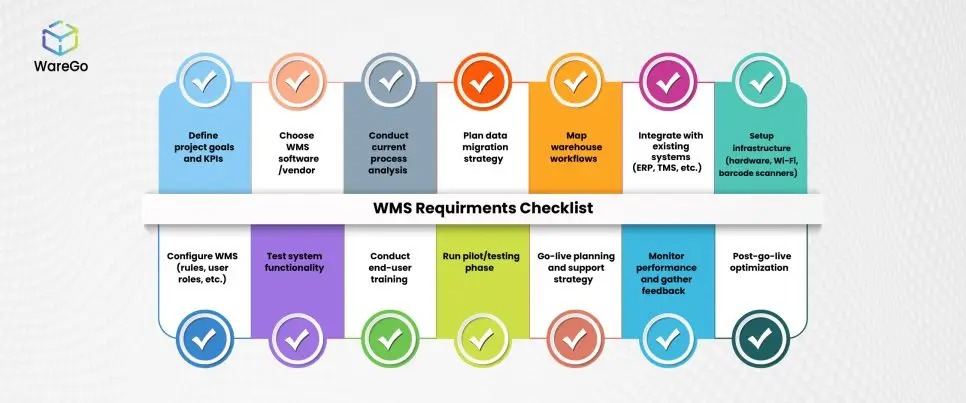
Base the purchase decision on whether your staff can complete essential transactions and recover from a deliberate error. A clean sales demo does not replace your own labels, bins, orders and exception rules.
Use a small representative sample: a real product variant, actual supplier labels, two bins if you use them, a normal outbound order, a partial receipt and a count discrepancy. Give the tasks to ordinary staff and keep the original stock records.
- Baseline: Export item IDs, bin IDs, on-hand and reserved quantities, open orders and any lot or serial references before changing the test data.
- Normal transaction: Receive goods, place them in the intended locations, reserve an order and confirm a pick. Keep the receipts and movement logs.
- Exception: Try the wrong SKU and a physical count that disagrees with the software. Record the blocked action, warning, override or adjustment the system produces.
- System reconciliation: Compare the physical count with stock ledgers, pending reservations and financial values where they apply, using the relevant posting period.
- Recovery: Keep a backup or export, document the mapping from old to new identifiers, and define the conditions that stop or reverse the cutover.
- Sign-off: For each critical task, record the expected behavior, the actual event ID or report, the PASS / FAIL / UNRESOLVED result, the employee who ran the test and the reviewer who approved it.

ERP posting dates matter too. ERPNext’s stock reconciliation documentation describes warehouse/item counts and posting context. If you use ERPNext, set the intended posting date and time before entering counted quantities, then inspect the stock ledger after submission.
An inventory count has to reconcile with the ledger, not merely with a warehouse screen. Accounting reviewers can use the inventory-accounting setup comparison to compare how the proposed setup handles those postings.
Speak Your Mind