Importing the old database is only one part of replacing business software. Customer relationships, outstanding work and transactions still have to make sense in the new system, including changes made during cutover. Keep the old service available until critical discrepancies are resolved and the recovery and sign-off decisions are documented.
Inventory the data and work nobody remembers

An export inventory should include unfinished work as well as stored records. A customer promise, receipt, attachment or activity kept outside the obvious source application can be as important as the records that transfer cleanly.
A mobile mechanic described the strain of switching tools while trying to keep the records straight:
I started doing everything with Google sheets but after switching through these over the course of 2 months I’m feeling some whiplash and having trouble trying to account for everything.
The mechanic also mentioned missing receipts and work not yet quoted. A finished invoice is reference material. An unquoted job is work a customer still expects you to do.
Build a master manifest together with the person who does each job. Contacts and invoices are the easy part. Add scheduled jobs, pending estimates, notes, comments, documents, customer messages, custom fields and recurring tasks.
You supply the record counts and source evidence.
| Source | Record or workflow | Responsible owner | Disposition | Acceptance owner |
|---|---|---|---|---|
| CRM | Open deals and follow-ups | Sales lead | Migrate | Sales lead |
| Shared email | Customer documents | Office manager | Migrate or archive | Office manager |
| Old project tool | Completed project history | Project manager | Archive if suitable | Project manager |
| Scheduling tool | Future appointments | Operations lead | Migrate | Operations lead |
For each entry, note the original system, the count or identifying IDs, how important it is, where it’s going, and any open dependency. Then check where employees work around the software: personal spreadsheets, shared drives, inboxes, calendars and manual lists.
Give each item one decision: migrate, archive, rebuild or exclude. Records you only need for reference can stay in a protected, accessible archive if they play no active role in the new application.
Before you accept the manifest, ask each employee to confirm it includes the records and unfinished work they rely on. It should describe the business as people actually run it, including the parts that never made it into the official system.
Audit access, accounts, and integrations
A migration can stall before any data moves if nobody can administer both environments. Settle who controls the source workspace, the destination organization, export privileges, user permissions, billing, and the connections to other applications.
One administrator hit a wall with an existing ManageEngine cloud organization:
After much back and forth with ManageEngine it’s determined that we need to delete the Cloud Org and start over.
Deleting an organization is a vendor-specific, destructive step, not a general migration fix.
Create an access and dependency register with these fields:
System | Source or target | Admin owner | Required permission | Access verified | Connected application | Data direction | Credential custodian
List calendar and email sync, accounting connectors, web forms, scheduled jobs, notifications, API credentials and webhooks. For each, name who can reroute it once the new system takes over.
Keep passwords and API tokens out of the register. It records who holds access and control, and it shouldn’t become another place where secrets sit. If you haven’t reviewed what you pay for yet, start with how to audit your current subscriptions before you add another.
Check the old provider’s exit terms too. The administrator needs to know what access the old subscription gives during the transition and whether it restricts exporting records or retrieving history.
Choose the right migration method
Pick the method by what it can carry between your two applications, both records and the relationships between them. CSV, native tools, APIs, specialist services and archive-only approaches each do a different job. For a closer look, see how to choose a migration method by what it can transfer.
| Method | Suitable situation | What needs verification |
|---|---|---|
| Native migration tool | A supported source-to-destination route exists | Object coverage, history, file handling, associations, and permissions |
| CSV export and import | Data is primarily structured as fields and rows | Custom fields, duplicate behavior, identifiers, and omitted objects |
| API or scripted transfer | Complex mappings or relationships need explicit handling | API permissions, object support, errors, quotas, and maintenance |
| Specialist migration service | The transfer requires skills or tooling the business lacks | Contracted scope, excluded data, testing evidence, and recovery responsibilities |
| Archive or manual rebuild | The destination cannot represent a required legacy feature | Accessibility, ownership, reconstruction effort, and justified retention |
An Asana solutions partner summed up the choice of method:
there is not a “one-size-fits-all” answer.
A flat file can carry project names and dates, but comments, attached documents and activity history need another route. An API transfer allows more tailored mapping, though what it can do depends on the source and destination endpoints. A paid service has to show you what it preserves.
Reject any route that can’t preserve a must-have requirement and has no acceptable archive or rebuild fallback. Combining methods often works best: a structured import for customer records and a protected archive for historical documents.
Verify what the new software can preserve
Exporting and importing are separate abilities. A record can arrive without its comments, activity timeline, attachments, completion state, permissions or links to other records.
Asana’s legacy Personal Projects migration instructions show how this plays out: the documented CSV export for that transition omitted completed-task status, comments, attachments, and images.
Some business applications also have no equivalent feature at the destination. In that case a protected archive or an authorized manual rebuild is a valid way to preserve the data. For each critical object or behavior, fill in a coverage matrix with its destination representation, transfer method, test status, archive or rebuild decision, and reviewer.
Clean and map before importing
A field can import successfully and still carry the wrong meaning. Write down how each value will be transformed, how linked objects will be recognized, and how duplicate records will be handled.
Your mapping sheet needs these columns:
Source object | Original field or ID | Sample value | Target field or ID | Transformation | Duplicate rule | Related record | Validator
A customer email address can transfer directly. A full-name field may need splitting into first and last names. Dates and times need one consistent interpretation, and an employee’s displayed name has to resolve to a specific user in the new system.
Keep original record IDs in a crosswalk wherever the route allows. If a company gets a new identifier, its contacts, deals and tasks must still point to the right destination record.
Duplicate handling needs its own decision. The importer can create a new entry, update an existing one, merge selected values, skip the row or flag it for review.
An EspoCRM community member raised information loss as the reason for a proposed merge feature:
However, if we delete those duplicates, the imported information is lost.
Deleting a duplicate can discard fields the original record lacked. Updating it can overwrite values you meant to keep.
Zoho CRM’s import troubleshooting guidance covers problems with duplicate rules, skipped records and record-owner matching. A displayed owner name has to be matched to the right active user in that product’s import workflow.
The Zoho CRM troubleshooting documentation also covers encoding-related import issues. These behaviors differ by product, so follow the duplicate and assignment rules documented for your destination.
Do all transformations on a working copy. Keep the unmodified source export with its original identifiers, so a bad cleaning decision never destroys what you need to fix it. Protect exports and temporary import files with access controls, safeguards for sensitive data in storage and transfer, and a plan to dispose of temporary copies after the transition.
Test the import before cutover
Run a controlled import with records chosen to expose errors. Include ordinary data plus the cases most likely to reveal a destructive update or a missing relationship.
One system administrator saw an Outlook calendar import affect existing meetings:
Ended up overwriting all the fucking meetings and events during import.
Before you import, identify the exact destination, how an update to an existing record behaves, and what you’d have to work with if you needed to undo the operation.
Use a separate testing workspace if the application offers one, and check the environment and account context before the import runs. Confirm that the preserved source copy opens independently, especially when the importer might overwrite existing data. If there is no suitable test workspace or the operation can’t be undone, arrange a controlled test with the vendor before critical live records are exposed to the import.
Zoho CRM’s documented Undo Import option works within 30 days for leads imported using “Add as new Leads”. “Update existing Leads only” cannot be undone through that option; when “Both” is selected, undo removes newly added leads while leaving updates to existing leads in place.
Build the test around these cases:
- Existing record: Does the importer create a duplicate, update fields, merge values or skip the item?
- Linked objects: Follow a contact to its company, a deal to its contact, or a task to its project.
- Incomplete or unusual values: Include missing fields, special characters, dates and other formats that may be read differently.
- Attached material: Check whether a file, comment or historical activity survives the chosen route.
- Restricted access: Confirm how a record behaves when viewed under an ordinary employee role.
For each case, log the test ID, source record, destination environment, expected and observed results, side effects, pass/fail and reviewer.
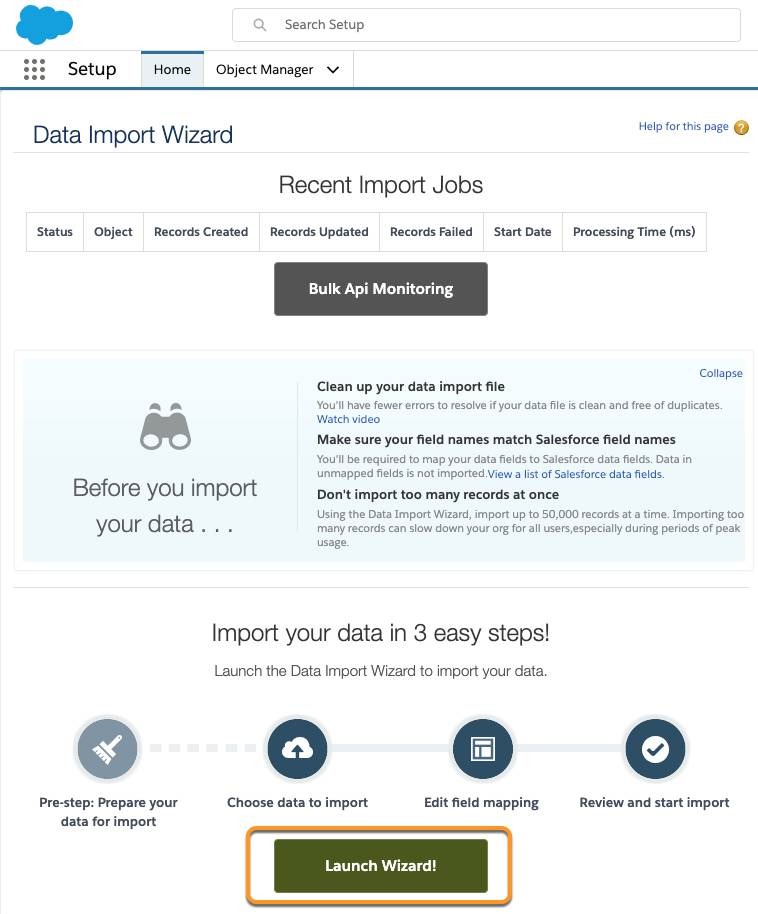
The finished test sheet shows what this route did to the records you tested. If a critical object fails, revise the mapping, change the method or find another remedy before the full move.
Reconcile counts, relationships, and exceptions
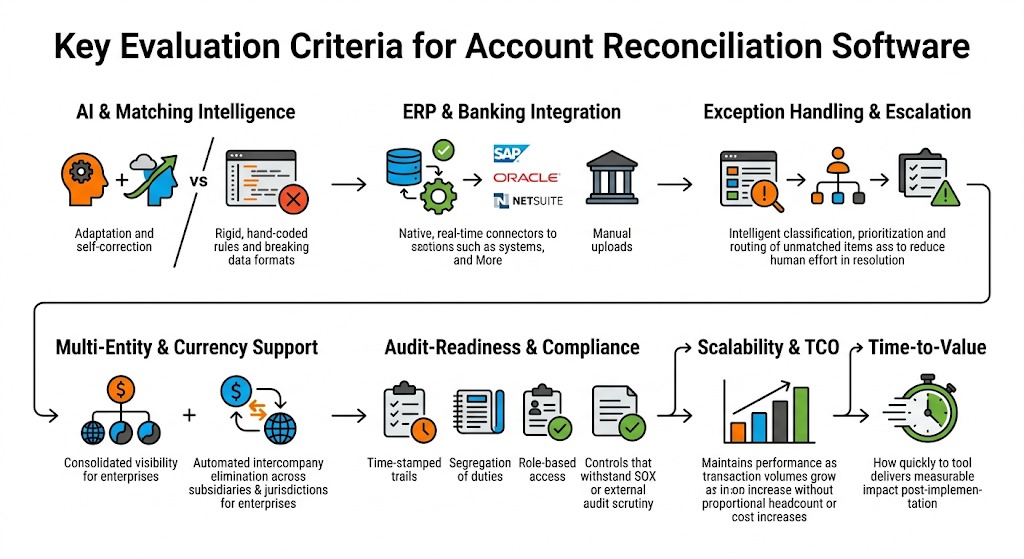
Reconciling means tracing what happened to every critical category of records and confirming their contents survived. Import totals, field values, associations and everyday workflows each need a result someone can explain.
A HubSpot Community user imported an Excel file with 100 rows:
However, when the import is completed, only 89 records are updated.
That leaves 11 rows to investigate.
A reconciliation ledger separates eligible source records, newly created records, updated records, intentional merges, exclusions, and rejected or unexplained entries.
| Observation | What to investigate | Evidence needed |
|---|---|---|
| Fewer destination records than source entries | Intended merges, rejected rows, exclusions, and update behavior | Source count, import log, and disposition |
| Matching totals but missing linked work | Relationship mapping or lost identifiers | Sample source and target associations |
| Files appear attached but cannot be used | Transfer coverage, file accessibility, or permissions | Openable files under the expected role |
| Admin can see records that employees cannot | Ownership and destination role permissions | Employee-level access result |
Matching counts can hide damaged relationships or wrong field values. A justified merge can lower the destination count without losing anything you need.
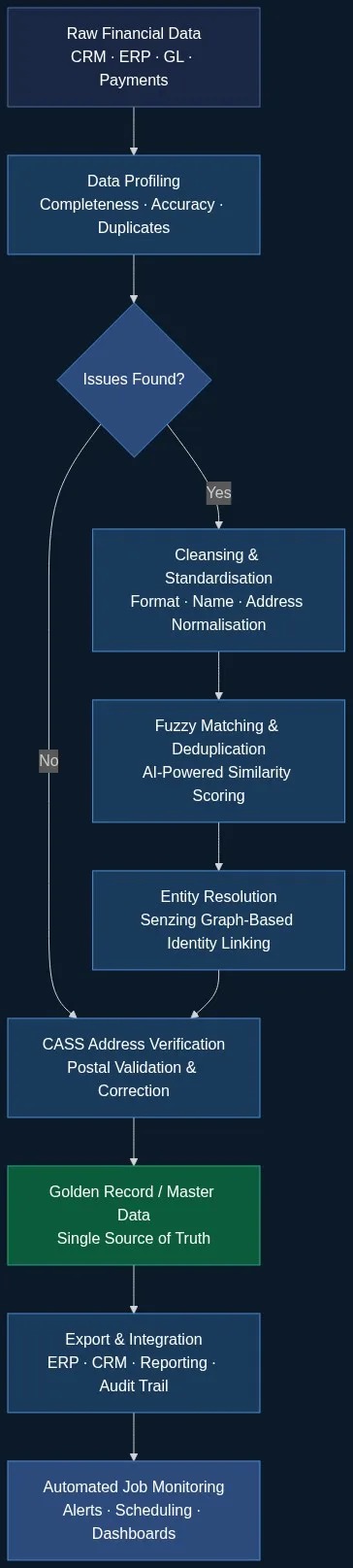
Before cutover, have the staff member who owns each job try a few real tasks: find a customer and the latest note, open a deal and its documents, locate scheduled work. Test under normal operating roles.
For every open issue, log the object type, severity, owner, evidence, planned handling and resolution. A serious exception can get an approved workaround if the workaround still meets the business requirement.
A success message only says the operation finished. Your reconciliation and workflow results decide whether you accept the outcome.
Cut over with an owner and a recovery plan
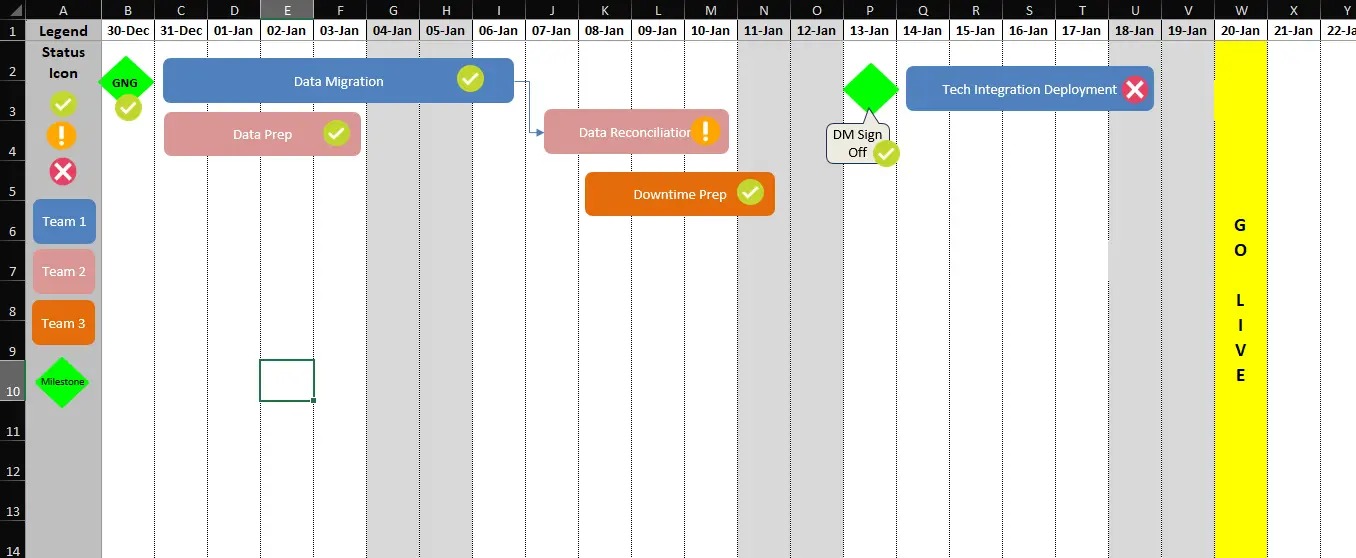
Name one decision-maker and one system for new work. The team should know which application receives new transactions, when that changes, and who can stop the transition. Also name who runs the last sync and what triggers a rollback.
Pick a time when affected employees and technical or vendor support can respond to problems. Where the platforms allow it, pause changes in the source or run a controlled final synchronization, and keep a recoverable copy from the transition point.
Keep the old application accessible for reference, but don’t edit in both. Unsynchronized editing creates diverging versions of customer records, invoices, tasks and work statuses.
AWS cutover guidance covers a change freeze, final synchronization, backup, validation and a designated rollback decision-maker. It was written for infrastructure migrations, so for business SaaS apply the same logic within the controls your applications support.
Your recovery plan must separate a return to the previous state from a return after employees have created new records in the destination.
| Migration state | Decision | Required handling |
|---|---|---|
| Critical reconciliation discrepancy remains | No-go | Resolve it or approve a correction before switching |
| Critical workflow fails in the destination | No-go or repair before proceeding | Address the failed task and reassess readiness |
| Critical checks pass and recovery is credible | Go, subject to authorization | Switch the system of record and keep the documented recovery path |
| A serious failure occurs after new target transactions | Assess fix-forward or recovery | Account for changes created since cutover |
Once the destination accepts live work, going back to the old application can leave new transactions behind. If recovery means returning to the source, plan how to reconcile or replay those changes. In some systems, repairing forward or calling a specialist is safer.
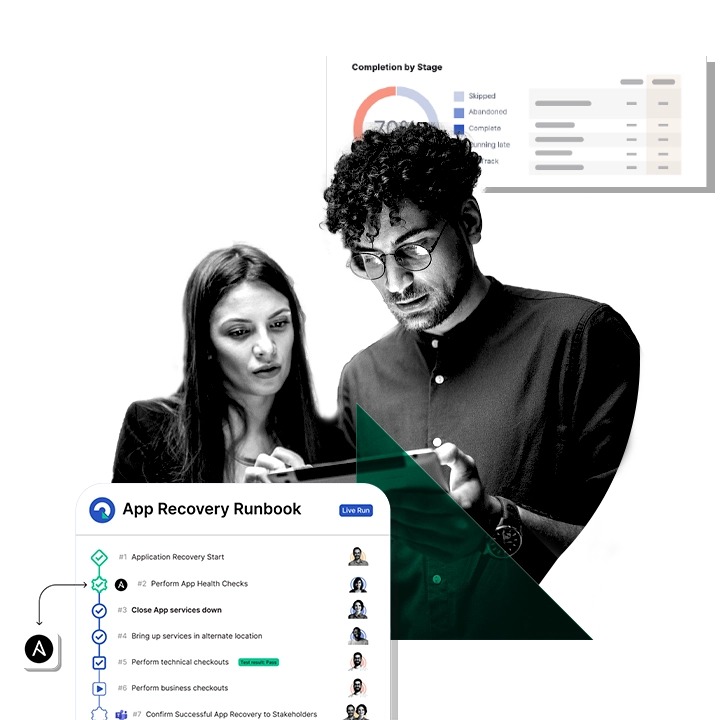
Combine the test evidence and exception ledger into one acceptance record, with a row per critical requirement: Expected source state | Observed destination state | Pass or exception | Exception owner | Remedy | Approval.
Example entry: Expected: customer, notes, scheduled appointment | Observed: customer and notes present; appointment missing | Exception: business-critical scheduling gap | Owner: operations lead | Remedy: restore appointment and retest | Decision: no-go. The owner can approve a documented noncritical exception if it doesn’t block required work.
Verify live work, secure the archive, and retire the old tool
For a live-use check, have a client-service employee enter a new work update in the new system and watch whether the notification or connected task follows. If invoices are part of the move, see how to test record completeness separately.
Operational signoff covers:
- Daily workflows: Users complete the tasks they depend on, including record updates, reports and notifications.
- Access: Employee roles expose the required information without granting unnecessary privileges.
- Integrations: Connections, scheduled jobs and automations now run against the new system.
- Archive retrieval: An authorized employee can find and open a retained historical record using the documented access method.
- Retention and security: Personal information is protected, retention is authorized and justified, and disposal responsibilities are defined.
- Subscription exit: The responsible administrator has checked cancellation terms, renewal dates, and whether historical access ends with the old subscription.
- Approval: The accountable owner records the accepted result, remaining permitted exceptions and the authorization date.
The FTC’s guidance on protecting personal information advises businesses to take stock of what they hold, limit unnecessary collection and retention, control access, dispose of information securely and plan for incidents. An archive with customer data therefore needs a clear retention purpose and proper protection. No single retention period fits every US business or record category.
Retire the old service after the operational sign-off and archive controls are in place. Staff can continue learning the new system without putting historical records at risk.
Speak Your Mind