An owner who hires a property manager may need sound bookkeeping more than a second property-management platform. Self-managing landlords and firms working for other owners have different needs: rent, repairs, portfolio reporting and record exports. Test those tasks with sample properties, including commercial CAM/NNN or migration requirements where relevant.
Do You Need Property Management Software or Only Rental Bookkeeping?
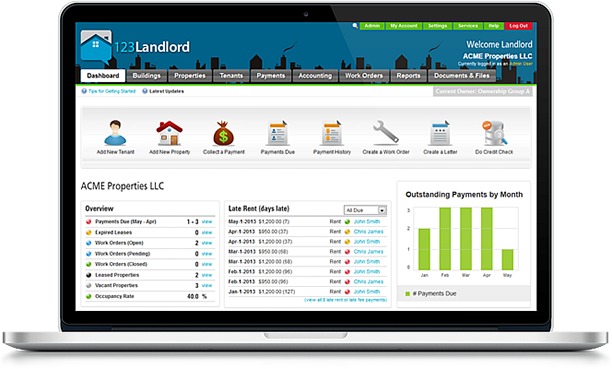
An owner who hires a property manager has a different software problem from someone who collects rent, signs leases and handles repairs every day.
If you hire a manager, your open work is financial. You need to see what each rental earned, categorize expenses, reconcile statements and prepare records for your accountant. A property-level profit and loss statement, or P&L, is often more useful than a second tenant portal.
If you self-manage, you also need operational records: a vacant unit, an application, a signed lease, a recurring charge, a payment and a maintenance request. Professional managers add client duties such as owner statements, separate balances and access permissions.
One investor showed the split with a portfolio of 14 rental units, or “doors,” that a management company already runs.
We have 14 doors which are a mix of single family homes, four plexes and condos. We use a property manager for all doors. Up until now I’ve been tracking everything from rental income, PnL, expenses, tenants etc using Google Sheets (I know I know…). With our latest door I feel it’s time to graduate to something more appropriate. I’ve got leases, listings, screenings, banking/deposits and rent collection handled between the property manager and Zillow, so Stessa or Avail may be overkill. But something that I can enter in rents collected, expenses etc and it’ll spit out a PnL at the end of the year. What do you use and why do you like it? Edit: After all the feedback, I decided to try Stessa. It does the job ok, but you get vastly different experiences between the mobile app and website, lacks notification customization and the KBs aren’t very thorough so you’ll be in touch with support a lot. On the plus side setting up accounting works well. I’ll likely use this through the end of the year before trying something else.
This owner already had leasing, screening and rent collection covered and only needed clear income and expense numbers. Stessa’s accounting setup worked for them, but the desktop and mobile experiences differed sharply.
AppFolio’s owner portal shows only the statements and reports your property manager chooses to share. For a portfolio managed by someone else, compare the owner-side options in the industry-software comparison before purchasing a full management platform.
Make a responsibilities inventory before looking at products. List who handles leasing, screening, payments, maintenance, owner reporting and bookkeeping today. Every task nobody covers goes on your requirements list. Work another provider already does well needs a specific reason to move.
Match the Software to Your Portfolio and Operating Model
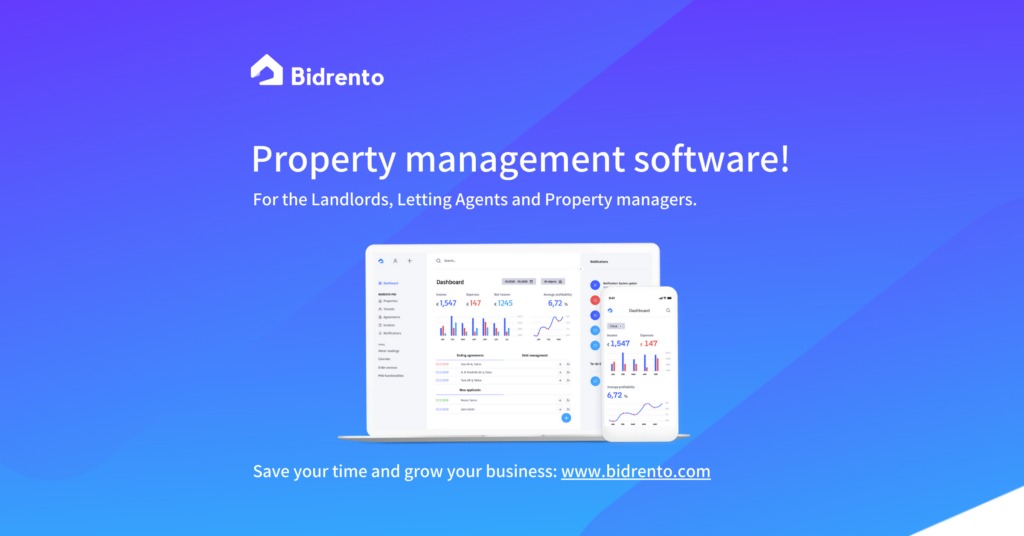
14 doors can be 14 separate houses, several units in a few buildings, or a mix of both. A door is a rentable unit. A property, an owner, a legal entity and a bank account are separate records, and the difference matters when money moves through a management system.
A company that collects rent for its own buildings and one that handles funds, vendor bills and reports for several unrelated owners can have the same unit count and very different accounting duties.
| Portfolio requirement | What the software needs to handle | Dealbreaker |
|---|---|---|
| Several owners or entities | Owner-specific accounting, permissions and reports | Transactions can’t be traced to the right owner |
| Multifamily buildings | Unit-level leases, charges and maintenance | Unit records can’t be kept separate |
| Third-party management | Owner statements, balances, reserves and controlled access | Owner accounting falls short for client work |
| Mixed residential and commercial space | Commercial leases and expense allocations | CAM/NNN accounting can’t be shown working |
| Staff and outside vendors | Role-based permissions and work-order access | Your plan lacks the users or permissions you need |
Unit count also decides which offers you can buy. Yardi Breeze’s US residential plan costs $1 per unit per month, with a $100 monthly minimum and an annual agreement. At 14 units you pay the $100 minimum. There is no 100-unit requirement.
AppFolio’s residential Core offering sets its own conditions: a 50-unit minimum and a minimum spend.
Write a portfolio inventory that separates properties, rentable units, property types, owners, legal entities, bank accounts and users, and add any client reporting or reserve requirements. Every tool you consider has to fit it.
Which Property Management Tools Deserve a Place on Your Shortlist?
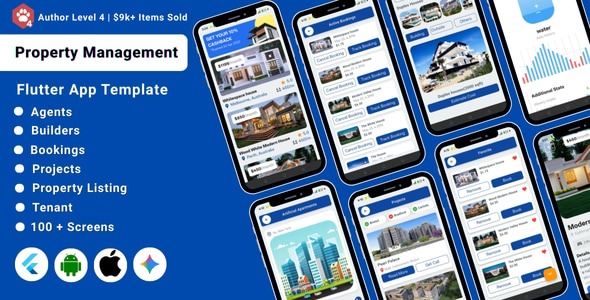
A rental bookkeeping tool, a residential landlord platform and a professional management system can show up in the same search results, yet they solve different problems.
These tools are grouped by use. The order is not a ranking.
| Primary need | Products to investigate | First selection filter |
|---|---|---|
| Owner-side rental books | Stessa; QuickBooks | Property-level income, expenses and reports without duplicating tenant operations |
| Self-managed residential rentals | Innago; TurboTenant; RentRedi | Leasing, payments and screening available on your plan and fee model |
| Professional residential management | Buildium; AppFolio; Yardi Breeze; DoorLoop; Rentec Direct | Owner accounting, statements, maintenance, permissions and implementation requirements |
| Commercial or mixed-use properties | Only tools that pass a commercial lease demonstration | Your actual lease terms, expense recovery and reporting on the plan you would buy |
Lightweight landlord software
Innago has no base subscription, but it charges separately for some payment and screening services. It suits a landlord whose needs fit its features.
TurboTenant offers free and paid plans. Leasing, payment, screening and accounting-related functions differ by plan, so the plan is part of the decision.
RentRedi is a third option for residential landlords. Features and pricing vary by plan.
Stessa and QuickBooks belong in the comparison when rental books and year-end financial reporting are your main need.
Professional management software
Buildium offers accounting, leasing and maintenance, with paid services and plan differences. Yardi Breeze is an integrated residential management tool with a subscription floor and extra Premier functionality.
AppFolio’s residential Core minimum can rule out a smaller portfolio at the first check. If you need API access, note the plan split: Plus lists read-only API functionality, while Max lists read/write API functionality.
Rentec Direct offers Rentec PRO for landlords and real-estate investors and Rentec PM for professional managers who need trust accounting. The PM tool’s accounting still has to match your owner-fund obligations.
DoorLoop is another professional-management option. Its price depends on billing selection, unit count and promotions, so an introductory amount on the pricing page does not tell you what your setup costs.
Pick two or three finalists that fit your property type, plan, essential features and the vendor’s sales eligibility conditions.
Commercial and Mixed-Use Properties: Lease Accounting Requirements
Commercial leases create accounting requirements that residential rent collection never meets.
CAM stands for common area maintenance. NNN refers to triple-net lease arrangements. Depending on the lease, you may need to allocate recoverable expenses, track obligations under different lease terms and produce reports that explain the resulting charges.
One operator described a portfolio of houses, multifamily units, offices and retail centers:
Apart of ownership group for a property management company that also does in-house construction. Our portfolio: 25 Single family 500 multifamily units (7 properties) 8 office buildings (600k SF) 8 retail centers (775k SF) We’ve been on Buildium a year. It works for residential and multi family well but I feel like we struggle on the commercial side especially CAM/NNN, reporting, lease structures and amenities like shared conference rooms parking etc. Looking for a more all in one platform that’s better with commercial but still has tenant portals (rent payments + maintenance),etc. any recommendations on software to look at besides the big ones like yardi or appfolio ??
Buildium handled their residential and multifamily units. Commercial leases, reporting and CAM/NNN were the problem.

For a mixed-use portfolio, bring one representative commercial lease and its expense rules to the demonstration. The vendor should show the charge or recovery, the property ledger and the resulting owner report on the plan you would buy.
If the software cannot show that accounting working, it fails, however good its residential features and reviews look.
What Property Management Software Costs Over 12 Months
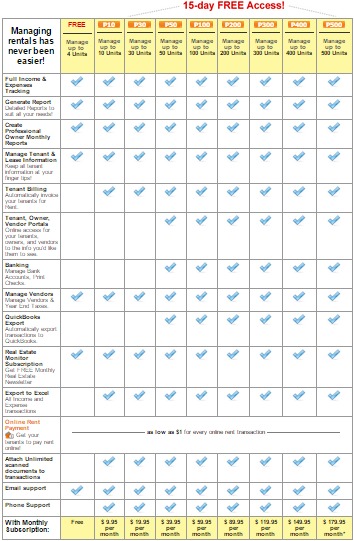
A monthly price tells you little until you know the minimum commitment and the billable activities. Rent payments, screening, signatures, integrations, implementation and support can all add to the total.
Three worked examples show why the pricing model matters.
| Illustrative case | Calculation | Twelve-month amount |
|---|---|---|
| Yardi Breeze residential, 14 units | Higher of $14 or $100 per month | $1,200 base subscription |
| Yardi Breeze residential, 120 units | Higher of $120 or $100 per month | $1,440 base subscription |
| Innago, 14 chargeable ACH payments each month | 14 × 12 × $2 | $336 in ACH transaction fees |
The Yardi examples apply the $1-per-unit formula, the $100 monthly minimum and the annual agreement to hypothetical unit counts, and they exclude services beyond the base subscription. The Innago example uses the vendor’s $2 ACH fee and assumes 14 chargeable payments in each of 12 months, which gives $336 in transaction fees.
Payment fees also have a payer. If you pay the Innago ACH fees yourself, that is $336 a year in expenses. If tenants pay them, your cost drops, but each tenant sees a $2 charge on every payment.
Build a comparable annual cost
Give every finalist the same projected portfolio size and activity assumptions:
- Subscription and commitment: Unit rate, spending floor, plan, billing interval, annual term and renewal terms.
- Setup: Onboarding, bank connections, training and any conversion service.
- Payment activity: Expected ACH and card transactions, fee per transaction, and who pays.
- Additional services: Screening, electronic signatures, integrations, premium support and other paid features.
Put tenant-paid and landlord-paid transactions in separate columns.
Buildium has several plan tiers and separately charged services, and its starting prices differ across billing presentations. DoorLoop also uses configurable pricing and promotions. For both, your plan and billing choices set the quote.
Ask each vendor for a dated, itemized 12-month estimate for your exact plan, unit count and transaction assumptions. Compare offers against that document.
Test the Tenant-to-Owner Workflow From Start to Finish
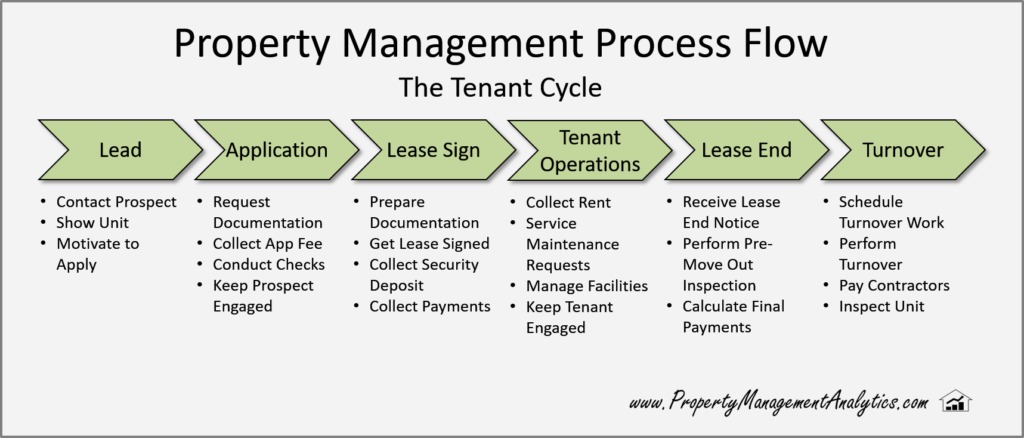
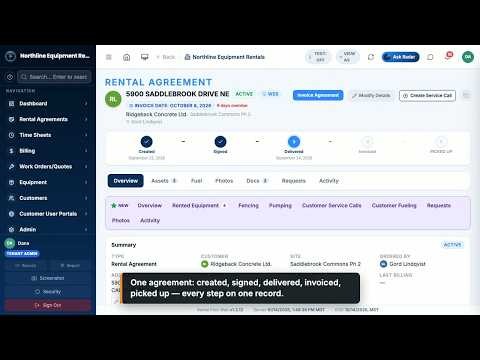
The strongest demo follows one rental transaction through every person and record involved. A resident signs a lease and pays rent, an employee resolves exceptions, and an owner needs accurate financials.
One manager weighing a move from Yardi Breeze to AppFolio described good accounting alongside awkward tenant-facing processes:
Hello, We are currently demoing property management software’s and have a few questions regarding AppFolio. We are currently using Yardi Breeze and really like the accounting features and reports, but there is some other heartache with the Yardi leases, tenant portal, and applications that is making us want to switch. Are there any others that have switched between the two software’s that prefer one over the other? How was the on boarding process? What features do you really like vs dislike? How is the support after onboarding? How is the tenant experience in terms of the portal, online payments, the $2.49 ACH charge, and lease signing? How is the accounting? These are just a few questions I want answered to see if the switch is even worth it. Thanks!
The poster asked whether the switch was worth the disruption, and cited a $2.49 ACH charge.
One property, one connected test
Use a fictional vacant residential unit and the same sample information with each finalist. Have the vendor or a trial account run this sequence:
- Application: Create the vacancy, receive an application and show where screening information enters.
- Lease: Prepare the agreement, route it for signature and find the signed copy.
- Charge and payment: Post rent to the right tenant and unit, complete an online payment and show who pays any processing fee.
- Payment exception: Show what happens with a failed or partial payment, when successful funds reach the designated account, and how a refund works.
- Maintenance: Submit a resident request, assign the work, and connect the vendor invoice to the right property.
- Owner records: Generate the owner statement and show the transaction in the ledger and the bank-reconciliation workflow.
- Permissions and support: Show what tenants, staff, contractors and owners can access, and who you contact when implementation fails.
Watch payment settlement closely. Innago’s payment FAQ separates ordinary processing from cases such as first-time or failed payments, which can involve longer holds. Ask every finalist how its settlement and refund processes behave on your configuration.
Log the expected result, observed result, plan, user role and any unresolved step. A pass means tenant, unit, charge, payment, vendor bill and owner balance all match.
A demo does not prove support quality or production reliability. Settle those in the purchase agreement.
Before Migrating, Prove You Can Export and Reconcile the Records
Leaving a property-management system means keeping financial relationships, open work and the documents that explain both.
A spreadsheet may list tenant names and payment amounts but omit the transaction detail needed to rebuild a ledger. Importing those values into a new program does not automatically preserve deposits, owner balances or reconciliation history.
Buildium’s export instructions dated June 11, 2026 describe downloads in categories including Rentals, Associations, Accounting, Tasks and Communication. The documentation notes limits on the financial-ledger information its standard exports provide.
So keep three things apart: the exported files, the fields inside them, and what the new system can import and reconcile.
Build a record-level inventory
Account for these categories in the source system:
- Properties and contacts: Buildings, units, tenants, owners, vendors and account identifiers.
- Leases and documents: Active agreements, dates, signed files, attachments and renewal information.
- Financial positions: Rent receivables, unpaid charges, security deposits, owner payables and vendor liabilities.
- Open operations: Maintenance requests, assigned work, pending invoices and needed communication history.
- Accounting continuity: Transaction detail, account mapping, bank reconciliation and reports that explain earlier periods.
Reconcile one representative unit
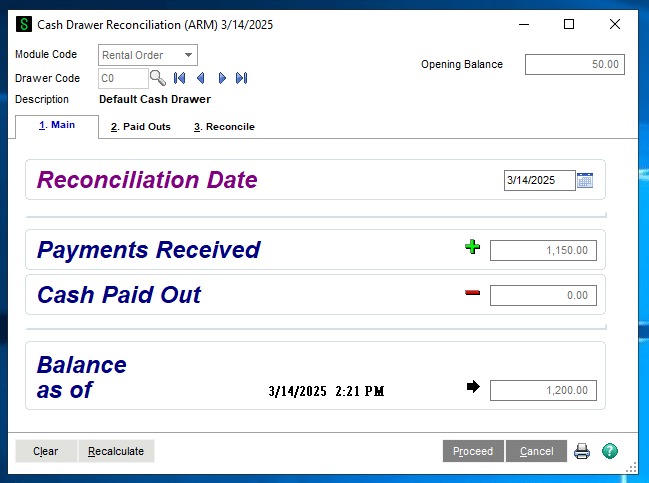
Choose a unit with a tenant, a deposit, a recurring rent charge and an open maintenance item. Compare its records in the original system, the exported files and the new system.
Confirm that the rent receivable, deposit balance, owner payable, vendor bill and bank-reconciliation totals agree. Check that supporting documents stay accessible and attached to the right records.
Coordinate tenant payment instructions and access changes with the cutover. A correct opening balance does you no good if residents keep paying into an account your new team no longer monitors.
If essential transaction history cannot move to the new system, document the archive or specialist conversion process before approving the move. Do not cut over until you can account for your financial records.
Tenant Screening and Fair Housing: What the Software Must Let You Verify
Tenant screening reports can qualify as consumer reports under the Fair Credit Reporting Act. The FTC’s landlord guidance explains permissible-purpose requirements and adverse-action notices when an unfavorable decision relies partly or wholly on a report, including certain larger-deposit decisions. The Consumer Financial Protection Bureau describes screening-report errors and applicants’ rights to challenge inaccurate information. HUD’s 2024 guidance addresses Fair Housing Act concerns with automated and third-party tenant screening.
For each tool, identify the report provider, the applicant dispute process, the adverse-action records and the human-review option. State and local rules and your screening policies may also need a lawyer’s review.
Make the Decision: Pass, Conditional, or Reject
Record each decision in a way that shows what is still unresolved.
| Verdict | Evidence | What happens next |
|---|---|---|
| Pass | Essential property, accounting and operational requirements work; costs and exit needs are clear | Move toward purchase |
| Conditional | A material fee, feature, commercial process or migration result still has no acceptable answer | Hold the commitment until you get that evidence |
| Reject | An essential accounting, property-type or operational requirement fails | Drop the tool |
A system with dependable accounting is worth keeping when the alternative mainly fixes a narrow portal frustration.
Write down the unresolved condition behind each conditional decision and the failed requirement behind each rejection.
Speak Your Mind