A law practice cannot judge management software by calendars and invoices alone. Matter deadlines, confidential records and client trust accounting where applicable have to withstand the ordinary work of the firm. Have the relevant staff demonstrate those tasks before committing to a licensed system or moving sensitive files.
A solo practice with dependable files, calendars and billing faces a different decision from a multi-attorney office struggling to connect matters, timekeepers and invoices. The relevant pressure comes from the firm’s actual records and deadlines, not its headcount alone.
You have three options:
- Keep a smaller stack. Keep the tools that already work and fix the weakest one.
- Trial a full practice-management system. It pays off when documents, responsibilities, dates and bills have become hard to coordinate and you want one shared matter record.
- Cross a vendor off the list. Drop any candidate that can’t show a must-have workflow, safeguard or contract term.
When a folder-plus-calendar system stops scaling
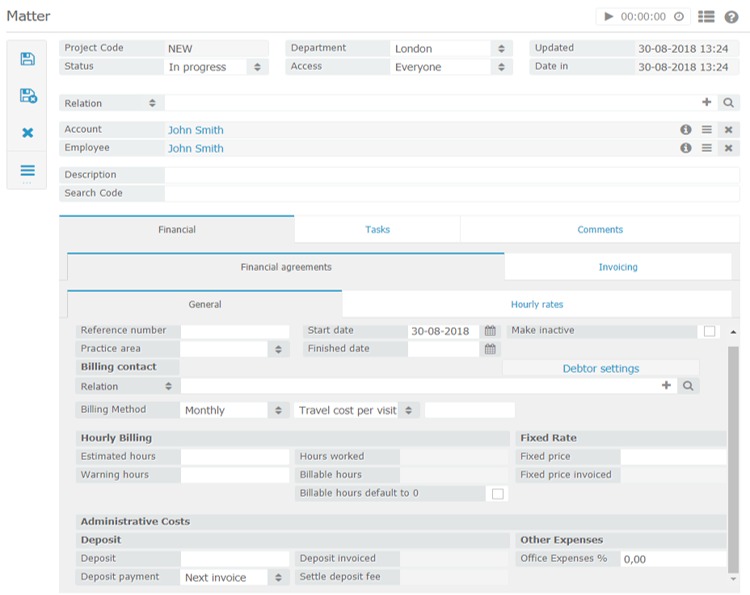
Folders, a calendar and a billing app stop working together when nobody can tell where a matter stands without searching several places or asking a colleague.
Picture a client calling about a document received three months ago. The file sits on a shared server, the deadline is in someone’s calendar, the latest instruction is buried in email, and the invoice lives in another application. Each tool works on its own. The work is still scattered.
One person in a small law office described the same mess:
I’m working part time for a small law office (solo attorney), the way he currently manage the cases are just folders on a QNAP server. … as some cases turn 3-4 years old, each folder has massive amount of files and it’s getting quite cumbersome. Calendaring is basically done on Mac calender. I’m thinking to use Notion to build a simple CRM like database, to keep the cases organized, and use Notion calender for reminders, keep track of status of each case.
A matter-centered system brings that work together. The Notion database proposed in that post would still need its own setup for permissions, deadlines and reliable legal records.
Many firms still work without one. The ABA’s 2024 Practice Management TechReport reported case or practice management software use among 37% of surveyed solo attorneys, compared with 45% in its 2022 solo subgroup.
That’s a survey subgroup, not a rule for when to buy. An estate-planning solo with well-organized documents and straightforward billing can manage with separate tools. A small office that delegates deadlines and matters across several people needs one shared record sooner.
Trace a recently completed matter from the client’s first inquiry through document retrieval and deadline follow-up. Find the handoff that keeps causing confusion, duplicate entry or an avoidable search. That is the problem your new system has to solve.
Match the platform to your practice area and fee model
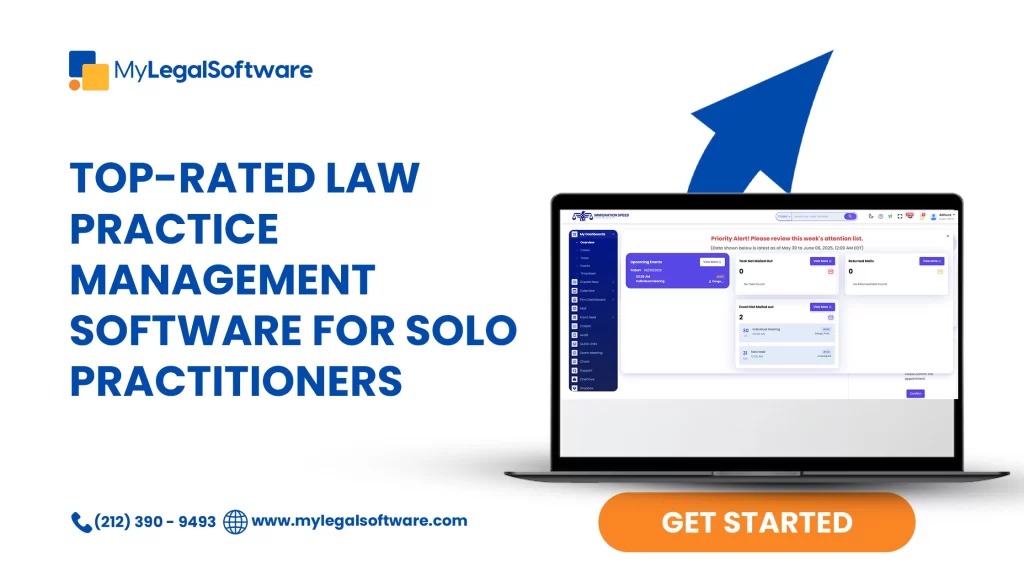
Your practice area, fee arrangement and staff roles set the software requirements. A firm handling court deadlines with multiple timekeepers needs different things from an office preparing mostly fixed-fee estate-planning documents.
Here is how the needs split by practice:
- Litigation or criminal defense. Calendar ownership, delegated tasks, matter documents and court-rule coverage matter most. If you rely on rule-based deadlines, supported jurisdiction and venue are essential.
- Personal injury. Large matter files, case progression, contingency-related financial work and specialized workflows can justify looking at practice-focused products such as CasePeer.
- Estate planning or transactional practice. Intake, reusable forms, document organization and flat-fee billing matter more than complex litigation scheduling.
- Hourly or insurance-related work. Multiple timekeepers, rates, expenses, invoice adjustments and sometimes LEDES billing narrow the field quickly.
The ABA’s 2024 report found fixed-fee work among 25% of its solo respondents and contingent-fee work among 23% of respondents from firms with two to nine attorneys. Billing models differ from group to group, so one billing checklist won’t fit every firm.
Staff roles matter too. A solo who enters every record personally needs only modest assignment controls. An office with paralegals, intake staff and a billing administrator needs permissions and accountable handoffs.
Before you read product ratings, fill in a five-column requirement sheet:
- Practice area: the matters you handle routinely.
- Fee model: hourly, flat fee, contingency or another arrangement.
- Time-sensitive work: the deadline, filing or task process with the biggest consequences.
- Users and roles: who enters, reviews, approves or retrieves records.
- Must-haves: the conflict, financial, security or workflow requirements you can’t waive.
A feature goes on the must-have list when your operations or your professional obligations require it. Skip advanced automation if your ordinary work doesn’t call for it.
Compare actual products without trusting a generic winner
Clio Manage, 8am MyCase, PracticePanther, Smokeball and CosmoLex are reasonable starting points for a shortlist. Their products are structured differently, so begin with the one that fits your required workflow.
| Platform | What the vendor documents | Why look at it |
|---|---|---|
| Clio Manage | Clio separates Manage (practice management) from Grow (intake/CRM) and Draft (document automation); packages may combine products. | Check the exact package if intake or advanced document preparation is a big part of your work. |
| 8am MyCase | Basic advertises matter management, time entry, invoicing and trust accounting. Pro and Advanced add features; MyCase Accounting is offered separately. | Check the edition if you need matter workflows, billing and accounting together. |
| PracticePanther | The Business tier advertises LEDES billing. Business Pro lists PantherAccounting Plus and expanded trust and operating accounting. | Include it if LEDES billing or deeper integrated accounting decides your purchase. |
| Smokeball | Its published pricing separates packages, subscription terms and firm-size selectors for 1 to 2, 3 to 9 and 10 or more users. | Check the package and terms if your headcount and document-focused workflows drive the purchase. |
| CosmoLex | Advertises matter management, billing, trust-account functions and business accounting across tiered plans; availability depends on the plan. | Consider it if connected practice management and accounting matter most to you. |
If you need LEDES billing, look at PracticePanther’s Business edition. If you want a broad accounting workflow, put CosmoLex on the shortlist. Test those exact editions against your must-haves.

CasePeer and Filevine also deserve a look for certain practices, but this article has no plan-level detail to compare them fairly.
G2, Software Advice and Capterra offer product lists, reviews and buying information. Use ratings to find candidates. A missing must-have removes a candidate whatever its average score.
Narrow the field to two or three editions. For each required feature, record one of four statuses: vendor-documented, demonstrated, not offered or unknown. An unknown on a must-have stays open until the vendor gives you usable evidence.
Trust accounting and the demo checklist

If you hold client funds, your software has to support your trust-account workflow and the records your jurisdiction requires. Client money and firm operating funds must be handled separately. For the wider testing method, see how to test the workflow that keeps the business running.
ABA Model Rule 1.15 covers safekeeping client property, separating client and lawyer property, and maintaining accounting records. State rules govern where adopted and can impose different requirements. A vendor’s description of a compliant feature is not professional approval for every state’s trust-account rules.
Run the test with fictional client information and simulated money. Enter an advance deposit for one matter, apply earned fees when appropriate, then record an authorized disbursement or refund. Check the individual client ledger, related control records and transaction history. Confirm how an adjustment is recorded and whether the audit trail survives.
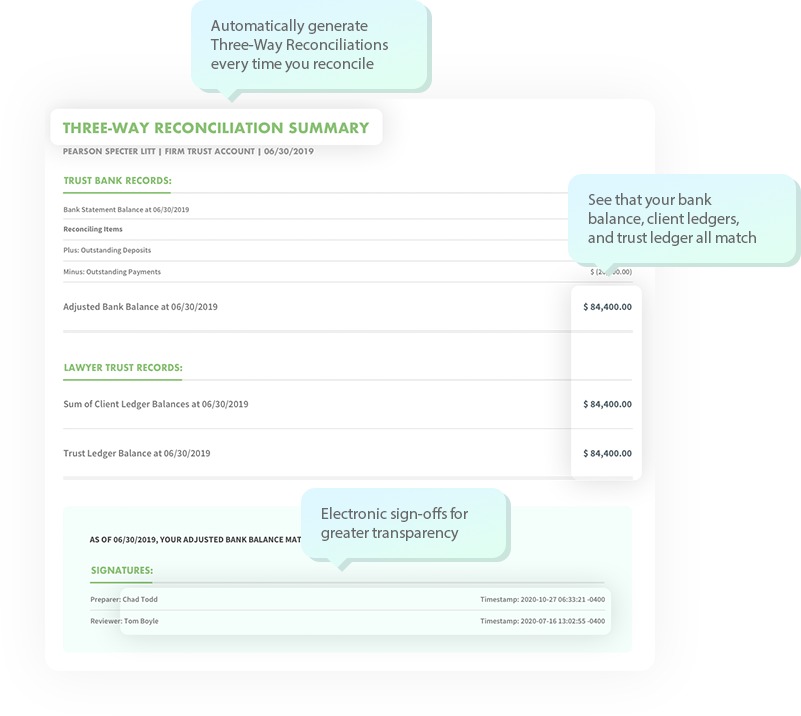
If your rules require three-way reconciliation, the reviewer compares the trust bank balance, the trust control ledger and the combined individual client ledger balances under your accounting method. Any discrepancy needs an explanation and a fix. Look for this reconciliation separately from invoicing.
Some editions advertise trust tracking without broader operating accounting. MyCase Basic, for example, lists trust accounting, while the separately offered MyCase Accounting enhancement adds more accounting functions. Your edition and enhancement decide which tasks you can perform inside MyCase.
In California, the State Bar required designated-licensee information for trust accounts opened from January 1, 2026, and gave existing accounts a reporting window through July 1, 2026. Its trust-account guidelines also cover designated-licensee reconciliation oversight.
Have the person responsible for your trust records judge the simulated transactions against your governing rules. Keep real confidential client material out of any public vendor demonstration.
Billing and accounting integration tests

Follow the money from the original fee or time entry through invoice changes and payment to the accounting record. The staff who prepare and maintain your bills should be able to complete that whole path without duplicate entry.
A buyer from a small firm described the problem:
Hello, our current billing software is kind of a mess. Our firm has three attorneys and a handful of staff, and we need something that makes tracking billable hours simple while also sending clean invoices to clients. Integration with accounting software like QuickBooks would be a huge plus. I’ve tried Clio for a few weeks but it felt a bit overwhelming. What software do you recommend that really works for small firms?
For a hypothetical hourly matter, the billing administrator enters attorney time, adds a reimbursable expense, creates the draft invoice and corrects a line before sending it. A later partial payment should leave an accurate balance due.
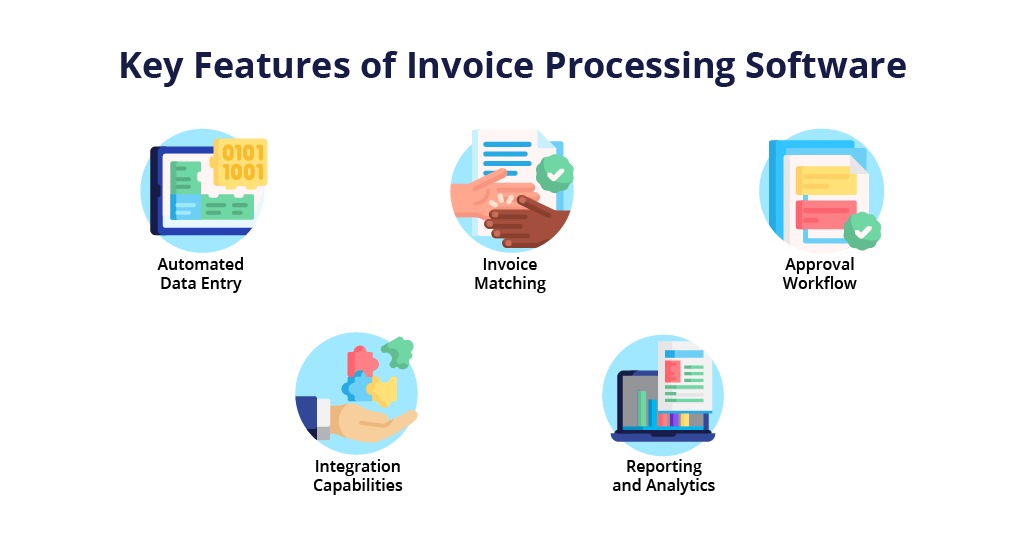
Use that same bill in every candidate’s trial and check five operations:
- Capture: Create the time entry or fee and assign it to the right matter.
- Invoice: Produce a bill with the required rates, descriptions, expenses and client details.
- Adjust: Correct an entry and keep the history.
- Pay: Record a partial payment and check the remaining receivable.
- Account: Follow the transaction into your accounting system or ledger and check the resulting entries.
The accounting step matters most if you use QuickBooks or another separate package. For any listed integration, check the exact accounting edition, the direction of data movement, how adjustments are treated and the access permissions.
Hourly, flat-fee and contingency work can trigger different billing events. If you send LEDES invoices, confirm the required format is available in the edition you’re testing.
Security, confidentiality, and court-deadline checks

A law firm assigns legal responsibility to people, so permissions, confidentiality safeguards and deadline reliability belong in the buying decision.
ABA Model Rule 1.6(c) addresses reasonable efforts to prevent unauthorized access to or disclosure of client-related information. Comment 8 to Model Rule 1.1 discusses competence concerning relevant technology risks and benefits. Rule 5.3 concerns responsibilities relating to nonlawyer assistance.
Say a paralegal works on three litigation matters. That person needs access to assigned files and tasks, while other confidential matters stay restricted. In a trial, two test accounts with different roles show what each person can see and change.
Your security review should cover multifactor authentication, permissions, audit records, vendor support access, backup and recovery, data retention, and deletion provisions. Review the documents and features tied to your specific edition and service agreement.
Court calendaring needs its own test. If a vendor advertises court-rule calculations, confirm the jurisdiction, venue, triggering event, exceptions and any subscription requirement. MyCase’s feature information, for example, describes a court-rules calendaring integration with a separate subscription qualification.
Take a representative court event and compare the software’s calculated date with the official rule, using your usual independent deadline-review process. Responsibility for deadlines stays with the legal team.
AI-assisted drafting or intake raises further questions about confidential data and review of generated work. ABA Formal Opinion 512, issued in 2024, addresses ethical considerations surrounding lawyers’ use of generative AI tools. It applies if you evaluate an optional legal AI feature, and you still need review and confidentiality controls.
What to prove in the demo before signing
The common demonstration pulls these checks into one comparable record. Every vendor gets the same fictional matter, and each result refers to the edition you’re considering.
Start with a fictional client inquiry using invented details. Move it through conflict search, intake, matter creation, document handling, a deadline and billing. Have an attorney and an administrative user do the tasks they would normally own.
| Task | What to check | Result |
|---|---|---|
| Intake | Inquiry becomes the intended client and matter record. | Pass / conditional / fail |
| Conflicts | Required names and records are searchable before acceptance. | Pass / conditional / fail |
| Assignment | Task owner, access permissions and responsibility are visible. | Pass / conditional / fail |
| Documents | File is linked to the matter and can be retrieved. | Pass / conditional / fail |
| Calendar | Deadline, event and responsible person are correct. | Pass / conditional / fail |
| Billing and export | Required invoice, financial records and data extraction work as specified. | Pass / conditional / fail |
Explain every conditional result precisely: a missing module, a manual workaround, a different edition or a promised vendor fix. Keep the explanation next to the result so two candidates with the same label stay distinguishable.
This table captures the outcomes of your trust, billing and deadline tests alongside the shared matter workflow, so you can compare candidates without rerunning the same instructions in every discussion.
Record the edition, the responsible tester, the observed outcome and any written explanation from the vendor.
Ask each vendor to explain its onboarding responsibilities and the help available during implementation. Note any unresolved behavior that needs a later demonstration, especially if it touches your must-haves.
What your real subscription includes
First-year cost covers paid users, the contract term, required products, setup work and transaction-related charges. The lowest advertised subscription price is only one part of it.
One solo attorney considering Clio asked other firm owners about exactly that uncertainty:
I run a solo practice and I’m looking at Clio, but they don’t make the pricing very clear on the site.
For other solo firm owners using it, how much are you actually paying per month? Which tier are you on, and is it worth it for a one-person practice?
A solo may need one attorney seat and a few selected modules. A growing firm may need separate licenses for lawyers, paralegals, intake staff and billing staff. The vendor’s definition of billable users decides which headcounts affect the price.
| Cost component | What to get | How to count it |
|---|---|---|
| Core subscription | Plan, paid seats, rate, billing term | Calculate recurring charges across 12 months. |
| Required modules | Intake, drafting, accounting, automation or integrations | Add the documented module charges. |
| Implementation | Setup, conversion, onboarding and training | Include agreed one-time charges. |
| Payments | Processing fees and transaction terms | Model fees on your expected activity. |
| Contract and exit | Renewal, cancellation, export and access terms | List ongoing obligations and possible exit costs. |
For a simple per-seat monthly rate, the base annual subscription is paid seats times the monthly rate times 12. Add confirmed one-time and usage-related charges. List an unknown charge as TBD, not $0.

Subscription terms, feature entitlements and promotional prices change. Get an itemized written quote that names the edition, employee roles, contract period, accounting or intake enhancements, implementation commitments, processing fees and cancellation conditions. To evaluate documents, contract, and implementation, use how renewals and contract terms change the total.
Count learning time in your internal budget even when the vendor doesn’t invoice for it. Consolidating several applications can cut duplicate work, but the gain depends on the new workflow and the effort to adopt it.
The MyCase pricing comparison, for example, separates core practice-management features from optional accounting capabilities. Carry those plan distinctions into the quote.
How to test a migration before committing

Write an acceptance test before you shut down the old system. After the move you must be able to find your matters, read historical files and reconcile financial records. Use a pre-purchase integration test with sample records to verify what connected matter-management systems actually exchange.
An attorney who reported a difficult move to MyCase described delayed records and discrepancies involving matter-level trust information:
I was assured that all of my files would be transferred within 48 hours. It took 2 weeks. The trust amounts per matter were never merged by MyCase, despite their assurance that it would be done. Accordingly, our firm’s billing was delayed 2 weeks while we waited for their replies. We then had to manually enter and reconcile the trust amount. Any correspondences were met with extreme delays. We never received a response within 48 hours of the request. They set up our firm text line with the wrong area code. We were told that fixing this issue would take weeks. Mind you, we paid extra for the texting service.
That is one firm’s account, not a failure rate for the vendor. In any migration, the imported records have to match a written scope and your accounting controls.

Start with a full data inventory: clients, contacts, active and archived matters, notes, assigned tasks, deadlines, document attachments and metadata, invoice IDs, receivables, payments and client trust balances.
Map source fields to the destination. Watch historical invoice identifiers, email attachments and individual ledger entries closely, because a client name and matter title can transfer while essential context doesn’t.
| Record group | Measure in the old system | Accept in the new system when |
|---|---|---|
| Clients and matters | Counts and selected identifiers | Records match, or differences are explained and resolved |
| Documents | File counts, selected content and metadata | Required files are readable, retrievable and linked to the correct matters |
| Invoices and receivables | Invoice IDs, open balances and payments | Historical and financial records reconcile |
| Trust records, if applicable | Client balances, control ledger and relevant totals | Authorized reconciliation is complete with no unresolved differences |
| Deadlines and assignments | Dates, matter links and responsible people | Critical obligations and ownership are confirmed |
Use several matter types in the sample: an hourly case with a partial payment, a flat-fee matter and, if you hold client funds, a trust-funded matter. Archived files and unusually large records test different problems from a recently opened simple case.
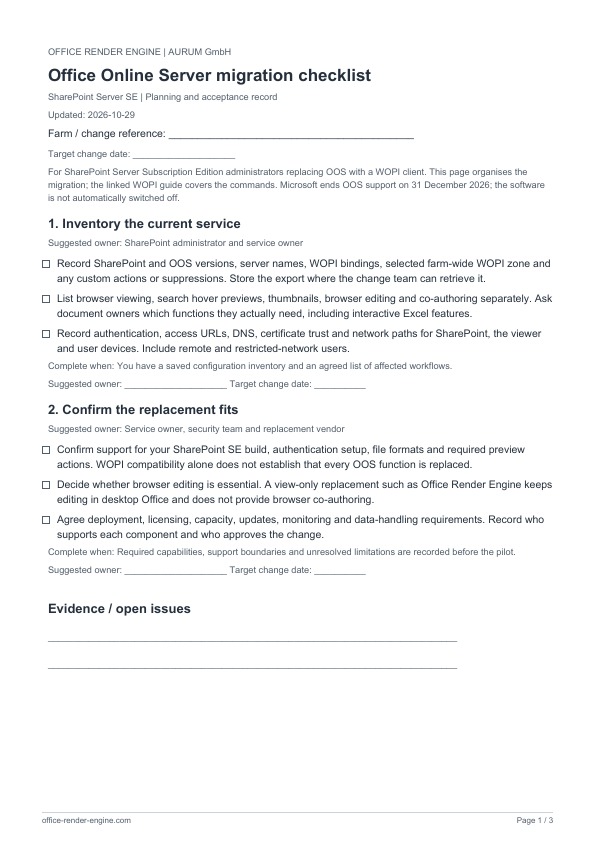
Give accounting differences to your authorized financial reviewer, deadline and matter-record questions to the responsible attorney, and access concerns to whoever reviews your firm’s systems. Resolve material mismatches before cutover.
Written migration terms should also cover data export format, historical access and retention. Keep a contingency or rollback arrangement, and the old system accessible, until the acceptance sheet is complete with measured source and target values, open exceptions, reviewers and sign-off.
Turn the evidence into a purchase, pilot, or keep decision
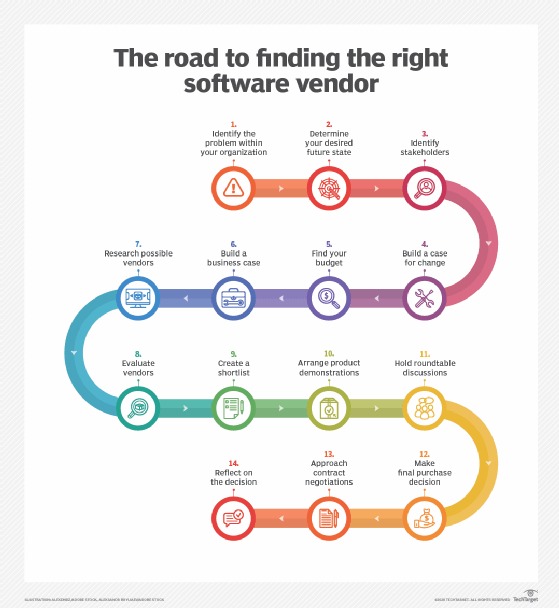
The responsible attorney’s approval must be grounded in matter handling, confidentiality and any applicable trust-accounting checks, with finance and security signing off on their own requirements.
Speak Your Mind